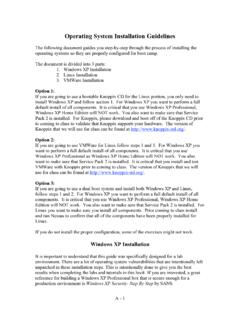
Operating System Installation Guidelines
Disk One, Setup Disk Two, Setup Disk Three, and Setup Disk Four. 2. Insert Setup Disk One into the floppy disk drive of a Windows or DOS system. 3. Insert the Windows XP CD-ROM into the CD-ROM drive. 4. Click Start, and then click Run. 5. In the Open box, type D:\bootdisk\makeboot a: (where D: is the drive
Download Operating System Installation Guidelines

Information
Domain:
Source:
Link to this page:
Documents from same domain
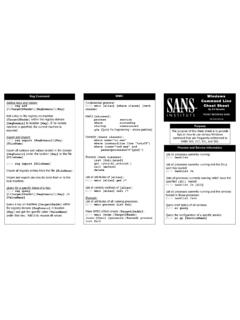
Reg Command WMIC Windows - Cyber Certifications
www.sans.orgWindows Command Line By Ed Skoudis Adding Keys and Values: C:\> reg add [\\TargetIPaddr\][RegDomain]\[Key] Add a key to the registry on machine [TargetIPaddr] within the registry domain [RegDomain] to location [Key]. If no remote machine is specified, the current machine is

SANS Institute Information Security Reading Room
www.sans.orgAug 05, 2019 · This 2019 edition of the SANS Security Operations Center (SOC) Survey was designed to provide objective data to security leaders and practitioners who are looking to establish a SOC or optimize their existing SOCs. The goal is to capture common and best practices, provide defendable metrics that can be used to justify SOC resources to
SANS Institute
www.sans.orgJan 03, 2022 · Page 3 of 6 2. Application based firewall Ensure that the administrators monitor any attempts to violate the security policy using the …
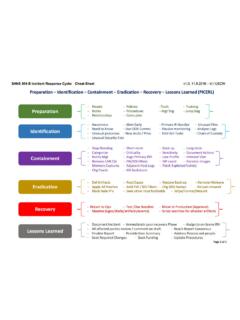
Incident Response Cycle - Cyber Security Training | SANS ...
www.sans.orgSANS 5048 Incident Response Cycle: Cheat-Sheet Enterprise-Wide Incident Response Considerations vl.o, 1152016— kf / USCW Web Often not reviewed due to HR concerns Helps uncover compromised hosts and C2 server connections Many malicious URL's are long or contain unintelligible portions Often malware uses older User-Agent strings
Related documents

Deployment Guide - Nitro PDF
cdn.gonitro.com3 2. Installation prerequisite s 2.1.System requirements Desktops: Windows 10, 8, and 7 (64 bit) Servers: Microsoft Windows Server 2008 R2, 2012, 2012 R2 (64 bit), 2016 Processor: 1.5 GHz or faster RAM: 1GB Available hard disk space: 4.5GB Display screen resolution: 1024x768 Microsoft Office integrated features: MS Office 2013 (32bit or 64bit), Microsoft Office 2016 …

Acronis True Image for Sabrent
dl.acronis.comsuch as losing data, accidentally deleting critical files or folders, or suffering a complete hard disk crash. Key features: Rescue bootable media (p. 65) Hard disk cloning(p. 58) Security and privacy tools (p. 65) Getting started Learn how to protect your computer with two simple steps: "Protecting your system (p. 10)".

Acronis True Image 2021
dl.acronis.comDisk backup to a local storage and to Acronis Cloud (p. 45) File backup to a local storage and to Acronis Cloud (p. 47) Antivirus and antimalware Protection (p. 121) Acronis bootable media Hard disk cloning (p. 135) Data archiving (p. 112) Family data protection (p. …

Digivu and Digivu+ User Instructions Page - 2
downloads.tachomaster.co.ukConfiguring your Digivu download tool 10 ... 200MB free hard disk space 512MB memory (1GB recommended for analogue scanning) ... The Digivu device will manage its own files and will overwrite the oldest files meaning you do not have to remove or …

MacBook User Guide
library.nau.eduYou see a picture of a disk or a folder with a blinking question mark. This icon usually means that the computer can’t find the system software on the hard disk or any disks attached to the computer. Disconnect all external peripherals and try restarting. Hold down the power (®) button for 8 to 10 seconds until the computer turns off.
MacBook Pro User's Guide - B&H Photo
www.bhphotovideo.comYou see a picture of a disk or a folder with a blinking question mark. This icon usually means that the computer can’t find the system software on the hard disk or any disks attached to the computer. Disconnect all external peripherals and try restarting. Hold down the power (®) button for 8 to 10 seconds until the computer turns off.

CompTIA A+ Certification Exam: Core 2 Objectives
www.comptia.jp- Internal fixed disk (HDD/SSD) - Internal hard drive (partition) • Type of installations - Unattended installation - In-place upgrade - Clean install - Repair installation - Multiboot - Remote network installation - Image deployment - Recovery partition - Refresh/restore • Partitioning - Dynamic - Basic - Primary - Extended - Logical - GPT

DS-7604NI-E1/4P DS-7608NI-E2/8P DS-7616NI-E2/16P NVR …
www.networkwebcams.co.ukEach SATA hard disks and network disks with a maximum of 4TB storage capacity. HDD group management. HDD property: redundancy, read-only, read/write (R/W).