Operating System Installation Guidelines
Disk One, Setup Disk Two, Setup Disk Three, and Setup Disk Four. 2. Insert Setup Disk One into the floppy disk drive of a Windows or DOS system. 3. Insert the Windows XP CD-ROM into the CD-ROM drive. 4. Click Start, and then click Run. 5. In the Open box, type D:\bootdisk\makeboot a: (where D: is the drive
Download Operating System Installation Guidelines

Information
Domain:
Source:
Link to this page:
Documents from same domain
Reg Command WMIC Windows - Cyber Certifications
www.sans.orgWindows Command Line By Ed Skoudis Adding Keys and Values: C:\> reg add [\\TargetIPaddr\][RegDomain]\[Key] Add a key to the registry on machine [TargetIPaddr] within the registry domain [RegDomain] to location [Key]. If no remote machine is specified, the current machine is

SANS Institute Information Security Reading Room
www.sans.orgAug 05, 2019 · This 2019 edition of the SANS Security Operations Center (SOC) Survey was designed to provide objective data to security leaders and practitioners who are looking to establish a SOC or optimize their existing SOCs. The goal is to capture common and best practices, provide defendable metrics that can be used to justify SOC resources to
SANS Institute
www.sans.orgJan 03, 2022 · Page 3 of 6 2. Application based firewall Ensure that the administrators monitor any attempts to violate the security policy using the …
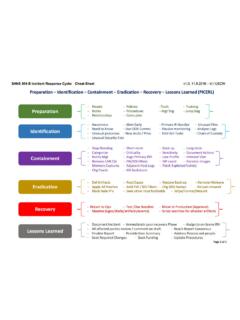
Incident Response Cycle - Cyber Security Training | SANS ...
www.sans.orgSANS 5048 Incident Response Cycle: Cheat-Sheet Enterprise-Wide Incident Response Considerations vl.o, 1152016— kf / USCW Web Often not reviewed due to HR concerns Helps uncover compromised hosts and C2 server connections Many malicious URL's are long or contain unintelligible portions Often malware uses older User-Agent strings
Related documents
About the Tutorial
www.tutorialspoint.comOperating System 4 Operating systems are there from the very first computer generation and they keep evolving with time. In this chapter, we will discuss some of the important types of operating systems which are most commonly used. Batch Operating System The users of a batch operating system do not interact with the computer directly. Each
System Requirements--SAS 9.4 Foundation for Microsoft ...
support.sas.comStarting with SAS 9.4, the software is architected in a 64-bit format. When you upgrade from an earlier version of SAS Foundation on Windows, your …
Chapter 5 System Software: Operating Systems and Utility ...
www.oakton.edu• DOS (Disk Operating System) –DOS traditionally used a command-line interface –Dominant operating system in the 1980s and early 1990s ... –The predominant personal operating system developed by Microsoft Corporation –Windows 1.0 through Windows Vista •Windows 1.0 released in 1985
![Commercial Licensing brief [Type here] Reimaging licensed ...](/cache/preview/3/e/3/6/e/e/3/e/thumb-3e36ee3e0f00797b1c38cc4e2b3a0f83.jpg)
Commercial Licensing brief [Type here] Reimaging licensed ...
download.microsoft.comReimaging of the Windows Desktop Operating System Microsoft Commercial Licensing programs do not offer licenses for the full version of the Windows desktop operating system. However, the media for the full version is available to customers who license Windows via a Windows Upgrade license in any Commercial Licensing program.
Operating Systems: Basic Concepts and History Hardware
www.cs.utexas.eduOperating Systems: Basic Concepts and History 1 Introduction to Operating Systems An operating system is the interface between the user and the architecture. User Applications OS as juggler: providing the illusion of a dedicated machine with infinite memory and CPU. OS t tti f hth ll ti Operating System Hardware Virtual Machine Interface

OPERATING SYSTEMS STRUCTURES - WPI
web.cs.wpi.eduOPERATING SYSTEM STRUCTURES WRAPUP We’ve completed our second overview of an Operating System – this at the level of a high flying plane. We’ve looked at the basic building blocks of an operating system – processes, memory management, file systems, and seen how they all connect together.
Introduction to Microsoft Core licensing
download.microsoft.com• An installed copy of the Windows Server operating system on a hard disk is an instance of Windows Server. • An installed copy of Microsoft Exchange Server within a virtual hard drive (VHD) (or other image format) file
PowerPoint Presentation - Operating Systems - UVTAGG
www.uvtagg.orgTypes of Operating Systems 4. Single-user, Multi-tasking This is the type of operating system most desktops and laptops use today. Microsoft’s Windows and Apple’s MacOS are both examples of operating systems that will let a single user have several programs in …
A fork() in the road - microsoft.com
www.microsoft.comFork is no longer simple. Fork’s semantics have in-fected the design of each new API that creates process state. The POSIX specification now lists 25 special cases in how the parent’s state is copied to the child [63]: file locks, timers, asynchronous IO operations, tracing, etc. In addi-tion, numerous system call flags control fork’s ...