
OUTLOOK - Getting Things Done
you create lists in Outlook to match the common set of 10 lists recommended in the Getting Things Done book and make some one-time changes to your Outlook views, which we describe in more detail over the following pages. Configuring your lists and views will take about 15 minutes (pages 4 to 10). SETTING UP LISTS Let’s set up the 10 suggested ...
Download OUTLOOK - Getting Things Done

Information
Domain:
Source:
Link to this page:
Documents from same domain

Mastering Workflow PROCESSING & ORGANIZING
gettingthingsdone.comMastering Workflow PROCESSING & ORGANIZING THE DAVID ALLEN COMPANY www.davidco.com © 1996-2004 David Allen & Co. All rights reserved. ˘ˇ ˆ˙ ˆ

MICROSOFT TO DO - Getting Things Done
gettingthingsdone.comBEHAVIOR CHANGE The five steps of Mastering Workflow are second nature to you. You have changed the way ... A quick way to erode trust in your system is to create a pattern ... Same functionality and data, just different names. y To Do has features that Outlook does not, such as My Day, Important, and Planned views, as well

GTD Processing & Organizing
gettingthingsdone.comTitle: GTD Processing & Organizing Created Date: 10/16/2009 5:06:37 PM

GTD Weekly Review - Getting Things Done
gettingthingsdone.com© 1990-2006 The David Allen Company. All rights reserved. www.davidallengtd.com For additional information and educational resources visit davidco.com, gtdtimes.com ...
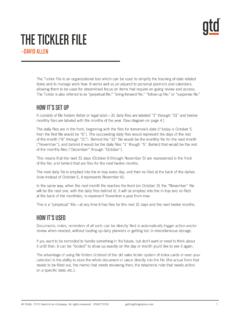
THE TICKLER FILE - Getting Things Done
gettingthingsdone.com1. Regular reports that need to be done on a standard cycle, e.g., weekly, monthly, quarterly. Put a “dummy” or blank form in the file for the day/ month it needs to be handled, and continue to re-file it as a reminder for the next one. Status reports, evaluations, payroll taxes, etc. 2.
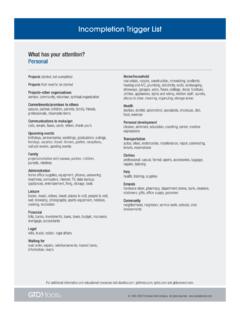
Incompletion Trigger List - Getting Things Done
gettingthingsdone.cometc.), things ordered Professional development training, seminars, things to learn, things to find out, skills to develop or practice, books to read, research, formal education (licensing, degrees), career research, resume Wardrobe professional
TABLE OF CONTENTS - Getting Things Done
gettingthingsdone.comtable of contents (continued) applying gtd to onenote (continued) 25 using quick notes 28 reviewing your lists 28 using due dates 30 marking items complete 31 using shortcut keys 31 sharing from onenote email 35 integrating actionable email with onenote 35 two options for managing actionable email ...
Related documents
Samsung Galaxy A51|A71 5G A516U|A716U User Manual
www.sprint.comThe first time you turn your device on, the Setup Wizard guides you through the basics ... Use your device’s screen lock features to secure your device. By default, the device ... Set up and manage your accounts. TIP Accounts may support email, calendars, contacts, and other features. See your carrier for more information.

Introduction to Email - Poplar Bluff
www.poplarbluff.orgOnline calendars make it easy to schedule appointments, organize tasks, and manage your time, just like a desk calendar. But unlike a physical calendar, online calendars give you the freedom to quickly edit and rearrange your schedule whenever you want. You'll even be able to access your calendar on the go and sync it across
PowerPoint Presentation
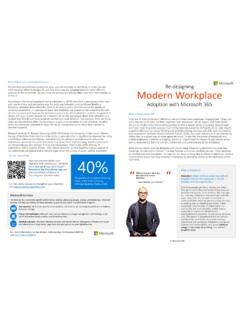
adoption.microsoft.comtimes, an individual’s attention is ‘captured’ by an unexpected event rather than voluntarily directed toward it. Research done by Dr Ramesh Manocha(2008, 2012) from the University of New South Wales’s Faculty of Medicine finds that the ability to focus your attention is significantly improved by using

Samsung Galaxy A12 A125 User Manual - AT&T
www.att.comThe first time you turn your device on, the Setup Wizard guides you through the basics ... Use your device’s screen lock features to secure your device. By default, the device ... Set up and manage your accounts. TIP Accounts may support email, calendars, contacts, and other features. Contact your carrier for more information.
Outlook Quick Start guide - download.microsoft.com
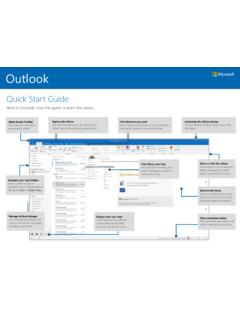
download.microsoft.comOutlook features like Mail, Calendar, and People views. Navigate your mail folders. Select a folder to see its contents. To turn this pane on or off, select . Layout > Folder Pane. Read emails faster. Dock the reading pane on the side or at the bottom to view messages where you want to. Manage Outlook Groups. Communicate with teams and
Samsung Galaxy A52 5G User Manual - Sprint
www.sprint.comThe first time you turn your device on, the Setup Wizard guides you through the basics ... Use your device’s screen lock features to secure your device. By default, the device ... Set up and manage your accounts. TIP Accounts may support email, calendars, contacts, and other features. Contact your carrier for more information.

Samsung Galaxy S21 FE G990 User Manual
www.sammobile.comThe first time you turn your device on, the Setup Wizard guides you through the basics ... Set up and manage your accounts. TIP Accounts may support email, calendars, contacts, and other features. Contact your carrier for more information. 13. Gettingstarted: ...