
Packet Tracer Create a Simple Network Using Packet ... - Cisco
In the DHCP Server settings verify that the Enabled button is selected and configure the static IP address of the DNS server as 208.67.220.220 as shown in the figure. b. Click on the Save Settings tab. Step 2: Configure the laptop a. Configure the Laptop to access the wireless network
Download Packet Tracer Create a Simple Network Using Packet ... - Cisco

Information
Domain:
Source:
Link to this page:
Documents from same domain

Release Notes for Cisco Identity Services Engine, …
community.cisco.comof the Cisco Identity Services Engine Admin Guide, Release 1.3 for information on how to configure personas on Cisco ISE nodes. System Requirements

Cisco Identity Services Engine (ISE)
community.cisco.comCisco Identity Services Engine (ISE) Traditional corporate network boundaries and siloed services are a thing of the past. Today’s networks must accommodate an ...
Cisco Product Quick Reference Guide - community.cisco.com
community.cisco.comIntroduction i Introduction Cisco Product Quick Reference Guide Welcome to the 2013 edition of the Cisco Product Quick Reference Guide. This guide presents an overview

Introduction - community.cisco.com
community.cisco.com15310-MA SDH Platform, Cisco Video Surveillance cameras, and much more. In addition, services information by technology has expanded and is included in each chapter.

Cisco- 200-125-Cisco Certified Network Associate (CCNA v3 ...
community.cisco.comCisco- 200-125-Cisco Certified Network Associate (CCNA v3.0) Pass Cisco 200-124 Cisco Certified Network exam with 100% Guarantee ... The network administrator normally establishes a Telnet session with the switch from host A. However, host A is unavailable. The administrator's attempt to telnet

Configuring AnyConnect Client Features
community.cisco.combased on the group policy of the user. Usually, a user has a single profile file. This profile contains all the hosts needed by a user, and additional settings as needed. In some cases, you might want to provide ... Cisco AnyConnect VPN Client Administrator Guide OL-20841-03

Data Sheet, Cisco D9865 Satellite Receiver
community.cisco.comThe Cisco® D9865 Satellite Receiver is designed for satellite content distribution, and targets the broadcast, business TV, private networks, and SMATV environment. The receiver offers the ability to receive digitally encrypted video, audio, VBI, and data. It

SNTC File Import - community.cisco.com
community.cisco.comCisco Smart Net Total Care CSV File Import Capability for Smart Net Total Care 3.x This documentation is intended as an overview of the CSV file import capability in the Cisco Smart Net Total Care™ Service. It provides information that can help you understand when and how to …
Cisco Smart Net Total Care Service - community.cisco.com
community.cisco.comCisco Smart Net Total Care service offer components A Cisco collector gathers up device data from Cisco devices and uploads it to the Cisco Data Center where it is analyzed against Cisco databases. The customer can view and download the resulting reports in the SNTC Portal.
NAT Virtual Interface - community.cisco.com
community.cisco.comNVI allows traffic between overlapped VPN routing/forw arding (VRFs) in the same Provider Edge (PE) ... ip nat pool 9 Cisco IOS Release 12.3(14)T ip nat pool To define a pool of IP addresses for Network Address Translation (NAT), use the ip nat pool command in global configuration mode.
Related documents

CompTIA A+ Certification (Exam 220-901) Official Study ...
www.ccilearning.comOnly CompTIA A+ Certification (Exam 220-901) Official Study Guide Study Notes G186eng vUNPROOFED

ARUBA 220 SERIES ACCESS POINTS
www.arubanetworks.comMultifunctional 220 series wireless APs deliver gigabit Wi-Fi performance to 802.11ac mobile devices. Integrated Aruba ClientMatch technology ensures consistently high performance across the WLAN infrastructure. With a maximum data rate of 1.3 Gbps in the 5-GHz band and 600 Mbps in the 2.4-GHz band, 220 series APs are
IP Addresses: Classful Addressing - JMU
users.cs.jmu.eduIP address →Network Address 1. Find the class, then the Netid, then set Hostid = 0 Example: IP=134.45.78.2 is a class B (128-191) with Netid=134.45, so its network address is 134.45.0.0 2. Use a Mask which is a 32-bit binary number that gives the first address in the block (the network address) when bitwise ANDed with an address in the block.

Packet Tracer Create a Simple Network Using Packet Tracer
contenthub.netacad.comDevice Interface IP Address Subnet Mask Default Gateway PC Ethernet0 DHCP 192.168.0.1 Wireless Router LAN 192.168.0.1 255.255.255.0 Internet DHCP Cisco.com Server Ethernet0 208.67.220.220 255.255.255.0 Laptop Wireless0 DHCP Objectives Part 1: Build a Simple Network in the Logical Topology Workspace
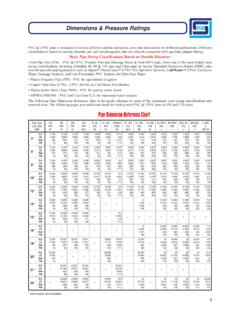
Dimensions & Pressure Ratings
www.spearsmfg.com14 14.000 12.410 0.750 23.261 220 16 16.000 14.213 0.843 29.891 220 18 18.000 16.014 0.937 35.419 220 20 20.000 17.814 1.031 45.879 220 24 24.000 21.418 1.218 64.959 210 Schedule 80 SDR 13.5 - Class 315 Maximum W.P. 315 PSI* (all sizes) SDR 21 - Class 200 Maximum W.P. 200 PSI* (all sizes) SDR 41 - Class 100 Maximum W.P. 100 PSI* (all sizes ...

Cloud Managed Access Switches - Cisco Meraki
meraki.cisco.comPoE models provide power VoIP telephones, IP security cameras, wireless access points (APs), and other IP devices. The Meraki MS switches also support standards-based 25.5 watt (30 watt max per port) IEEE 802.3at for powering networked devices like multiple radio IEEE 802.11n APs, video phones and VDI terminals that may

Cisco 220 Series Smart Switches Administration Guide
www.cisco.comThe Cisco 220 switch can be accessed and managed by two methods; over your IP network by using the web-based interface, or by using the command-line interface through the console interface. Using the console interface requires advanced user skills. See the Cisco 220 Series Smart Switches Command Line