
Packet Tracer Create a Simple Network Using Packet Tracer
The wireless router will need a copper straight-through cable to connect to the cable modem. Select the copper straight-through cable in the device-selection box and attach it to the Internet interface of the wireless router and the Port 1 interface of the cable modem. The cable modem will need a coaxial cable to connect to the Internet cloud ...
Download Packet Tracer Create a Simple Network Using Packet Tracer

Information
Domain:
Source:
Link to this page:
Documents from same domain

Release Notes for Cisco Identity Services Engine, …
community.cisco.comof the Cisco Identity Services Engine Admin Guide, Release 1.3 for information on how to configure personas on Cisco ISE nodes. System Requirements

Cisco Identity Services Engine (ISE)
community.cisco.comCisco Identity Services Engine (ISE) Traditional corporate network boundaries and siloed services are a thing of the past. Today’s networks must accommodate an ...
Cisco Product Quick Reference Guide - community.cisco.com
community.cisco.comIntroduction i Introduction Cisco Product Quick Reference Guide Welcome to the 2013 edition of the Cisco Product Quick Reference Guide. This guide presents an overview

Introduction - community.cisco.com
community.cisco.com15310-MA SDH Platform, Cisco Video Surveillance cameras, and much more. In addition, services information by technology has expanded and is included in each chapter.

Cisco- 200-125-Cisco Certified Network Associate (CCNA v3 ...
community.cisco.comCisco- 200-125-Cisco Certified Network Associate (CCNA v3.0) Pass Cisco 200-124 Cisco Certified Network exam with 100% Guarantee ... The network administrator normally establishes a Telnet session with the switch from host A. However, host A is unavailable. The administrator's attempt to telnet

Configuring AnyConnect Client Features
community.cisco.combased on the group policy of the user. Usually, a user has a single profile file. This profile contains all the hosts needed by a user, and additional settings as needed. In some cases, you might want to provide ... Cisco AnyConnect VPN Client Administrator Guide OL-20841-03

Data Sheet, Cisco D9865 Satellite Receiver
community.cisco.comThe Cisco® D9865 Satellite Receiver is designed for satellite content distribution, and targets the broadcast, business TV, private networks, and SMATV environment. The receiver offers the ability to receive digitally encrypted video, audio, VBI, and data. It

SNTC File Import - community.cisco.com
community.cisco.comCisco Smart Net Total Care CSV File Import Capability for Smart Net Total Care 3.x This documentation is intended as an overview of the CSV file import capability in the Cisco Smart Net Total Care™ Service. It provides information that can help you understand when and how to …
Cisco Smart Net Total Care Service - community.cisco.com
community.cisco.comCisco Smart Net Total Care service offer components A Cisco collector gathers up device data from Cisco devices and uploads it to the Cisco Data Center where it is analyzed against Cisco databases. The customer can view and download the resulting reports in the SNTC Portal.
NAT Virtual Interface - community.cisco.com
community.cisco.comNVI allows traffic between overlapped VPN routing/forw arding (VRFs) in the same Provider Edge (PE) ... ip nat pool 9 Cisco IOS Release 12.3(14)T ip nat pool To define a pool of IP addresses for Network Address Translation (NAT), use the ip nat pool command in global configuration mode.
Related documents
Wireless Router Setup Manual - Netgear
www.downloads.netgear.comThere are two steps to setting up your wireless router: 1. Connect the router to the ADSL or cable modem, and connect a computer to the router. 2. Configure the router to use your Internet service. To Connect Your Wireless Router 1. Connect the wireless router, the computer, and the modem. a. Turn off your computer. b.

N600 Wireless Dual Band Router WNDR3400v2 User Manual
www.downloads.netgear.comN600 Wireless Dual Band Router WNDR3400v2 . 2. Set up your N600 Wireless Dual Band Router by inserting the tabs of the stand (supplied with your router) into the slots on the bottom of your router as shown. 3. Place your router in an area suitable for installation (near an AC power outlet and accessible to the Ethernet cables for your wired ...
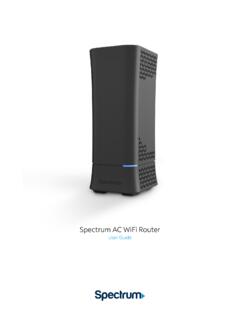
Spectrum WiFi Router with Advanced In-home WiFi
d15yx0mnc9teae.cloudfront.netSpectrum AC WiFi Router 4 V.1 10-11-2019 Troubleshooting Your Internet Service If you’re experiencing slow speeds or if you lose connection to your WiFi network, check the following: 1. Distance from the WiFi router: The farther away you are, the weaker the signal will be. Try moving closer. 2.

Get Connected Printable Instructions - DISH
www.dish.comWireless Connection - Enter your wireless network password (WEP or WPA) and select done. A connection test will begin. When the test finishes, select "Done". Verify that your wireless signal strength is above 40. If not, try moving the wireless dongle to get a better signal. Select 0K. Wireless Connection - Test your connection by
STATIC IP SET UP GUIDE - Verizon: Wireless, Internet, TV ...
www.verizon.com2. Connect your new Verizon HSI 7500 wireless modem router to your computer following the “Quick Start Guide” in the box with the modem router. 3. Follow the instructions in this Static IP Set Up Guide that will help you configure your Static IP address into your operating system and troubleshoot if necessary.

SETUP GUIDE - Amped Wireless
www.ampedwireless.comIf you are connecting to a dual band router, both 2.4GHz and 5GHz connections should be greater than 70%. >70% RECOMMENDED SIGNAL STRENGTH 2.4GHz and 5GHz (if available) 1 Find an Optimal Setup Location Between your Wireless Router and your Wireless Dead Zone 2 Attach the Antennas to the Range Extender Attach the four included Antennas to the ...
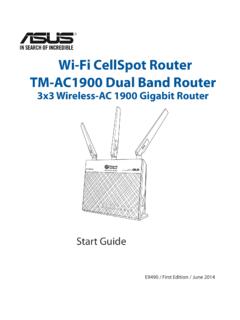
Wi-Fi CellSpot Router TM-AC1900 Dual Band Router
www.t-mobile.comInsert your wireless router’s AC adapter to the DC-IN port and plug it to a power outlet. b. Using another network cable, connect your modem to your wireless router’s WAN port. c. Insert your modem’s AC adapter to the DC-IN port and plug it to a power outlet. d. Using the bundled network cable, connect your computer to your wireless