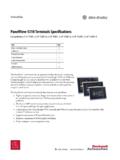
PanelView 5310 Terminals Specifications Technical Data
The PanelView™ 5310 terminals are operator interface devices that monitor and control devices attached to ControlLogix® 5570 and 5580 controllers, and CompactLogix™ 5370, 5380, and 5480 controllers over an EtherNet/IP™ network. Animated graphic and text displays provide operators with a view into the operating state of a machine or process.
Download PanelView 5310 Terminals Specifications Technical Data

Information
Domain:
Source:
Link to this page:
Documents from same domain

Studio 5000 Logix Designer Level 2: Basic Ladder …
literature.rockwellautomation.comControlLogix/Studio 5000 Studio 5000 Logix Designer Level 2: Basic Ladder Logic Programming Course Description Photo, screen capture or image Course Number

Stratix Industrial Networks Infrastructure At-a-Glance
literature.rockwellautomation.comStratix Industrial Networks Infrastructure At-A-Glance Switching and Routing Security Appliance Wireless 1783-NATR Network Address Translation Router

PowerFlex 40 Configured AC Drives Installation …
literature.rockwellautomation.comImportant User Information Read this document and the documents listed in the additional resources section about installation, configuration, and

PRODUCT SECURITY VULNERABILITIES - Literature …
literature.rockwellautomation.com1 PRODUCT SECURITY VULNERABILITIES Frequently Asked Questions Vulnerabilities WHAT IS A VULNERABILITY? A vulnerability is a flaw or weakness in a product or system that can be exploited to compromise the product or

Studio 5000 Logix Designer Level 3: Project …
literature.rockwellautomation.comControlLogix/Studio 5000 Studio 5000 Logix Designer Level 3: Project Development Course Description Course Number CCP143 Course Purpose Upon completion of this course, given a functional specification for

1395 Digital DC Drive - Rockwell Automation
literature.rockwellautomation.comChapter 1 Understanding the Basic Principles General This guide is intended to help you define troubleshooting techniques and procedures and help simplify servicing of the Bulletin 1395 DC Drive by identifying likely causes for malfunction.

Industrial Computer and Monitor Specifications …
literature.rockwellautomation.com2 Rockwell Automation Publication IC-TD001I-EN-P - December 2017 Industrial Computer and Monitor Specifications Summary of Changes This publication contains new and updated information as indicated in the following table.

MicroLogix 1100 Programmable Controllers - …
literature.rockwellautomation.comMicroLogix 1100 Programmable Controllers Bulletin 1763 Controllers and 1762 Expansion I/O User Manual

MICROLOGIX PROGRAMMABLE CONTROLLERS - …
literature.rockwellautomation.comMICROLOGIX PROGRAMMABLE CONTROLLERS SELECTION GUIDE BULLETIN 1761 - MicroLogix 1000 BULLETIN 1763 - MicroLogix 1100 BULLETIN 1762 - MicroLogix …

5069 Compact I/O Modules with EtherNet/IP …
literature.rockwellautomation.com[PROJECT NUMBER] [PROJECT NAME] [DATE] [PROJECT LOCATION] I/O Modules with EtherNet/IP Architecture Rockwell Automation 5069-SR002A-EN-P 5 1.08 …
Related documents

Color Control GX - Datasheet - Victron Energy
www.victronenergy.comColor Control GX The Color Control Color Control GX (CCGX) provides intuitive control and monitoring for all Victron power systems. The list of Victron products that can be connected is endless: Inverters, Multis, Quattros, MPPT solar chargers, BMV battery monitors, Lynx Ion + Shunt and more.
Color Control GX Manual - Victron Energy
www.victronenergy.com13.1. Color Control GX FAQ. 59. 13.2. Q2: Do I need a BMV to see proper battery state of charge? 59. 13.3. Q3: I have no internet, where can I insert a sim-card? 59. 13.4. Q4: Can I connect both a GX Device and a VGR2/VER to a Multi/Inverter/Quattro? 59. 13.5. Q5: Can I connect multiple Color Controls to a Multi/Inverter/Quattro? 59. 13.6.

SMART Board GX series - Smart Technologies
downloads.smarttech.comRS-232 room control (DB-9 connector) – 1 RJ45 Ethernet (passthrough) – 2 USB Type-C 4K @ 60Hz Display Port alternate mode, touch, and digital audio; 15 W power delivery 1 – USB 2.0 Type-A 1 2 USB 2.0 Type-B 1 1 USB 3.0 Type-A 1 – Outputs FrontBack AV 3.5 mm (composite video) – 1 Audio S/PDIF – 1 Stereo 3.5 mm – 1

SZ16-ZN/EN-A05 Adventurer 3 User Guide - Flashforge
en.fss.flashforge.comdocuments and control the printer. 04 Environment Requirements Place Requirements Filament Requirements Filament Storage Legal Notice The device must be placed in a dry and ventilated environment. The distances of the left, right and back side space should be at least 20cm, and the distance of the front side space should be at least 35cm ...