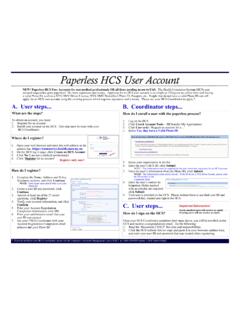
Paperless HCS User Account
Do the following: 1. Read the ‘Document 2 SAUP’ for rules and responsibilities 2. Click the HCS website link (or copy and paste it in your browsers address bar), and enter your user ID and password that you created when registering. Register only once! Important Information!
Download Paperless HCS User Account

Information
Domain:
Source:
Link to this page:
Documents from same domain

Paperless HCS Medical Professions Account - New York
apps.health.ny.govPaperless HCS Medical Professions Account How do I sign on the HCS? ... 2. Enter your User ID in the appropriate field 3. Enter your Password in the appropriate field 4. Click Sign in The Health Commerce System (HCS) Medical Professions account request has gone paperless! No more signatures and notary. Applying for an HCS account is as simple ...

Influenza Surveillance Report
apps.health.ny.govNov 20, 2021 · information on influenza activity year round in New York State (NYS) and produces this weekly report during the influenza season (October through the following May).1 Weekly Influenza Surveillance Report During the week ending November 20, 2021 • Influenza activity level was categorized as geographically widespread2. This is the first week ...

Date: January 4, 2022 Providers - apps.health.ny.gov
apps.health.ny.govof that guidance for healthcare workers remains in effect. Therefore, NYSDOH makes the following recommendations: • For isolation and quarantine of the general population, follow the CDC recommendations

Date: December 24, 2021
apps.health.ny.govDec 24, 2021 · On 12/23/2021, the CDC updated its guidance on isolation of healthcare workers (Interim Guidance for Managing Healthcare Personnel with SARS-CoV-2 Infection or Exposure to SARS-CoV-2 and Strategies to Mitigate Healthcare Personnel Staffing Shortages). Given the very high case counts during the current COVID-19 surge in NYS, the Department expects a
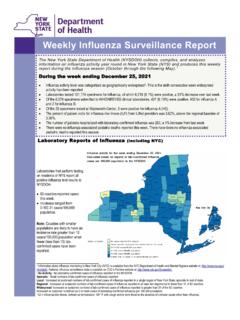
Influenza Surveillance Report - apps.health.ny.gov
apps.health.ny.govDec 25, 2021 · The New York State Department of Health (NYSDOH) collects, compiles, and analyzes ... The NYSDOH works with ILINet healthcare ... Genesee, Livingston, Monroe, Ontario, Orleans, Wayne, and Yates 6Data are based on medical record reviews for hospitalized cases currently under investigation and should be considered preliminary.

TO HEALTH ADVISORY: MULTI-SYSTEM INFLAMMATORY …
apps.health.ny.govdermatologic, or neurological); Within the 3 months prior to illness onset, the individual tested positive for SARS-CoV-2 by • RT-PCR • Serology •Antigen test AND AND OR Hospitalization • case within the 4 weeks prior to the onset of Evaluated in the Emergency Department • Seen in observation • Admitted inpatient
Related documents
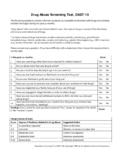
Drug Abuse Screening Test, DAST-10
www.bu.eduDo you abuse more than one drug at a time? Yes No 3. Are you unable to stop abusing drugs when you want to? Yes No 4. Have you ever had blackouts or flashbacks as a result of drug use? Yes No 5. Do you ever feel bad or guilty about your drug use? Yes No 6.
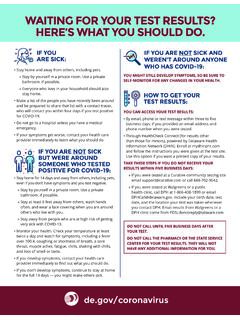
WAITING FOR YOUR TEST RESULTS? HERE’S WHAT YOU …
coronavirus.delaware.gov» Stay by yourself in a private room. Use a private bathroom, if possible. » Everyone who lives in your household should also stay home. • Make a list of the people you have recently been around and be prepared to share that list with a contact tracer,
Using APSA Format - Texas A&M University Libraries
library.tamu.eduUsing the ASPA Format (continued) SUMMER 2015 Eisenhower, Dwight D. 1970. The Papers of Dwight David Eisenhower. 21 vols. Eds. Alfred D. Chandler, Jr. and Stephen E. Ambrose. Baltimore: Johns Hopkins University Press.

SMALL CLAIMS COURT DO-IT-YOURSELF GUIDE
michiganimmigrant.orgto do something (like turn your heat back on) or to stop doing something (like stop knocking down your fence). This is called “injunctive relief.” You do not need to know anything about the law to bring a case to small claims court. The judge knows the law. You should tell the judge your story in your own words.
How to Deal Assertively with Criticism
www.cci.health.wa.gov.au-----ASSERT YOURSELF! was a silly thing to do”, then our behaviour and us as a person, are seen as two separate things. It is the behaviour that is stupid not us. Therefore, we have the power to change that behaviour.
Wisconsin Statutory Power of Attorney for Finances and ...
www.dhs.wisconsin.govThis is an important legal document. Do not sign it until you, and your chosen agent, understand the powers being granted. By signing this document, you are not giving up any powers or rights to control your finances or property. Instead, you are giving your agent, in addition to yourself, the authority to handle your finances and property.

Last Will and Testament of - Do It Yourself Documents
www.doityourselfdocuments.comand not acting under duress, menace, fraud or the undue influence of any person whomsoever, do make, publish and declare this my Last Will and Testament. I. I hereby declare that I am the husband/wife of _____ _____, and our children are: as of the execution of this Will. II.

BURNOUT QUESTIONNAIRE
www.onelegacy.orgNow, place yourself on the burnout scare. Burnout is reversible, no matter how far along it is. Of course the higher number signifies that the sooner you start being more gentle with yourself, the better life will be for you. 28 – 38 You appear impressively mellow, with almost no job stress and seem practically burnout-proof.
What to do if you need urgent police help through the 999 ...
www.policeconduct.gov.ukWhat to do if you need urgent police help through the 999 service, but can’t speak If you’re in an emergency situation and need police help, but can’t speak, Make Yourself Heard and let the 999 operator know your call is genuine. #MakeYourselfHeard #SilentSolution www.policeconduct.gov.uk