Parameter Guide / Sound List
“Owner’s Manual.” 1 Long press the button of the effect that you want to edit. The EDIT screen appears. * With the edit screen displayed, pressing the effect button again turns that effect on/off. When an effect is on, the button is lit. 2 Use the [1]–[3] knobs to edit the value of the parameters shown in the screen.
Download Parameter Guide / Sound List

Information
Domain:
Source:
Link to this page:
Documents from same domain
Main features Owner’s Manual - static.roland.com
static.roland.comContents Operating Guide 2 ... Main features 5 This instrument features an ivory-feel keyboard with box-shaped keys for the serious player.

Owner’s Manual - static.roland.com
static.roland.comGetting Ready In this manual, the order of the MENU operations is written as follows. ... which lets you tune your instrument one string at a time, and a polyphonic tuner which lets you play and tune all of your open strings simultaneously. 1. Press the [CTL3] (TUNER) switch.

Owner’s Manual PDF Manual To obtain the PDF manual ...
static.roland.comGetting Ready Turning On/Off the Power The DC IN jack also functions as the power switch. The power turns on when you insert the AC adaptor’s ... Tune so that only the indicator in the center of the screen is lit. 3. When you finish tuning, once again long-press the [=] switch and

Look What You Can Do with the TD-17/TD-17-L
static.roland.comOwner’s Manual (this document) Read this first. This explains all the functions of this unit. PDF Manual (download from the web) 5 Data List This explains the parameters and sound of this unit. 5 MIDI Implementation This is detailed reference material regarding MIDI messages. To obtain the PDF manual 1. Enter the following URL in your computer.

Reference Manual - Roland Corporation
static.roland.comdepth of the shell, or its ambience. 5 An audio file that you create on your computer can also be loaded from an SD card into the TD-27 and played as an instrument (the user sample function). Drum Kits This is the set of instruments that are assigned to the pads. You can make settings that apply to the entire drum kit, such
取扱説明書 - Roland Corporation
static.roland.comこのたびはbossメトロノーム・ドクター・ビートdb-90をお買い上げいただきまして、ありがとうございます。

DIGITAL PIANO Reference Manual - Roland Corporation
static.roland.comChurch Organ 1 Jazz Organ 1 01. 2 Before You Play ... Be sure to follow the instructions in the Owner’s Manual carefully when placing this unit on a stand. If it is not set up properly, you risk creating an unstable situation which could lead to the unit falling or the stand toppling,
Owner’s Manual
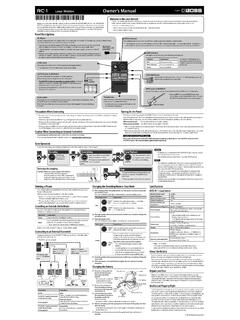
static.roland.comCHECK indicator This indicator shows the power on/off status, and also provides a battery check function. * If you’re powering the unit with a battery and the CHECK indicator goes dim—or doesn’t light at all—the battery is near depletion and should be replaced. For instructions on changing the battery, refer to “Changing the Battery.”

Owner’s Manual - Roland Corporation
static.roland.comOwner’s Manual. 2 Getting Ready Installing the Batteries Install four alkaline batteries (AA, LR6) in the battery compartment located on the bottom of the unit. * When turning the unit over, be careful so as to protect the buttons and knobs from damage. Also, handle the unit

Owner’s Manual - Roland Corporation
static.roland.comOwner’s Manual Owner’s Manual (this document) Read this first. It explains the basic things you need to know in order to use the GT-1000CORE. PDF Manual (download from the Web) 5 Parameter Guide This explains all parameters of the GT-1000CORE. 5 Sound List This is a list of the sounds built into the GT-1000CORE. 5 MIDI Implementation
Related documents

wah manual 12-13-07 - BBE Sound, Inc.
www.bbesound.com• Wah • Wah Wah Owner’s Manual • 9V Battery Optional Accessories: • BBE 9VDC AC Adaptor If any of these items are found to be damaged or missing, immediately contact the BBE dealer from whom the unit was purchased. We recommend reading this manual to familiarize yourself with all of the features of the Wah before using. Should you have

GUITAR AMPLIFIERS - Fender
cdn2.fender.comAdvanced Manual Introduction This manual is your step-by-step guide to the advanced features found on your Mustang™ III/IV/V amplifier. Turn to page 8 for the Mustang I/II advanced manual. For information on using Fender® FUSE™, Ableton® Live or Amplitube®, please see the separate manuals for each product available at www.
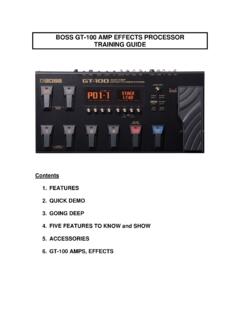
BOSS GT-100 Training Guide - Roland
cms.rolandus.comMANUAL MODE. The display will look like this: 2. Press BANK and NUMBER PEDALS to turn each effect on and off. 3. Turn the KNOBS to change the effects. ... T.WAH BOSS AW-3 2. AUTO WAH BOSS AW-3 3. SUB WAH a. CRY WAH Dunlop Crybaby b. VO WAH Vox 846 c. FAT WAH Morley wah d. Light Wah Original BOSS wah e. 7STRINGWAH Original BOSS wah voiced for …
Manual User AmpliTube - IK Multimedia
download.ikmultimedia.comThis manual will cover all the product features in detail. Please read it carefully to get maximum results. ... • Wah • Envelope Filter • Chorus • Flanger • Phazer • Octave • Noise Filter. Delay A model of a modern digital delay stomp box that allows up to one second of delay. Use this
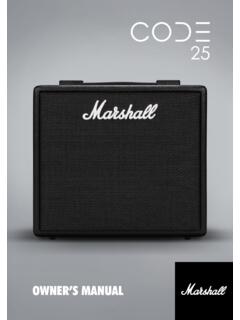
OWNER’S MANUAL
mymarshall.blob.core.windows.netDistortions, Auto Wah, Pitch Shifter, Chorus, Vibrato, Phaser, Vibes, Flanger and Tremolo. It includes Studio, Vintage, Multi and Reverse Delays, Tap Tempo, and studio quality Reverbs. Including Gate, you can have up to 5 FX simultaneously. Using the Marshall Gateway App for your iOS or Android device you can control CODE’s

OWNER’S MANUAL
mymarshall.blob.core.windows.netDistortions, Auto Wah, Pitch Shifter, Chorus, Vibrato, Phaser, Vibes, Flanger and Tremolo. It includes Studio, Vintage, Multi and Reverse Delays, Tap Tempo, and studio quality Reverbs. Including Gate, you can have up to 5 FX simultaneously. Using the Marshall Gateway App for your iOS or Android device you can control CODE’s

Element / Element XP Owner’s Manual - DigiTech
www.digitech.comElement XP adds an Expression Pedal. Use it to control the Wah or Whammy™ effect or assign it to the effect you want to control for real-time effect changes with your foot. 100 included factory presets allow you to begin exploring immediately and 100 user presets allow you to store all your favorite sounds.

FM3 Owners Manual - Fractal Audio Systems
www.fractalaudio.comA Manual for Online and Print Use This manual is intended for use in desktop, tablet, and smart phone readers. It includes clickable links and bookmarks to make navigation and cross-reference easy. We recommend against printing, because firmware updates tend to make older manual versions fall out of date.
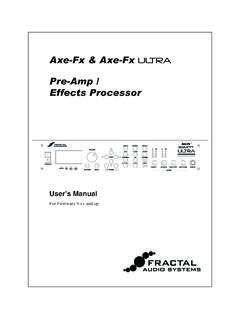
User Manual - Fractal Audio Systems
www.fractalaudio.comFor example, the wah effect in the Axe-Fx is not intended to model any of the classic wah-wahs. Instead the input-output relationship of a wah was distilled into a set of specifications. From there the effect was designed to exac tly meet these specifications. There is no "black magic" or obfuscation. The effect does exactly what it should do.