
Polycom RealPresence Trio Solution User Guide
Polycom, Inc. 3 Contents Before You Begin . . . . . . . . . . . . . . . . . . . . . . . . . . . . . . . . . . . . . . . . . . . . . . . . . . . 9
Download Polycom RealPresence Trio Solution User Guide

Information
Domain:
Source:
Link to this page:
Documents from same domain
Polycom® VVX® 400, 401, 410, 411 Business Media …
www.polycom.comDAA SHEET Polycom® VVX® 400, 401, 410, 411 Business Media Phones A color midrange business media phone for today’s office …
Polycom VoiceStation 300
www.polycom.comDATA SHEET Polycom® VoiceStation® 300 Crystal-clear conferencing for smaller rooms and desktops The Polycom® VoiceStation® 300 is a small conference phone ideally suited ...
Polycom® VVX® 600, 601 Business Media Phones
www.polycom.comDATA SHEE Polycom® VVX® 600, 601 Business Media Phones Product specifications User interface features • Gesture based, multitouch capable capacitive touch-screen
Polycom RealPresence Group 500
www.polycom.comDATA SHEET Polycom® RealPresence® Group 500 Powerful video collaboration for group conferences in a sleek design that is simple to use The Polycom® RealPresence® Group 500 solution is ideal for conference rooms and
Polycom RealPresence Group 700
www.polycom.comDATA SHEET Polycom® RealPresence® Group 700 Extreme video collaboration performance and flexibility for rooms where only the best will do The Polycom® RealPresence® Group 700 solution is designed to be integrated into
Polycom HDX 7000 Data Sheet
www.polycom.comDATA SHEET Polycom® HDX® 7000 Series Telepresence solutions for organizations that want to bring together dispersed team members for enhanced collaboration The Polycom® HDX® 7000 series systems provides flexible, affordable HD video
Polycom HDX 8000 Data Sheet
www.polycom.comDATA SHEET Polycom® HDX® 8000 Series Dramatically increase productivity and communication among project teams For organizations migrating to high-definition video and audio communication,
Polycom HDX 9000 Data Sheet
www.polycom.comDATA SHEET Polycom® HDX® 9000 Series Premier video conferencing systems for high impact visual experiences Raising the bar for performance and flexibility, Polycom® HDX® 9000 series room

Polycom® SoundStation® IP 6000
www.polycom.comDATA SHEET Polycom® SoundStation2™ Analog conference phone The standard for everyday conferencing in small to midsize conference rooms SoundStation2 is the ideal conference phone for small to midsize conference
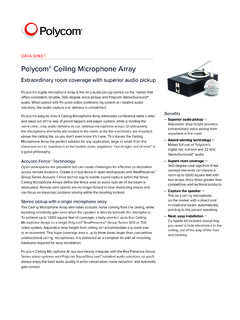
Polycom Ceiling Microphone Array
www.polycom.comDATA SHEET Polycom® Ceiling Microphone Array Extraordinary room coverage with superior audio pickup Polycom’s digital microphone array is the only audio pickup device on the market that
Related documents

USER GUIDE Cisco Small Business
www.cisco.comConfiguring Auto Answer 54 Monitoring and Accessing Another Phone 54 ... such as call forwarding, redialing, speed dialing, transferring calls, conference calling, and accessing voice mail. ... Transfer—Transfers a call. 6 Navigation button Press …
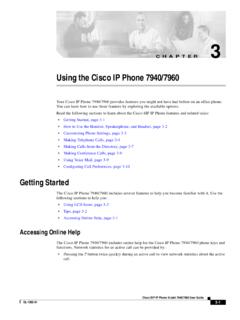
Using the Cisco IP Phone 7940/7960
accc.webhost.uic.edu3-5 Cisco SIP IP Phone Model 7940/7960 User Guide OL-1365-01 Chapter 3 Using the Cisco IP Phone 7940/7960 Making Telephone Calls • Lift the handset from the earpiece rest and enter the number using the dial pad to enter the digits. • Press a line button and dial the number using the dial pad to enter the digits. • Press the NewCall softkey and dial the number using the dial pad …
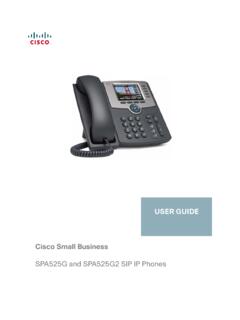
USER GUIDE Cisco Small Business
www.cisco.comForwarding Calls 42 Forwarding Calls to a Single Number 42 Forwarding Calls When Your Phone is Busy 43 Forwarding Calls When You Do Not Answer the Phone 43 Delaying Call Forwarding When there is no Answer the Phone 43 Setting Do Not Disturb 44 Configuring Call Waiting 45 Picking Up a Call 45 Placing a Three-Way Conference Call 46

MITEL 5330 IP and 5340 IP Phones User Guide
www.csc.edu• (CANCEL): ends a call when pressed during the call, and, when you are programming the phone, eliminates any input and returns to the previous menu level. • (REDIAL): calls the last number dialed. • (HOLD): places the current call on hold. • (TRANS/CONF): initiates a call transfer or establishes a three-party conference call.

UNIVERGE SV9100 Networking Manual
channelportal.nec.com.auSV9100 Networking Manual iii Issue 2.0 Section 5 K-CCIS Features .....4-5