
Polycom RealPresence Trio Solution User Guide
Polycom, Inc. 9 Before You Begin This Polycom RealPresence Trio Solution User Guide contains overview information for the Polycom® RealPresence Trio™ 8800 audio conferencing system and the Polycom ® RealPresence Trio™ Visual+ content and video accessory. Audience, Purpose, and Required Skills
Download Polycom RealPresence Trio Solution User Guide

Information
Domain:
Source:
Link to this page:
Documents from same domain
Polycom® VVX® 400, 401, 410, 411 Business Media …
www.polycom.comDAA SHEET Polycom® VVX® 400, 401, 410, 411 Business Media Phones A color midrange business media phone for today’s office …
Polycom VoiceStation 300
www.polycom.comDATA SHEET Polycom® VoiceStation® 300 Crystal-clear conferencing for smaller rooms and desktops The Polycom® VoiceStation® 300 is a small conference phone ideally suited ...
Polycom® VVX® 600, 601 Business Media Phones
www.polycom.comDATA SHEE Polycom® VVX® 600, 601 Business Media Phones Product specifications User interface features • Gesture based, multitouch capable capacitive touch-screen
Polycom RealPresence Group 500
www.polycom.comDATA SHEET Polycom® RealPresence® Group 500 Powerful video collaboration for group conferences in a sleek design that is simple to use The Polycom® RealPresence® Group 500 solution is ideal for conference rooms and
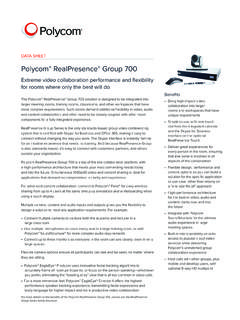
Polycom RealPresence Group 700
www.polycom.comDATA SHEET Polycom® RealPresence® Group 700 Extreme video collaboration performance and flexibility for rooms where only the best will do The Polycom® RealPresence® Group 700 solution is designed to be integrated into
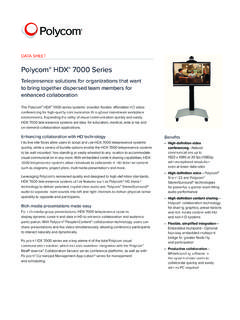
Polycom HDX 7000 Data Sheet
www.polycom.comDATA SHEET Polycom® HDX® 7000 Series Telepresence solutions for organizations that want to bring together dispersed team members for enhanced collaboration The Polycom® HDX® 7000 series systems provides flexible, affordable HD video

Polycom HDX 8000 Data Sheet
www.polycom.comDATA SHEET Polycom® HDX® 8000 Series Dramatically increase productivity and communication among project teams For organizations migrating to high-definition video and audio communication,

Polycom HDX 9000 Data Sheet
www.polycom.comDATA SHEET Polycom® HDX® 9000 Series Premier video conferencing systems for high impact visual experiences Raising the bar for performance and flexibility, Polycom® HDX® 9000 series room

Polycom® SoundStation® IP 6000
www.polycom.comDATA SHEET Polycom® SoundStation2™ Analog conference phone The standard for everyday conferencing in small to midsize conference rooms SoundStation2 is the ideal conference phone for small to midsize conference
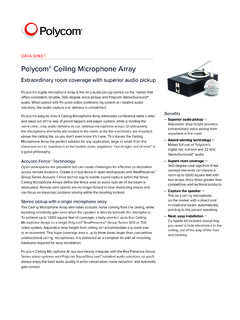
Polycom Ceiling Microphone Array
www.polycom.comDATA SHEET Polycom® Ceiling Microphone Array Extraordinary room coverage with superior audio pickup Polycom’s digital microphone array is the only audio pickup device on the market that
Related documents

Polycom VVX 411 - Quick Start Guide - Department of …
philosophy.utoronto.caBroad-Connect Telecom Polycom VVX 411 - Quick Start Guide - 1 Page 25 of 31. 3-way Calling You can have 3 concurrent calls and make it an audio conference call between all 3 people. Generate an audio conference 1. Call the first person ref …

Polycom VVX 400 and 410 Business Media Phones User Guide
support.polycom.comPolycom VVX 400 and 410 Business Media Phones User Guide Version 5.0.0 Polycom, Inc. 8 Name Icon Description Web Info Highlights supplementary information available online such as documents or downloads on support.polycom.com or other locations. Timesaver Highlights a faster or alternative method for accomplishing a method or operation.

User Guide Polycom CX500/CX600/CX3000 IP Phone
support.polycom.comPolycom® CX500/600/3000 IP Phone User Guide Polycom, Inc. 7 To call from the Contacts screen on your phone: 1 From your phone’s Home screen, select the Contacts icon. 2 From the Contact Groups screen, select the group of your contact. 3 Use the up and down arrow keys on the phone to select the contact, and select Call. To call by searching for a contact using the …

IVS Call Guide - Pennsylvania Department of Corrections
www.cor.pa.govSep 02, 2020 · initiate connection to your visit through the Polycom app. You connect to your visit by either: 1. Selecting “Video Call URL” within the Inmate Visitation System under upcoming visits. 2. Selecting the URL in your confirmation email. . FAR END IS UNFOUND: Do not connect to your visit more than 5 minutes prior to your scheduled visit.

Poly Studio Room Kits
www.poly.comSOLUTION GUIDE 1 | November 2021 | 3725-87777-001A Poly Studio Room Kits for Microsoft Teams Rooms Getting Help For more information about installing, configuring, and administering Poly/Polycom products or services, go to Polycom Support. Plantronics, Inc. (Poly — formerly Plantronics and Polycom) 345 Encinal Street Santa Cruz, California 95060