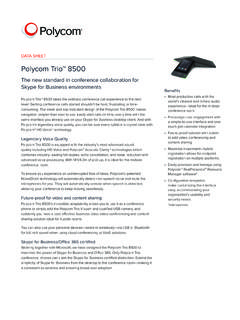
Polycom Trio™ 8500
capacitive touch screen • 5-inch color LCD (720 x 1280 pixel), 9:16 aspect ratio • On-screen virtual keyboard • 1x USB 2.0 Type A-compliant host port USB battery charging BC1.2 compliant 1 • 1x USB 2.0 Micro-B device port • Integrated Bluetooth 4.0 • 3 illuminated mute buttons • Unicode UTF-8-character support
Download Polycom Trio™ 8500

Information
Domain:
Source:
Link to this page:
Documents from same domain
Polycom® VVX® 400, 401, 410, 411 Business Media …
www.polycom.comDAA SHEET Polycom® VVX® 400, 401, 410, 411 Business Media Phones A color midrange business media phone for today’s office …
Polycom VoiceStation 300
www.polycom.comDATA SHEET Polycom® VoiceStation® 300 Crystal-clear conferencing for smaller rooms and desktops The Polycom® VoiceStation® 300 is a small conference phone ideally suited ...
Polycom® VVX® 600, 601 Business Media Phones
www.polycom.comDATA SHEE Polycom® VVX® 600, 601 Business Media Phones Product specifications User interface features • Gesture based, multitouch capable capacitive touch-screen
Polycom RealPresence Group 500
www.polycom.comDATA SHEET Polycom® RealPresence® Group 500 Powerful video collaboration for group conferences in a sleek design that is simple to use The Polycom® RealPresence® Group 500 solution is ideal for conference rooms and
Polycom RealPresence Group 700
www.polycom.comDATA SHEET Polycom® RealPresence® Group 700 Extreme video collaboration performance and flexibility for rooms where only the best will do The Polycom® RealPresence® Group 700 solution is designed to be integrated into
Polycom HDX 7000 Data Sheet
www.polycom.comDATA SHEET Polycom® HDX® 7000 Series Telepresence solutions for organizations that want to bring together dispersed team members for enhanced collaboration The Polycom® HDX® 7000 series systems provides flexible, affordable HD video
Polycom HDX 8000 Data Sheet
www.polycom.comDATA SHEET Polycom® HDX® 8000 Series Dramatically increase productivity and communication among project teams For organizations migrating to high-definition video and audio communication,
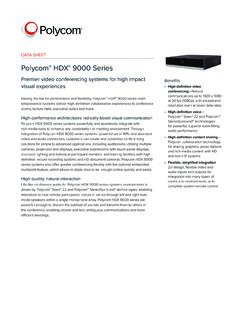
Polycom HDX 9000 Data Sheet
www.polycom.comDATA SHEET Polycom® HDX® 9000 Series Premier video conferencing systems for high impact visual experiences Raising the bar for performance and flexibility, Polycom® HDX® 9000 series room
Polycom® SoundStation® IP 6000
www.polycom.comDATA SHEET Polycom® SoundStation2™ Analog conference phone The standard for everyday conferencing in small to midsize conference rooms SoundStation2 is the ideal conference phone for small to midsize conference
Polycom Ceiling Microphone Array
www.polycom.comDATA SHEET Polycom® Ceiling Microphone Array Extraordinary room coverage with superior audio pickup Polycom’s digital microphone array is the only audio pickup device on the market that
Related documents
Capacitive Sensors
www.capsense.comJul 20, 2000 · • Laptop computers use capacitive sensors for two-dimensional cursor control, and transparent capacitive sensors on computer monitors are found in retail kiosks The first reference to capacitive sensors is found in Nature, 1907, but the penetration today is only …

OVERVIEW - Lenovo
psref.lenovo.comSize Resolution Touch Type Brightness Surface Aspect Ratio Contrast Ratio Color Gamut Viewing Angle Key Features 13.3" FHD (1920x1080) Multi-touch IPS 300 nits Anti-reflection, Anti-smudge 16:9 800:1 72% NTSC 170° - Touchscreen Capacitive-type multi-touch, supports 10-point touch, could reduce the brightness by up to 10% Multi-mode
Snubber Circuits For Power Electronics
rudys.typepad.comCapacitive switching 48 Switching with real loads 51 ... electronics texts at least touch on the subject of snubbers, for the ... only "do this, use this rule of thumb, etc" instructions with no justification. The idea is to use this information for a quick fix so you
Samsung Galaxy A11|A21 A115U|A215U User Manual
ss7.vzw.comA touch screen responds best to a light touch from the pad of your finger or a capacitive stylus. Using excessive force or a metallic object on the touch screen may damage the surface of the screen and the damage will not be covered by the warranty.
Samsung Galaxy A01 A015V User Manual
ss7.vzw.comA touch screen responds best to a light touch from the pad of your finger or a capacitive stylus. Using excessive force or a metallic object on the touch screen may damage the surface of the screen and the damage will not be covered by the warranty.

Samsung Galaxy A52 5G A526 User Manual - AT&T
www.att.comA touch screen responds best to a light touch from the pad of your finger or a capacitive stylus. Using excessive force or a metallic object on the touch screen may damage the surface of the screen and the damage will not be covered by the warranty.
Related search queries
Capacitive, Only, OVERVIEW, Touch, Snubber, Using, Galaxy A52 5G, AT&T