
Polycom VVX 311 User Guide - Rogers
If you are not already on a call, you can pick up the handset, press the speaker phone button or dial the number to make a call 2. To place the call, press the button beneath the key on the display View Received/Missed/Placed Calls 1. From the call lines screen, press the right arrow for Placed Calls, down arrow for
Download Polycom VVX 311 User Guide - Rogers

Information
Domain:
Source:
Link to this page:
Documents from same domain
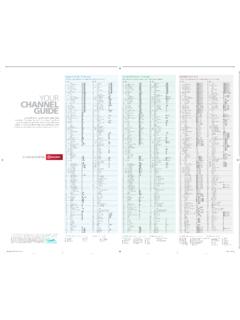
SHAW CLASSIC TV PLANS SHAW PERSONAL TV PLANS …
www.rogers.comLook inside for your current channel guide, either Shaw Classic TV or Shaw Personal TV Plans. Beside it you’ll find your new Rogers channel guide.
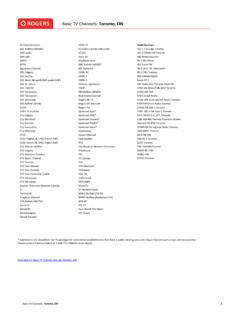
Basic TV Channels: Toronto, ON - Rogers
www.rogers.comDaystar Television Network Canada E! Festival 4K Fireplace Channel FOX Buffalo (WUTV) GameTV Global BC Global Calgary Global Toronto HOPE TV ICI Radio-Canada Télé (TOR) ICI RDI Joytv 10 Mediaset Italia NBC Buffalo (WGRZ) NFL Network OMNI BC OMNI.1 OMNI.2 Ontario Legislature OWN PBS Buffalo (WNED) Real Estate Channel Rogers 4K TV Rogers …
Related documents
![Merlin@home Transmitter [RF] [symbol update] [RED comp ...](/cache/preview/3/8/9/5/7/2/3/7/thumb-38957237608c5ac8c02fd53fbfb77bde.jpg)
Merlin@home Transmitter [RF] [symbol update] [RED comp ...
manuals.sjm.comthe telephone. If you do not hear a dial tone when you pick up your telephone handset, hang up and pick up your telephone handset again. If your Merlin@home session is interrupted, the transmitter may display a Can't Send Information message. If so, press the Start button and the transmitter will attempt to send your information at a later time.

BT Hub Phone 2 - BT Shop
shop.bt.com4 When Register handset to your Home Hub appears on the handset screen, press OK. OK Register handset to your Home Hub 6 Press OK on your Hub Phone. Registering. Please wait. will appear on the handset screen, followed by Handset registered. 1 Set up your BT Home Hub 2.0 and check that its Phone light is glowing steady blue. If the Phone

Polycom VVX 250 350 and 450 Business IP Phones - Quick Tips
support.polycom.comReplace the handset in the cradle, press or , or press the . End Call . soft key. To end a held call: 1 . Highlight the held call and press . Resume. 2 . Press . End Call. You can have multiple calls on hold and resume a call at any time. » Highlight the call and press the . …

Poly CCX Business Media Phones with Microsoft Teams …
support.polycom.com5,6 Volume keys Adjusts the volume of the handset, headset, speaker, and ringer. 7 USB port(s) Poly CCX 500 phones include one USB-A port and one USB-C port. 8 Headset indicator Displays when the phone is powered on. The icon glows green or …

How to get Gas & Electricity Meter Readings from your ...
utilita.co.ukHow to get Gas & Electricity Meter Readings Balance: ~25.00 Balance: from your Secure Handset Days Left: 15.5 P A/C Account Info ~15.00 Days Left: 12.5 P Dual Fuel Account P 1.45 kW kWh Compare Day 2.75kWh 1kWh If you have duel fuel meters, press this button to …

Digital Voice Adapter - BT
www.bt.comHandset registration: Start Registration Back Reset Base Settings Deregister Phone number: 012345676890 Status Registered Handsets Adapter 1 Smart Hub 2 Manager Home Status Wireless My devices Help Hub light control Broadband performance test Restart the Smart Hub Smart Detup Advanced settings Phone: 01234567890 Broadband connection status ...

Cisco Unified IP Phones 7945G and 7965G for Cisco Unified ...
www.cisco.comTo adjust the handset, speakerphone, or headset volume for the current call: 1. During a call, press the Up or Down Volume button. 2. Press the Save soft key to apply the new volume level to future calls. Adjust the Ring Volume • Press the Up or Down Volume button while the handset is in its cradle and the phone is idle. Select the Ring Type

TXT messaging How-to’s - Verizon Wireless
www.verizonwireless.comdirectly to your digital handset. Your handset address is your 10-digit mobile number or nickname followed by @vtext.com. For example, 9495551212@vtext.com or Sam@vtext.com. Message length is limited to 160 characters including the email address. Currently, Enhanced TXT Messages cannot be sent from e-mail to a Verizon Wireless handset.