
PORTABLE SMART SPEAKER - Bose
EU Importer: Bose Products B.V., Gorslaan 60, 1441 RG Purmerend, The Netherlands Taiwan Importer : Bose Taiwan Branch, 9F-A1, No. 10, Section 3, Minsheng East Road, Taipei City 104, Taiwan Phone Number: +886-2-2514 7676
Download PORTABLE SMART SPEAKER - Bose

Information
Domain:
Source:
Link to this page:
Documents from same domain
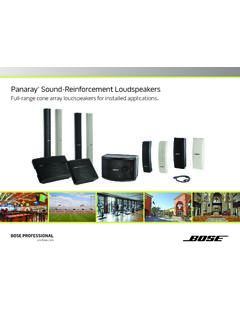
Panaray Sound-Reinforcement Loudspeakers
assets.bose.comPanaray ® Sound-Reinforcement Loudspeakers Full-range cone array loudspeakers for installed applications. 2 From the legendary Bose® 901 ® to the Professional 802 Bose first demonstrated the advantages of full-range cone driver arrays with the revolutionary 901 Direct/Reflecting® high-fidelity loudspeaker. Based on extensive …
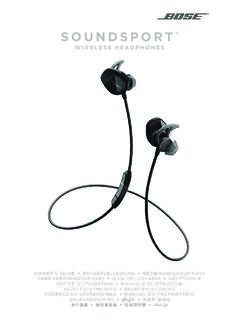
SOUNDSPORT - Bose Corporation
assets.bose.com• ®Unlock the full potential of your SoundSport wireless headphones • Free app compatible with most Apple and Android™ systems • Easily connect and switch between multiple Bluetooth® devices with a single swipe
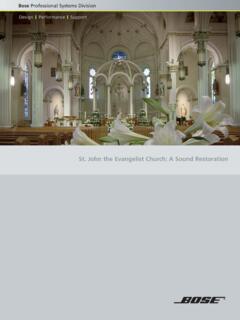
St. John the Evangelist Church: A Sound Restoration
assets.bose.comA major restoration at St. John the Evangelist Catholic Church in Delphos, Ohio, created an unexpected reverberation problem that lasted for more than seven years.
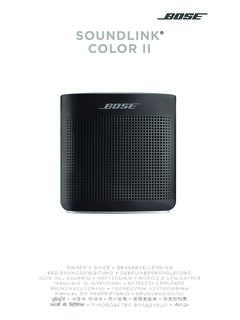
SOUNDLINK COLOR II - Bose Corporation
assets.bose.comBose Corporation hereby declares that this product is in compliance with the essential requirements and other relevant provisions of Directive 2014/53/EU and all other applicable EU directive requirements.
SOUNDLINK - Bose Corporation
assets.bose.comBose Corporation hereby declares that this product is in compliance with the essential requirements and other relevant provisions of Directive 2014/53/EU and all other applicable EU directive requirements.
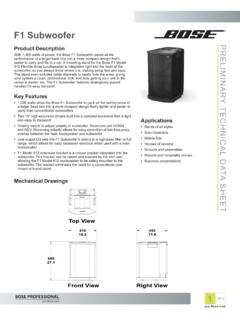
PRELIMINARY TECNICAL DATA SEET - Bose Corporation
assets.bose.com1 OF 3 PRELIMINARY TECNICAL DATA SEET proBosecom F1 Subwoofer Applications • Bands of all styles • Solo musicians • Mobile DJs • Houses of worship • Schools and universities • Resorts and hospitality venues • Business presentations Product Description With 1,000 watts of power, the Bose F1 Subwoofer packs all the
SoundSport Free Wireless - Bose
assets.bose.comWIRELESS. 2 - ENGLISH ITN SE INSINS Please read and keep all safety and use instructions. Important Safety Instructions ... • Do NOT submerge or expose the earbuds for extended period to water, or wear while participating in water sports, e.g., swimming, waterskiing, surfing, etc.
WAVE SOUNDTOUCH PEDESTAL - Bose
assets.bose.comSoundTouch pedestal: • Place the rear feet of the Wave music system into the recesses on top of the SoundTouch pedestal. • Make sure the Wave music system sits flat and the side edges of both parts are aligned. 3. Insert the SoundTouch pedestal’s cable into the Bose link connector. Connect the system to power
Gebruikershandleiding
assets.bose.comDUTCH - 3 WETT CHT UDCH ORMAT ... Apple, het Apple-logo, iPad, iPhone en iPod zijn handelsmerken van Apple Inc., gedeponeerd in de VS en andere landen. App Store is een servicemerk van Apple Inc. Het handelsmerk ‘iPhone’ …
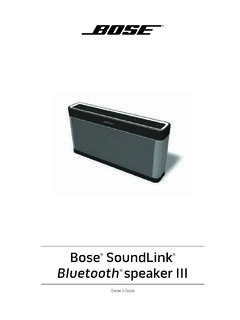
Owner’s Guide - Bose
assets.bose.comPlug the power cord on the AC power supply into the DC connector on the back of the speaker. 3. Plug the AC power supply into a live AC (mains) outlet. The speaker emits a tone to confirm connection to AC power, and charging begins. On the front of the speaker, the battery status indicator blinks yellow to show the battery is charging.
Related documents

1. 2. 123.hp.com/ENVY7640
h10032.www1.hp.comThis product is Apple AirPrint enabled. The printer and iOS device or Mac must be on the same local network. Note: Always make sure that the paper tray is loaded with the desired paper. After closing the tray, ensure that this paper is selected on the printer control panel. HP ENVY 7640 e-All-in-One Series EN ES FR
SOUNDLINK REVOLVE II - Bose
assets.bose.comEU Importer: Bose Products B.V., Gorslaan 60, 1441 RG Purmerend, The Netherlands Taiwan Importer : Bose Taiwan Branch, 9F-A1, No. 10, Section 3, Minsheng East Road, Taipei City 104, Taiwan Phone Number: +886-2-2514 7676

GDL 50/51/52 - Garmin
static.garmin.com190-02087-02 Rev. B Garmin GDL 50/51/52 User’s Guide i WARNING: The attitude information provided by the GDL 5X is not intended to be used as a source of attitude information for flight in instrument meteorological conditions.

User’s Manual - TP-Link
static.tp-link.comNo restrictions exist in the use of radio frequencies or frequency bands in all EU member states and EFTA countries. EU declaration of conformity TP-Link hereby declares that the device is in compliance with the essential requirements and other relevant provisions of directives 2014/53/EU, 2009/125/EC, 2011/65/EU and (EU)2015/863.

Let’s get started - BT
www.bt.comin compliance with Directive 2014/53/EU. For indoor use only in the UK. • The full text of the EU declaration of conformity Position all parts, including power adapters away from heat and sun (eg away from radiators, window sills or other electrical equipment that can get hot). • Keep area ventilated (eg don’t put in

AC1200 WiFi Mexh Extender Model EX6150v2 Quick Start Guide
www.downloads.netgear.comGoogle Play and the Apple App Store. Connect your mobile phone to the extender WiFi network called NETGEAR_EXT. Open the Nighthawk app and follow the step-by-step instructions to set up your extender. 2. Download the Nighthawk app Connect your phone to the extender WiFi 3. WiFi S ettin gs Device Manager Devices (11) Ri ck’sWiF i” Network ...

AC1200 Smart WiFi Router Model R6220 Quick Start Guide
www.downloads.netgear.comPlay™ and the Apple App Store®. Open the Nighthawk app and follow the step-by-step instructions to set up your router. Check out everything you can do on the Nighthawk app! Run a speed test, pause the Internet, see all the connected devices, and more. 2 Install your router 3 Do more with the app Download the Nighthawk app WiFi Settings