
Programming and Troubleshooting Guide Mastercode 2 ...
Programming timeout: If no button is pressed for fi ve seconds, the system will time out (indicated by three beeps and a red fl ashing keypad), and you will need to restart the procedure. 1. Keep door open. Press and HOLD the Program button until the keypad fl ashes green (about 5 seconds). 2. Enter new Mastercode. 3. Press Lock button once. 4.
Download Programming and Troubleshooting Guide Mastercode 2 ...

Information
Domain:
Source:
Link to this page:
Documents from same domain

Installation & Programming Manual
www.weiserlock.com4 Important Note: To prevent damage, always handle the wire harness at the connector (do not pull wires). 6. Attach the Connector to the Interior Assembly.

GUIDE D’INSTALLATION - weiserlock.com
www.weiserlock.com1-1/2" 38 mm Test if latch bolt fully extends and retracts. Chisel out area inside hole as needed so latch can operate smoothly. Vérifier que le pêne demi-tour s…

SmartKey Instructions eng - Weiser
www.weiserlock.comTitle: SmartKey_Instructions_eng Created Date: 2/25/2010 11:12:03 AM

pb eng install - Weiser
www.weiserlock.comRemove access cover I from Power Board H. Feed power strip G through large square hole Line Power Board H up to the 3 small holes Install 4 new AA Alkalin

WS Powerbolt ENG
www.weiserlock.comENGLISH User Guide Installation instructions are located on the reverse side of this document. Weiser USA: 1-800-677-5625 Canada: 1-800-501-9471 www.weiserlock.com

GCD9471 - Weiser
www.weiserlock.comThe saying “What’s old is new again” certainly has relevance in today’s design trends, and at Weiser there is no exception. Weiser is proud to offer three additional

Touchpad Electronic Deadbolt Installation & …
www.weiserlock.comEnglish Français Español Touchpad Electronic Deadbolt Installation & Learning Instructions Electronics Division Owner’s Manual A Black & Decker Company

Instructions for Removing and Replacing Cylinder of Entry ...
www.weiserlock.comInstructions for Removing and Replacing Cylinder of Entry Knob. WARNING: This Manufacturer advises that no lock can provide complete security by itself. This lock may be defeated by forcible or technical means, or evaded by entry elsewhere on the property. No lock can substitute for caution, awareness of your environment, and common sense.

61021 / 01 GED1490 Parts in the Box 1 2 Check dimensions ...
www.weiserlock.comENGLISH A B C M S R (3x) J If needed, re-key the lock to work with your existing key. See the supplied SmartKey Re-key instructions for more information.

Installation & Programming Manual - Weiser Lock
www.weiserlock.comInstallation & Programming Manual Interior Assembly Interior Cover Exterior Assembly Adapter Bolt Mounting Plate Mounting Bolts Interior Assembly Exterior Assembly. 2-3/8" (60mm) or 2-3/4" (70mm) ... Keypad will now light red/green when buttons are pressed. CAUTION: Prevent unauthorized entry. This lock can be opened
Related documents
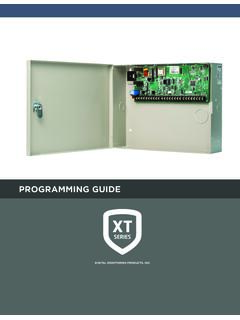
PROGRAMMING GUIDE - DMP
buy.dmp.comInstallation Guide (LT-0980). PROGRAMMING OPTIONS System programming can be done from a hardwired or wireless keypad, the Tech APP, or Dealer Admin (dealer.securecomwireless.com). This guide will focus primarily on programming from a hardwired or wireless keypad. ACCESSING THE USER MENU

Installation & Programming Guide - Emtek
emtek.comInstallation & Programming Guide EMTouch™ & EMTouch™ Classic Style ... Keypad Operation - Beeper & LED Indicators Place Sticker Here. ASSA ABLOY is the global leader in door opening solutions, dedicated to satisfying end …

Rev 03 Parts List
images.thdstatic.comKeypad flashes red 3 times with 3 beeps. Door jammed while attempting to lock. Manually re-lock door. If needed, reposition strike. Door handing code has not been entered. Enter door handing code. No User Code programmed, or User Codes are disabled. Program at least one User Code, or re-enable User Codes. Unsuccessful programming. Attempt ...

Installation and User Guide
kwiksetprodstorage.blob.core.windows.netProgramming timeout after five seconds. Attempt programming procedure again. Unsuccessful programming. Keypad flashes red 15 times with 15 beeps* Three incorrect codes entered within one minute. Re-enter code after 60 second keypad lockout. Keypad flashes red with fast beeping sound for three to four seconds. Low battery. Replace batteries.
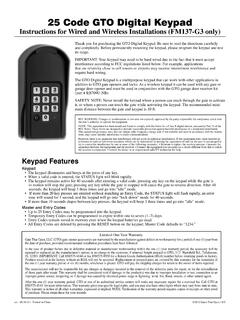
25 Code GTO Digital Keypad - Mighty Mule Keypad
www.mightymule.comWireless Installation of the Keypad NOTE: For wireless applications, the distance from the keypad to the opener’s receiver should not exceed 50 ft. Always test the keypad range before permanently mounting it. Step 1: Mount the keypad cover using the screws provided. Step 2: Slide the keypad into the cover and secure with the small screws ...

IEI 212e Standalone Keypad Installation/ Programming …
www.nortekcontrol.comIEI 212e Standalone TM Keypad Installation/ Programming Manual Contents Section 1: Features and Product Description 1.1 Features 1.2 Product Description Section 2: Specifications Section 3: Mounting Section 4: Wiring 4.1 Wire Harness Configuration 4.2 Wiring the 212e Keypad to a Maglock (Fail-Safe) 4.3 Wiring the 212e Keypad to an Electric Strike (Fail …

IEI 232e Standalone Keypad Installation/ Programming …
www.nortekcontrol.comKeypad Installation/ Programming Manual Contents Section 1: Features and Product Description 1.1 Features 1.2 Product Description Section 2: U.L. Requirements Section 3: Specifications Section 4: Mounting Section 5: Wiring 5.1 Wire Harness Configuration 5.2 Wiring the 232e Keypad to a Maglock (Fail-Safe) 5.3 Wiring the 232e Keypad to an ...

Programming and Installation Manual Wireless Alarm System
www.pyronix.comThe keypad will revert to normal display approximately 10 seconds after the key is released. 3.4 Keypads / Readers 3.4.1 The Enforcer Keypad and additional keypads (EUR-068) 3 additional wired keypads may also be connected to the Enforcer 32-WE. Refer to page: 39 for installation details. KEY FUNCTIONS: a = Exit manager menu / Selects Area A.