
ネットワークマネジメントカード(PY-UPC01
各サーバにPowerChute Network Shutdown(別売)をインストールし、UPS のネットワークマネジメントカードと 連携するように設定が必要です。 2台の冗長電源サーバを1台のUPS に接続した構成 サーバ PowerChute Network Shutdown サーバ PowerChute Network Shutdown サーバ PowerChute
Download ネットワークマネジメントカード(PY-UPC01

Information
Domain:
Source:
Link to this page:
Documents from same domain
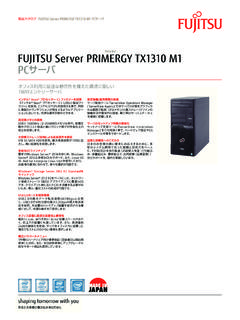
FUJITSU Server PRIMERGY TX1310 M1 カタログ
jp.fujitsu.comfujitsu server primergy tx1310 m1 pcサーバ オフィス利用に最適な静音性を備えた環境に優しい 1wayエントリーサーバ

PRIMERGY TX1330 M2 ご使用上の留意・注意事項
jp.fujitsu.com1 / 7 ca92344-0912-14 primergy tx1330 m2 ご使用上の留意・注意事項 primergy tx1330 m2 に関して、以下の留意・注意事項がございます。製品をご使用になる前にお読みくだ
ServerView RAID Manager ユーザーズ ... - …
jp.fujitsu.comServerView RAID Manager ユーザーズガイド B7FY-2761-01 Z0 本書の構成 本書をお読みになる前に 安全にお使いいただくための注意事項や、本書の表記について説明しています。
ServerView RAID Manager VMware vSphere ... - …
jp.fujitsu.com1 2015年2月9日 富士通株式会社 ServerView RAID Manager VMware vSphere ESXi 5 インストールガイド アレイを構築して使用する場合、RAID管理ツールの『ServerView RAID Manager』を使用します。
取扱説明書-日本語 ServerViewSuite …
jp.fujitsu.com1 はじめに 基本設定ウィザードでは、次に示すServerViewOperationsManagerの重要な 設定を指定できます。 l ServerViewOperationsManagerが正しく機能するための要件を確 …

FUJITSU Server PRIMERGY
jp.fujitsu.com1 FUJITSU Server PRIMERGY システム構成図(ハードウェア一覧) 本モデルには必須選択オプションがあります。 ベースユニットと共に、以下の製品をカスタムメイド型名にて選択する必要 …

PRIMERGY システム構成図 2018年4月版 ハード …
jp.fujitsu.com1 ³µÂÜÏ R $ Ë Å¢£ ° a 本モデルには必須選択オプションがあります。 ベースユニットと共に、以下の製品をカスタムメイド型名にて選択する必要があります。

PRIMERGY Server Events - Fujitsu Japan
jp.fujitsu.com本書の情報は、OEM ベンダからFujitsu Technology Solutions に提供された情報、および ServerView エージェントのアプリケーションについて

FUJITSU Software ServerView Suite V11.16
jp.fujitsu.com1 CA41534-Q880-01 2016年6月10 日 富士通株式会社 FUJITSU Software ServerView Suite V11.16.06 更新履歴 版数 変更内容 日付

システム構成図 【2012年5月版】 5月25日更新
jp.fujitsu.com2. bx900 s2 bx400 s1 bx920 s3 bx924 s3 rx100 s7 rx200 s7 rx300 s7 rx350 s7 rx600 s6 tx100 s3 tx120 s3 tx140 s1 tx150 s7 tx200 s6 tx300 s7 外付編 留意事項
Related documents

Installation and Operation Back-UPS 1250, 1300, 1500
www.supremelaw.org4 Installation and Operation Back-UPS 1250, 1300, 1500 Connect the Equipment Telephone/Network port Connect a telephone cable to the In port, and a modem to the Out port. Data port To use PowerChute Personal Edition, connect the supplied USB software cable or serial cable. Ground screw Connect the ground lead from an additional surg e suppression …

User Manual English - APCGuard.com
www.apcguard.comthrough PowerChute software. Alarm Delay Control Enable • Enable •Mute •Disable Mute ongoing alarms or disable all alarms permanently. Shutdown Delay 90 seconds • 0 s •90 s •180 s •270 s • 360 s • 450 s • 540 s • 630 s Set the interval between the time when the UPS receives a shutdown command and actual shutdown.
APC Back-UPS Pro 1000/1100/1400 User’s Manual
www.advancedaudiorentals.comConnect Telephone / Network Surge Suppression (Optional) Connect a single line telephone or a 10Base-T/ 100Base-Tx network cable into the RJ-45/RJ-11 telephone/network surge protection “IN” jack on the back of the UPS. Connect from the “OUT” ... The UPS was shutdown by PowerChute ...

APC SmartAPC Smart---UPSUPS
www.apcguard.comShutdown Delay 90 seconds 90, 180, 270, 360, 450, 540, 630, 0 seconds The interval is set between the times when the UPS receives a shutdown command and when it shuts off power to the outlets. Low Battery Warning 2 minutes 2, 5, 8, 11, 14, 17, 20, 23 minutes PowerChute software provides automatic, unattended shutdown when the remaining

高機能無停電電源装置 - Fujitsu
jp.fujitsu.com・ PowerChute Business Edition:USBまたはシリアルでサーバと接続 ・ PowerChute Network Shutdown:LAN でサーバと接続 6. 接続形態 (1) PowerChute Business Edition を使用する場合 Business Edition [注]制御ケーブルは、PowerChute Business Edition に添付のケーブルを使用します。