Quick Start Guide
2. Open the installer and follow the instructions shown on screen. Once the installer is complete it can sometimes take a few moments for Windows to finalise the drivers before the unit is recognised. 3. Connect the iD14, and the iD icon will appear in the system tray. If a firmware update is available you’ll be prompted to install it. 4.
Download Quick Start Guide

Information
Domain:
Source:
Link to this page:
Documents from same domain
Manual v1
d9w4fhj63j193.cloudfront.netSound > Sound (On Windows 10 - search for Sound) You will need to check that iD4 is selected as the audio device in your chosen DAW as well. This setting is normally found in an Audio Settings or Preferences menu. See pages 24 - 28 for information on setting up iD4 with some common DAWs. iD Icon be visible in the Windows System Tray (it may
User Manual 5
d9w4fhj63j193.cloudfront.net1 0 Switch off your computer and unplug this equipment during ... an audio product designed for consumer use. 01 This device may not cause harmful interference ... First connect the Camera connection kit to the iPad. Now plug the USB hub into the USB port on the camera connection kit.

Quick Start Guide
d9w4fhj63j193.cloudfront.netDual Headphone Outputs 2 x Speaker Outputs ADAT Optical Input audient.com. Once installed, the iD mixer can be opened by going to Menu bar and clicking the iD icon. Once installed, the iD mixer can be opened by going to the system tray and right clicking the iD icon.
Product Brochure
d9w4fhj63j193.cloudfront.netMICROPHONE PREAMPLIFIER: DAC OUTPUTS: Maximum Output Level: +11dBu Digital Reference Level: 0dBFS = +11dBu Output Impedance: <100Ω Balanced Frequency Response: +/-0.5dB 10Hz to Fs/2 ... DSP MIXER ROUNDTRIP (IN TO OUT) LATENCY: 44.1 kHz 0.594ms 48.0 kHz 0.552ms 88.2 kHz 0.302ms
Related documents
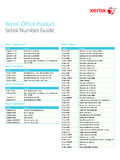
Xerox Office Product Serial Number Guide
www.office.xerox.comPhaser 7700 Open front access door, near the left door hinge Phaser 7750 Open front access door, near the left door hinge Phaser 7760 Open front access door, near the left door hinge Phaser 7800 Open left hand door; on left side below fuser Phaser 8200 Inside front cover; on left side Phaser 8400 Behind front cover on lower printer frame
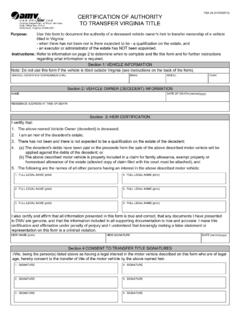
CERTIFICATION OF AUTHORITY TO TRANSFER VIRGINIA TITLE
www.dmv.virginia.govMotor Vehicles (DMV) Customer Service Center, any DMV Select or mail to DMV at the address shown on the front of this form. Each person named in the will (legatee) who has an interest in the vehicle identified in this form must be named in Section 3, …

ERICH MARIA REMARQUE All Quiet on the Western Front ...
explainallquietonthewesternfront.weebly.comFinally Katczinsky called to him: "Say, Heinrich, open up the soup-kitchen. Anyone can see the beans are done." He shook his head sleepily: "You must all be there first." Tjaden grinned: "We are all here." The sergeant-cook still took no notice. "That may do for you," he said. "But where are the others?" "They won't be fed by you to-day.
Comprehensive Formulary (List of Covered Drugs)
contentserver.destinationrx.comon the inside front and back covers of this formulary. 2022. Comprehensive Formulary (List of Covered Drugs) Wellcare Assist (HMO) H9335006000. Plan in the following states: AL, CT, GA, IL, KY, LA, MI, MO, MS, NJ, NY, SC, TN, TX, WA. Wellcare Assist Compass (HMO), Wellcare Assist Open (PPO), Wellcare Community Assist (PPO)
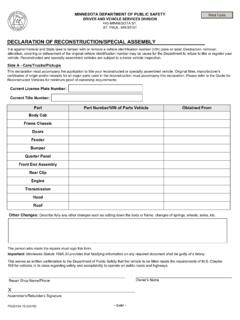
Declaration of Reconstruction Special Assembly - Minnesota
dps.mn.govRear Clip, Front Clip (If the clip includes public identification number, a title is required.), other miscellaneous parts. • For Motorcycle : Transmission Assembly, Engine Assembly, Front Fork Assembly and Handle Bars, Front Wheel Assembly, …
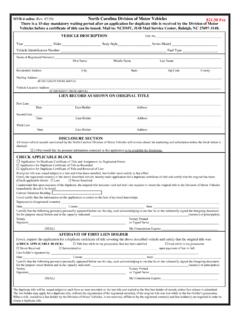
MVR-4 online 7/20 North Carolina Division of Motor Vehicles …
www.ncdot.govMVR-4 online (Rev. 07/20) North Carolina Division of Motor Vehicles $21.50 Fee There is a 15-day mandatory waiting period after an application for duplicate title is received by the Division of Motor Vehicles before a certificate of title can be issued.
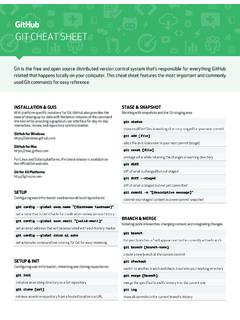
GIT CHEAT SHEET - GitHub Education
education.github.comGit is the free and open source distributed version control system that's responsible for everything GitHub related that happens locally on your computer. This cheat sheet features the most important and commonly used Git commands for easy reference. INSTALLATION & GUIS With platform specific installers for Git, GitHub also provides the
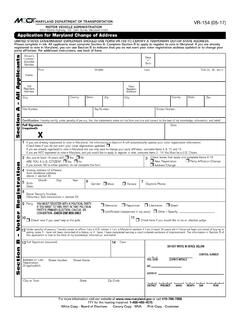
VR-154 (05-17) - Maryland.gov Enterprise Agency Template
mva.maryland.govInstructions - Once you have completed this form, please forward to the address on the front of this form or bring it into any Motor Vehicle Administration (MVA) full service office. The Maryland Motor Vehicle Law requires that you notify the MVA of any change in your address within thirty (30)days of the change.
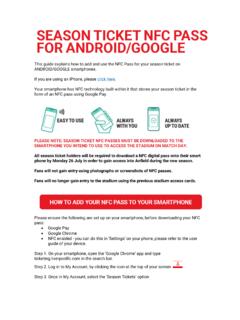
PLEASE NOTE: SEASON TICKET NFC PASSES MUST BE …
d3j2s6hdd6a7rg.cloudfront.netOn your smartphone, open the ‘Google Chrome’ app and type ticketing.liverpoolfc.com in the search bar. Step 2. Log in to My Account, by clicking the icon at the top of your screen Step 3. Once in My Account, select the ‘Season Tickets’ option . Step 4. Select your season ticket by using the tick box, and then select ‘Download NFC Pass’
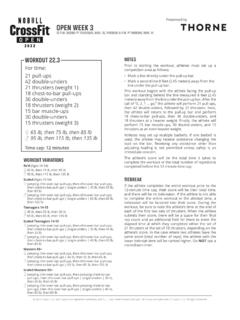
OPEN WEEK 3
games-assets.crossfit.comOPEN WEEK 3 12 P.M. (NOON) PT THURSDAY MAR. 10 THROUGH 6 P.M. PT MONDAY MAR. 14 MOVEMENT STANDARDS • The rep is credited when: - the athlete’s arms are fully locked out in the support position above the bar; and - the athlete’s shoulders are over or slightly in front of the bar. • Only the hands, and no other part of the arm, may