Quick Start Guide - adoption.microsoft.com
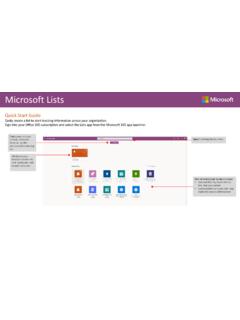
Quick Start Guide Easily create a list to start tracking information across your organization. Sign into your Office 365 subscription and select the Lists app from the Microsoft 365 app launcher. Start a new list from scratch, Microsoft Excel, or use the structure of an existing list Find all your recent lists in one place
Download Quick Start Guide - adoption.microsoft.com

Information
Domain:
Source:
Link to this page:
Documents from same domain

Microsoft Virtual Event Playbook - adoption.microsoft.com
adoption.microsoft.comCheck for Issues drop down menu →click Check Accessibility. Videos need to be accessible: If your presentation includes a video, ensure it is captioned and audio described (if appropriate). Visit the . Office Accessibility Center. to learn more about accessibility in PowerPoint. 11
Accelerating Modern Workplace Productivity Adoption
adoption.microsoft.comcreating services and delivering information technology solutions for large corporations like Exxon-Mobil. He has created intellectual property for Big 4 consultancies and advised Fortune 100 senior executives on ... Business. 1.. 4: Modern Workplace Productivity ...
PowerPoint Presentation
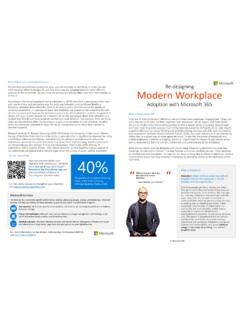
adoption.microsoft.comCorporate communications. Video publishing. Live video broadcasting “ How I organise myself to be effective with my skills and experience” “ Where we learn, grow, innovate and stay engaged” “Where we collaborate to delivery initiatives and outcomes aligned to the organisation’s strategic priorities.” Team: A group of individuals, with

PowerPoint Presentation
adoption.microsoft.comteam, community and organizational view, the extended version provides a more comprehensive view of how business operations and business differentiation can drive ... DevOps Whiteboard Cortana Lists Stream Visio Word Excel PowerPoint GitHub OneNote SharePoint.NET OneDrive Outlook Yammer Teams Power Apps Automate ToDo Delve Sway Teams for Life Forms
Microsoft Store
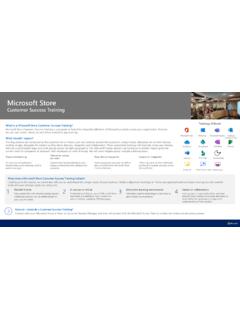
adoption.microsoft.comand online apps Customized training tailored to your unique productivity and collaboration scenarios Showcasing best practices, as well as tips and tricks from Microsoft Store Firstline Workers Informing users on how individual workloads integrate securely across Microsoft 365 1 Flexible format Get started with a 60-minute training session.

Virtual Event Playbook
adoption.microsoft.comThe Virtual Event forum is a community of them and subject matter experts who can ... multi-day events may be a combination of Teams meetings and Live Event experiences. Match the interaction and broadcast method to the audience need. ... No competing content scheduled Breakouts Core conference content Organize into subject tracks Select ...

Microsoft Viva Learning Adoption Guide
adoption.microsoft.com- Adoption guide overview 01 Assess - Understand access requirements - Define target scenarios - Target scenario examples - Assess readiness 02 Plan - Define success criteria - Assemble core team - Assign core team R&R - Understand common adoption concerns 03 Deploy - Know user discovery scenarios - Set up and configure Viva Learning

Microsoft 365 Adoption Guide
adoption.microsoft.comThe business landscape is changing. Employees seek purpose and satisfaction. Employers aim to harness worker ingenuity. And a-generational workforce can now work anytime, anywhere. Success depends on your ability to collaborate and drive productivity within teams spread across the globe. We created Microsoft 365 to meet these evolving business ...
Related documents

TELUS Business Connect for Desktop User Guide
cdn.business.telus.digitalGetting Familiar with TELUS Business Connect for Desktop TELUS Business Connect opens to the Messages screen the first time you log in, with icons to everything else you want all on one screen. Here’s a quick rundown on how to get around TELUS Business Connect for Desktop. Your account presence. Set your availability status.

Microsoft Defender ATP on Virtual Desktop Infrastructure
demo.wd.microsoft.comVirtual Desktop Infrastructure (VDI) is the use of dedicated hardware (often servers) that run multiple copies or instances of an operating system. Each instance is called a Virtual Machine (VM) and is generated with a specific set of pseudo-hardware. See the Windows Virtual Machines Documentation site for more information on using VDI and Windows.

BlackBerry Desktop Software
docs.blackberry.comJun 05, 2012 · The home screen of the BlackBerry Desktop Software provides you with quick access to common tasks and provides information about your connected smartphone or tablet, such as the model information and the last dates that your data was backed up and synchronized. If you have used the BlackBerry Desktop Software with other smartphones or tablets,

EDRS New Browser Quick Start Guide
edrs.nj.govIf you currently access EDRS via a desktop shortcut, you will need to delete the shortcut and create a new one using your preferred browser to open or change the shortcut’s ‘open with’ program for further information, contact your IT department …

Quick Start for ChemDraw/ChemOffice Site License: How …
informatics.perkinelmer.comPage 1 of 6 Quick Start for ChemDraw/ChemOffice Site License: How to Register and Activate! Use this document to quickly register and activate your ChemDraw/ChemOffice license. Find your organization’s site license: 1. Click the following link …
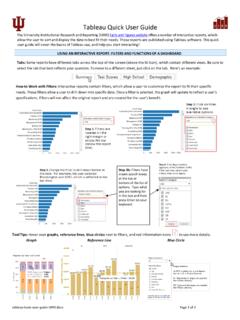
Tableau Quick User Guide
uirr.iu.eduThis quick user guide will cover the basics of Tableau use, and help you start interacting! Tabs: Some reports have different tabs across the top of the screen (above the IU Icon), which contain different views. Be sure to select the tab that best reflects your question. To move to a different sheet, just click on the tab.

Avaya Workplace Quick Start Guide
www.healthywa.wa.gov.auAvaya Workplace Quick Start Guide Joining a meeting via the Avaya Workplace desktop application (software) on external Macintosh (Mac) computers Join a meeting using Application via Avaya Workplace Web Portal 1. Open Microsoft Edge or Google Chrome internet browser 2. Copy and paste or type in: