
R Data Import/Export
The easiest form of data to import into R is a simple text file, and this will often be acceptable for problems of small or medium scale. The primary function to import from a text file isscan, and this underlies most of the more convenient functions discussed in Chapter 2 [Spreadsheet-like data], page 6.
Download R Data Import/Export

Information
Domain:
Source:
Link to this page:
Documents from same domain
Package ‘segmented’ - R
cran.r-project.orgPackage ‘segmented’ November 30, 2017 Type Package Title Regression Models with Break-Points / Change-Points Estimation Version 0.5-3.0 Date 2017-11-22

gap: Genetic Analysis Package - R
cran.r-project.org2 gap: Genetic Analysis Package from patients su ering with di erent diseases to identify common genetic variations for each condition. It is hoped that by identifying these genetic signposts, researchers will
Package ‘season’ - R
cran.r-project.orgPackage ‘season’ May 20, 2018 Type Package Title Seasonal Analysis of Health Data Version 0.3.6 Author Adrian Barnett and Peter Baker Maintainer Adrian Barnett <a.barnett@qut.edu.au>

Package ‘medicalrisk’ - The Comprehensive R …
cran.r-project.orgPackage ‘medicalrisk’ ... 2016 Type Package Title Medical Risk and Comorbidity Tools for ICD-9-CM Data Version 1.2 Date 2016-01-23 Description Generates risk estimates and comorbidity flags from ICD-9-CM ... Adapting a clinical comorbidity index for use with ICD-9-CM administrative data: differing perspectives. Journal of clinical ...
Package ‘testthat’ - R
cran.r-project.orgPackage ‘testthat’ December 13, 2017 Title Unit Testing for R Version 2.0.0 Description Software testing is important, but, in part because it is
Package ‘forecast’ - The Comprehensive R Archive …
cran.r-project.orgPackage ‘forecast’ June 21, 2018 Version 8.4 Title Forecasting Functions for Time Series and Linear Models Description Methods and tools for displaying and analysing
Package ‘emma’ - R
cran.r-project.org2 emma-package Index 21 emma-package Designing experiments for process optimization Description The evolutionary model-based multiresponse approach (EMMA) is a procedure for process opti-

Package ‘WeibullR’ - cran.r-project.org
cran.r-project.orgPower" presentations in Appendix D of "The New Weibull Handbook, Fifth Edition". For validity of a 3rd parameter optimization on a given model over its 2 parameter fit, only the Likelihood Ratio Test will be applied. This validity check requires an LRT-P greater than 50 Value
Package ‘maps’ - R
cran.r-project.orgPackage ‘maps’ April 3, 2018 Title Draw Geographical Maps Version 3.3.0 Date 2018-04-03 Author Original S code by Richard A. Becker and Allan R. Wilks.
Package ‘psycho’ - The Comprehensive R Archive Network
cran.r-project.orgPackage ‘psycho’ September 13, 2018 Type Package Title Efficient and Publishing-Oriented Workflow for Psychological Science Version 0.3.7 Maintainer Dominique Makowski <dom.makowski@gmail.com>
Related documents

How to Georeference an Image Using ArcGIS
gpshort.uga.eduHow to Georeference an Image Using ArcGIS . It is possible to scan a paper map and import the resulting image into a GIS. This tutorial takes you through the steps necessary to import an image in JPEG format (*.jpg) into ESRI's ArcMap software, and then to assign real-world coordinates to the image.
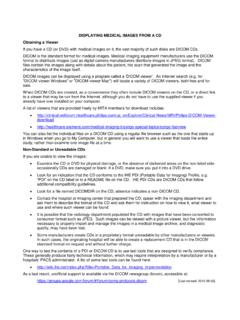
DISPLAYING MEDICAL IMAGES FROM A CD Obtaining a Viewer
dicom.nema.orgAug 05, 2013 · necessary to properly import and manage the images in a medical image archive, and diagnostic quality, may have been lost. Some manufacturers create CDs in a proprietary format unreadable by other manufacturers or viewers. In such cases, the originating hospital will be able to create a replacement CD that is in the DICOM

ImageJ User Guide
imagej.nih.govImageJ User Guide IJ1.46r Tiago Ferreira Wayne Rasband Tuesday2nd October,2012 Foreword TheImageJUserGuide providesadetailedoverviewofImageJ(andinherentlyFiji ...

How to load Leica LIF-files with ImageJ
lab.vanderbilt.edu1 _ Download pur OS specific version of Image.] from the Imaqe._l website. 2. Download MBF ImaqeJ bundle pluqins anlv (—2Mb) and unzip to ImageUPlugins folder. (This contains only the plugins, IJ preferences LUTs and plugin source code). 3_ For Mac. The /JPrefs.txt file needs to be moved from the /mageJ folder to the Library,preferences folder

CSS
riptutorial.comCSS @import rule (one of CSS at-rule) 4 How to use @import 5 Changing CSS with JavaScript 5 Pure JavaScript 5 jQuery 5 See also 6 Styling Lists with CSS 6 Chapter 2: 2D Transforms 8 Syntax 8 Parameters 8 Remarks 9 2D Coordiante system 9 Browser support and prefixes 10 Example of prefixed transform: 10 Examples 10 Rotate 10 Scale 10 Translate 11 ...

Dragon Touch Classic 10 UM V2
www.dragontouch.comwould like to import to the internal memory of the frame. ④ Click Share icon at the top then choose OK to import the photos or videos. ⑤ Your photos or videos will be received in seconds, you can check the photo or video library on the frame. Note: • If you have too many files stored in the USB drive, it will take more time to read.

Userguide - Todo Backup
www.todo-backup.comEaseUSTodoBackupuserguide-4-Welcome ThanksforusingEaseUSTodoBackup.Asanintegratedsolutionfordataprotection, EaseUSTodoBackuphasbeenwidelyusedonhomecomputers ...

SIP-T31G - Yealink
www.yealink.comtechnical patents of cloud computing, audio, video and image processing technology, Yealink has built up a panoramic collaboration solution of audio and video conferencing by merging its cloud services with a series of endpoints products. As one of the best providers

Exporting Images and Movies in ZEN Blue - ZEISS
www.zeiss.comOnce the image is active, the Image Export tool can be easily accessed via the menu item File → Export/Import → Export, or via the CTRL+6 keyboard shortcut. Both options will take the user to the Processing tab automatically. Once there, expand the Input window at the bottom. This con-trols which image in the workspace will be used for ...