
ROMED8-2T
In this manual, chapter 1 and 2 contains introduction of the motherboard and step-by-step guide to the hardware installation. Chapter 3 and 4 contains the configuration guide to BIOS setup and information of the Support CD. 1.1 Package Contents • ASRock Rack ROMED8-2T Motherboard (ATX Form Factor: 12.0-in x 9.6-in, 30.5 cm x 24.4 cm)
Download ROMED8-2T

Information
Domain:
Source:
Link to this page:
Documents from same domain

Version 1 - download.asrock.com
download.asrock.com• Supports HDCP 2.3 with HDMI 2.1 and DisplayPort 1.4 Ports • Supports 4K Ultra HD (UHD) playback with HDMI 2.1 and DisplayPort 1.4 Ports • Supports Microsoft PlayReady® Audio • 7.1 CH HD Audio with Content Protection (Realtek ALC1200 Audio Codec) • Premium Blu-ray Audio support • Supports Surge Protection • PCB Isolate Shielding

Version 1 - download.asrock.com
download.asrock.com2.5 Jumpers Setup 27 2.6 Onboard Headers and Connectors 28 2.7 TMCrossFireX and Quad CrossFireXTM Operation Guide 33 2.7.1 Installing Two CrossFireXTM-Ready Graphics Cards 33 2.7.2 Driver Installation and Setup 35 2.8 M.2_SSD (NGFF) Module Installation Guide (M2_1) 36 2.9 M.2_SSD (NGFF) Module Installation Guide (M2_2) 39

Version 1 - download.asrock.com
download.asrock.com2.5 Jumpers Setup 30 2.6 Onboard Headers and Connectors 31 2.7 Smart Switches 37 2.8 Dr. Debug 39 2.9 TMSLITM and Quad SLI Operation Guide 45 2.9.1 Installing Two SLITM-Ready Graphics Cards 45 2.9.2 Driver Installation and Setup 47 2.10 TMCrossFireX , 3-Way CrossFireXTM and Quad CrossFireXTM Operation Guide 48

Version 1 - download.asrock.com
download.asrock.com• 1 x PCI Express 3.0 x16 Slot (PCIE2: x8 mode)* • 1 x PCI Express 2.0 x16 Slot (PCIE3: x4 mode) AMD Athlon series CPUs • 1 x PCI Express 3.0 x16 Slot (PCIE2: x4 mode)* • 1 x PCI Express 2.0 x16 Slot (PCIE3: x4 mode) • * Supports NVMe SSD as boot disks • 1 x PCI Express 2.0 x1 Slot • Supports AMD Quad CrossFireXTM and CrossFireXTM

Version 1 - download.asrock.com
download.asrock.comChapter 1 Introduction 1 1.1 Package Contents 1 1.2 Specifications 2 1.3 Motherboard Layout 7 1.4 I/O Panel 10 Chapter 2 Installation 13 2.1 Installing the CPU 14 2.2 Installing the CPU Fan and Heatsink 16 2.3 Installing Memory Modules (DIMM) 24 2.4 Expansion Slots (PCI Express Slots) 27 2.5 Jumpers Setup 28

Version 1 - download.asrock.com
download.asrock.comChapter 2 Installation 12 2.1 Installing the CPU 13 2.2 Installing the CPU Fan and Heatsink 15 2.3 Installing Memory Modules (DIMM) 23 2.4 Expansion Slots (PCI Express Slots) 26 2.5 Jumpers Setup 27 2.6 Onboard Headers and Connectors 28 2.7 Dr. Debug 33 2.8 TMCrossFireXTM and Quad CrossFireX Operation Guide 39

Version 1 - download.asrock.com
download.asrock.comChapter 3 Software and Utilities Operation 27 3.1 Installing Drivers 27 3.2 ASRock Live Update & APP Shop 28 3.2.1 UI Overview 28 3.2.2 Apps 29 3.2.3 BIOS & Drivers 32 3.2.4 Setting 33 3.3 Enabling USB Ports for Windows® 7 Installation 34
Version 1 - download.asrock.com
download.asrock.comAudio • 7.1 CH HD Audio with Content Protection (Realtek ALC892/897 Audio Codec) • Supports Surge Protection • PCB Isolate Shielding • Individual PCB Layers for R/L Audio Channel • Gold Audio Jacks LAN • PCIE x1 Gigabit LAN 10/100/1000 Mb/s • Realtek RTL8111H

Server Management utility - ASRock
download.asrock.comAsrock Rack Server Management Revision History No. Document Product Date Description 3 1.0.2 2.2.13 04-30-2019 1. Support cli interface 2. Update group management

Version 1 - download.asrock.com
download.asrock.comThe Lithium battery adopted on this motherboard contains Perchlorate, a toxic substance ... or the foreign government from where it is shipping requires an export license, or other ... 3.3.1 UI Overview 41 3.3.2 Apps 42 3.3.3 BIOS & Drivers 45 3.3.4 Setting 46 3.4 Nahimic Audio 47 ...
Related documents
EXTERNAL SLIM DVD DRIVE USER MANUAL
h10032.www1.hp.comPlay music CDs Play VCD & DVD movies Access interactive reference materials stored on DVDs Master new software programs on DVDs or CDs Create and burn LightScribe labels* DVD functions: Write to DVD+R and DVD-R (recordable DVD) media Write to double-layer DVD+R (recordable DVD+R9) and dual-layer DVD-R (recordable DVD-R9) media*
SOFTWARE INSTALLATION MANUAL - LANL
www.lanl.govhardware manual received with your data acquisition product. 2 GETTING STARTED Before installing your data acquisition hardware, it is best to install the software. Once the software is installed, the next step depends upon whether you are installing a Plug and Play board, or one that is manually configured with switches and/or jumpers.
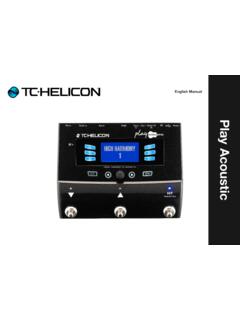
Play Acoustic - mediadl.musictribe.com
mediadl.musictribe.comPlay Acoustic – Reference manual (2014-07-16) a Important safety instructions 1 Before you begin 4 About this manual 5 Getting support 5 VoiceSupport 5 Please register your Play Acoustic 5 Introduction 6 Diagram legend 7 Diagrams 8 Basics 9 Inputs and outputs 10 Gain settings 12 Switches and operation 14 Control knob and arrow buttons 16

Arma 3 manual
arma3.comFIELD MANUAL Don't forget that Arma 3 now includes the Field Manual, accessible from the Main Menu and/or from the Pause Menu (when playing a mission). It contains useful tips on how to control and interact with various aspects of Arma 3. Consult it when looking for such information. Some of the tips may