
Set Adobe as the defualt PDF program - OSC
Reader DC or Acrobat DC. Here's how to set it up: (Instructions from Adobe.com) WINDOWS USERS 1. Right-click the PDF, choose Open With > Choose default program or another app in. 2. Choose Adobe Acrobat Reader DC or Adobe Acrobat DC in the list of programs, and then do one of the following:
Download Set Adobe as the defualt PDF program - OSC

Information
Domain:
Source:
Link to this page:
Documents from same domain

Form OSC-11: Complaint of Prohibited Personnel …
osc.govu.s. office of special counsel form osc-11 (2/28/14) (202) 254-3600 / (202)254-3670 / (800) 872-9855 omb control no. 3255-0002 complaint of possible prohibited personnel practice

DEPARTMENT OF VETERANS AFFAIRS
osc.govDEPARTMENT OF VETERANS AFFAIRS Washington, DC Report to the Office of Special Counsel OSC File Number 01-14-3745 Department of Veterans Affairs North Texas Health Care System
U.S. OFFICE OF SPECIAL COUNSEL - osc.gov
osc.govU.S. OFFICE OF SPECIAL COUNSEL Report of Prohibited Political Activity under the Hatch Act OSC File No. HA-18-0966 (Kellyanne Conway) March 6, 2018

Hatch Act Guidance on Social Media - osc.gov
osc.govRevised February 2018 . Hatch Act Guidance on Social Media . The U.S. Office of Special Counsel (OSC) routinely receives questions from federal employees

Hatch Act for Federal Employees
osc.govThe Hatch Act generally applies to employees working in the executive branch of the federal government. The purpose of the Act is to maintain
OSC Files Hatch Act Complaint Against Immigration …
osc.govU.S. Office of Special Counsel . 1730 M Street, N.W., Suite 218 . Washington, D.C. 20036‐4505 . OSC Files Hatch Act Complaint Against Immigration Judge
THE HATCH ACT Permitted and Prohibited …
osc.govTHE HATCH ACT . Permitted and Prohibited Activities for Most Federal Employees . Generally, federal employees, unless further restricted*, may actively participate in political management and

U.S. OFFICE OF SPECIAL COUNSEL - osc.gov
osc.govMarch 5, 2018 . Updated Guidance Regarding the Hatch Act and President Donald Trump Now That He Is Officially a Candidate for Reelection . In February 2017, the U.S. Office of Special Counsel (OSC) issued guidance regarding

'r-;/:c,,; , I DEPARTMENT OF DEFENSE Ol--~' …
osc.govOn April 29, 2013, the investigating officer met with Ms. Brown-Richards and, while using Ms. Brown-Richards' computer, they were able to access AD folders containing PH.

OSC Applauds President Signing Bill to Help Protect ...
osc.govU.S. Office of Special Counsel . 1730 M Street, N.W., Suite 218 . Washington, D.C. 20036‐4505 . OSC Applauds President Signing Bill to Help Protect Whistleblowers
Related documents

Help and tutorials - Adobe Inc.
helpx.adobe.comDC or Acrobat Reader DC. Refer to the related links section at the bottom of this page for how to do the same using a browser or the tablet app. Fill out your PDF form 1. Open the PDF form that you want to fill out. 2. Choose Tools > Fill & Sign. 3. To …
NIGP Commodity Codes (18th Edition) - Washington, D.C.
app.ocp.dc.govdownloaded or used in any way other than for use by the District of Columbia government, Office of Contracting and; Procurement, Vendor Registration Program, without a license from Periscope Holdings in Austin, Texas. Periscope Holdings can be contacted at 1-800-757-6064 for licensing information.
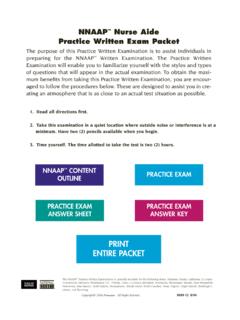
PRINT ENTIRE PACKET - Washington, D.C.
doh.dc.gov2 1. What is the term for a device used to take the place of a missing body part? (A) Pronation (B) Abduction (C) External rotation (D) Prosthesis 2.
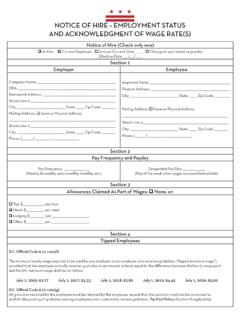
NOTICE OF HIRE – EMPLOYMENT STATUS AND …
does.dc.govthe District’s wage and hour laws. For questions and additional information, contact OWH at (202) 671-1880 or owh.ask@dc.gov. OWH is located at 4058 Minnesota Avenue, NE, Suite 3600, Washington, DC 20019. OWH’s office hours are Monday-Thursday 8:30am-4:30pm and Friday 9:30am-4:30pm. Section 8
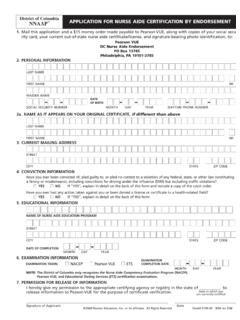
NNAAP APPLICATION FOR NURSE AIDE CERTIFICATION BY …
doh.dc.govDC Nurse Aide Endorsement PO Box 13785 Philadelphia, PA 19101-3785 2. PERSONAL INFORMATION ...
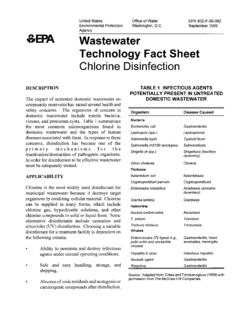
Wastewater Technology Fact Sheet: Chlorine Disinfection
www3.epa.govTitle: Wastewater Technology Fact Sheet: Chlorine Disinfection Author: US EPA, OW, OWM, Water Permits Division Subject: Fact sheet on disinfection, one of the primary mechanisms for the inactivation or destruction of pathogenic organisms.

MOTION FOR REMOTE PROCEEDING OR TO APPEAR …
mdcourts.gov(CC-DC-049). 7. The remote appearance will not interfere with making a verbatim record of the hearing. CC-DC-110 (Rev. 07/2021) Page 2 of 3 Date Printed Name Address City, State, Zip E-mail Attorney Number. Complete only if the person appearing remotely is an attorney or a person represented by an attorney.

GOVERNMENT OF THE DISTRICT OF COLUMBIA …
coronavirus.dc.govof the District of Columbia declared a public health emergency for the 2019 novel coronavirus, more than 72.28 million Americans have been diagnosed with COVID-19 and more than 866,000 have died from the disease. Total confirmed infections in the District have risen to 128,739, and tragically, 1,278 District
January 27, 2022 - mayor.dc.gov
mayor.dc.govJan 27, 2022 · DC GOVERNMENT VACCINE REQUIREMENT 9 By Tuesday, February 15, all DC Government employees must provide proof that they are up to date with their COVID-19 vaccinations, including a booster when eligible.