
Simplified Maintenance Schedule
Maintenance Schedule for your 2015 Chevrolet Silverado 7,500 miles 15,000 miles 22,500 miles 30,000 miles 37,500 miles 45,000 miles 52,500 miles 60,000 miles 67,500 ...
Download Simplified Maintenance Schedule

Information
Domain:
Source:
Link to this page:
Documents from same domain

00-Introduction en US 1.
my.chevrolet.comChevrolet Equinox Owner Manual (GMNA-Localizing-U.S./Canada/Mexico-10446639) - 2018 - CRC - 8/18/17 2 Introduction Introduction The names, logos, emblems,

2014 chevrolet trAIlerING GUIDe
my.chevrolet.com2014 chevrolet trAIlerING GUIDe Table of con TenTs 02 SELECTING A VEHICLE/MAxIMuM TrAILEr WEIGHT rATINGS 03 VEHICLES AND HITCHES 04 TrAILErING BASICS ... Towing a trailer involves all major vehicle systems of your Chevrolet vehicle. Easy and safe trailering requires a properly

Get To Know Your Colorado - Chevrolet
my.chevrolet.comConnect your smartphone/device to the system by Bluetooth or, for Apple devices, by a USB cable. Touch the Pandora icon on the touch screen to access Pandora. A slight delay may occur when loading a song or changing a station. ... Get To Know Your Colorado ...
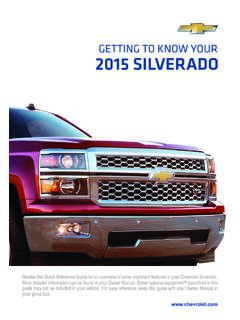
Get To Know Your Silverado - Chevrolet
my.chevrolet.com3 Refer to your Owner Manual to learn about the informa-tion being relayed by the lights, gauges and indicators on the instrument cluster. See In Brief in your Owner Manual.

MyLink Infotainment System Guide - Chevrolet
my.chevrolet.comturn the system on. Press and hold to turn off.. When on, press Oor O/VOL to mute the system. Press O or O/VOL again to unmute the system.. Turn Oor O/VOL to increase or decrease the volume. When the power is on and the system is not muted, a quick status pane will display when Oor O/VOL is pressed. Pressing Oor O/VOL will mute the system and ...

Owners Manual - Owner Center Home
my.chevrolet.comManual Mode 0 234. 17. Steering Wheel Controls 0 124. 18. Horn 0 125. 19. Steering Wheel Adjustment 0 124 (Out of View). 20. Cruise Control 0 244. Adaptive Cruise Control 0 246 ... found later in this owner’s manual. Stop/Start System The vehicle may have a fuel saving Stop/Start system to shut off the engine and help conserve fuel.

2002 Chevrolet Blazer
my.chevrolet.comiii How to Use this Manual Many people read their owner’s manual from beginning to end when they first receive their new vehicle. If you do this, it will help you learn about the features and

Limited Warranty and Owner Assistance Information
my.chevrolet.comChevrolet Limited Warranty and Owner Assistance Information (GMNA-Localizing-U.S-9159214) - 2016 - crc - 12/10/15 2 Warranty Coverage at a Glance The warranty coverages are summarized below. New Vehicle Limited Warranty Bumper-to-Bumper (Includes Tires). Coverage is for the first 3years or 36,000miles, whichever comes first. Powertrain
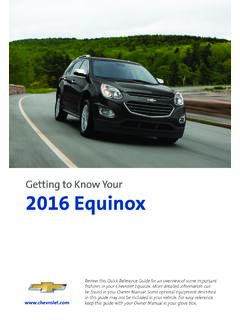
Getting to Know Your 2016 Equinox - Chevrolet
my.chevrolet.comSee Keys, Doors and Windows in your Owner Manual. Unlock driver’s door. Press again to unlock all doors and the liftgate. The Unlock setting can be changed in the Vehicle Settings menu. Lock Press to lock all doors and the liftgate. Thedriver’s door will not lock if open. Liftgate Press and hold to open/stop/ close the power liftgateF.
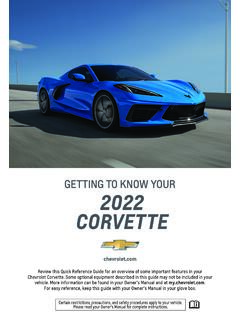
Getting to Know your 2022 Chevrolet Corvette
my.chevrolet.comTo store seat and power steering column positions for more clearance when exiting the vehicle, repeat these steps using the EXIT button instead of button 1 or 2. RECALL DRIVER’S SEAT MEMORY POSITIONSF Press and hold button 1, 2 or EXIT until the set position is reached.
Related documents

Instructions - Equifax
assets.equifax.comEquifax Canada – Consumer Request for Free Credit Report Personal Information 1. This form must be completed and submitted with supporting documentation if you wish to request your free Credit Report1 including your Equifax Credit Score2 from Equifax Canada. Required fields are marked with an asterisk (*
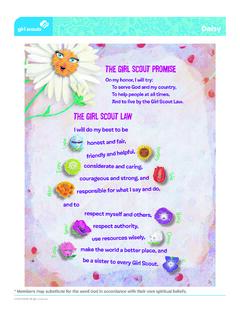
THE GIRL SCOUT LAW THE GIR
my.girlscouts.orgOn my honor, I will try: To serve God and my country, To help people at all times, And to live by the Girl Scout Law. THE GIR I w ill d THE On, d c L u p e S u n n y T u l a G l o r i a C l o v e r V i Z i n i M a ri G e r r R o s ie * Members may substitute for the word God in accordance with their own spiritual beliefs. Title: Daisy-Promise ...

Is it okay to mix Moderna and Pfizer
uwaterloo.cahttps://www.canada.ca/content/dam/phac-aspc/documents/services/immunization/national-advisory-committee-on-immunization-naci/-recommendations-use-covid-19-vaccines ...
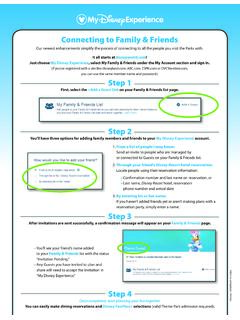
How to Use My Disney Experience Family and Friends
wdpromedia.disney.go.comJust choose My Disney Experience, select My Family & Friends under the My Account section and sign in. (If you’ve registered with a site like disneyland.com, ABC.com, ESPN.com or DVCMember.com, you can use the same member name and password.) Step 1 First, select the +Add a Guest link on your Family & Friends list page. Step 2
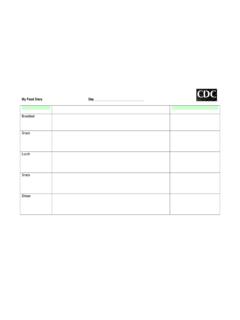
My Food Diary
www.cdc.govMy Food Diary Author: Division of Nutrition, Physical Activity, and Obesity, National Center for Chronic Disease Prevention and Health Promotion Subject: Food Diary Keywords: food diary, food log, food journal, healthy weight Created Date: 3/27/2019 1:04:32 PM
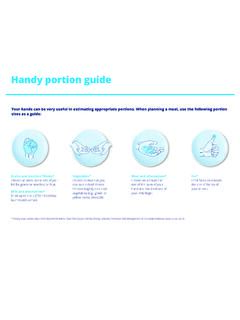
Handy portion guide - Diabetes Canada
www.diabetes.caHandy portion guide * Food group names taken from Beyond the Basics: Meal Planning for Healthy Eating, Diabetes Prevention and Management.© Canadian Diabetes Association, 2014. Fat* Limit fat to an amount the size of the tip of your thumb.

My COVID-19 symptoms diary
www.qld.gov.auDec 23, 2021 · My COVID-19 symptoms diary Each day, fill out the table. Write down which of these symptoms you have on Day 1 by writing yes or no, then from Day 2, if your symptom is the SAME (S), BETTER (B) or WORSE (W) than the day before. Notes: Temp: Temp: Temp: Temp: Temp: Temp: Temp: Temp: Temp: Temp: Temp: Temp: Temp:

payrollportal.nycboe
www.schools.nyc.govPage 2 of 6 8/30/2018 If your log on is successful, the screen below will be displayed. 4) Enter your Network\Email Id (i.e., your DOE Outlook User Name).