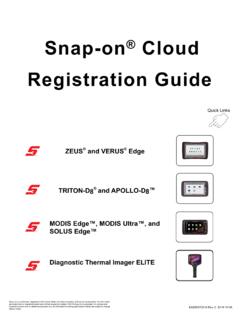
Snap-on Cloud Registration Guide
7. Reboot the diagnostic tool. Scanner Previous Vehicle and Data OBD-II/EOBD Quick Lookups Tools Scanner Previous Vehicle and Data OBD-II/E OBD Tools Snap-on® Cloud Registration TRITON D8® and APOLLO D 8™
Download Snap-on Cloud Registration Guide

Information
Domain:
Source:
Link to this page:
Documents from same domain

User Manual - Snap-on Incorporated
www.snapon.comAll information, specifications and illustrations in this manual are based on the latest information available at the time of printing and are subject to change without notice.

SOFTWARE UPGRADE 18.4 VEHICLE COVERAGE GUIDE
www.snapon.comAvoid Gaps in Coverage and Get All New Features Live Data Plan** Multi-year plans for Intelligent Diagnostics software. Includes complete data services, all available domestic, Asian and European upgrades, SureTrack, plus ... • Left and Right Bumper Cameras • Left and Right Mirror Cameras • Rear View Camera • Steering Angle Sensor

Mercedes-Benz Vehicle Communication Software Manual
www.snapon.comThe Mercedes-Benz Vehicle Communication Software provides extensive vehicle-specific engine, transmission, antilock brake system (ABS) and airbag trouble codes, and selected functional tests.

US Domestic Vehicle Communication Software Manual
www.snapon.comiv Safety Information Important Safety Instructions Safety messages contain th ree different type styles. • Normal type states the hazard. • Bold type states how to avoid the hazard. • Italic type states the possible consequences of not avoiding the hazard. An icon, when present, gives a graphical description of the potential hazard.

SNAP-ON INDUSTRIAL / NRECA Net Price List IPL1702 - NET ...
www.snapon.comSNAP-ON INDUSTRIAL / NRECA Net Price List IPL1702 - NET 4NR Build Date: February 2017 Catalog 1300i Item Number Description Long Description Price

US Suppliers
www.snapon.comThe addition of freight charges or handling charges to the invoice for goods is strictly prohibited. The above will authorize the individual carrier to ship all freight to us at our negotiated classes and

Mitchell 1 Names “Thank You Thursdays” Sweepstakes Winners
www.snapon.comDec 20, 2021 · For more information about Mitchell 1, visit . www.mitchell1.com, call (888) 724-6742, or locate an independent sales consultant at www.mitchellrep.com. About Mitchell 1: Headquartered in San Diego, California, Mitchell 1 has been a leading provider of repair information solutions to the motor vehicle industry for more than 100 years.

Mitchell 1 and ASE Present 2021 Technician of the Future …
www.snapon.comFor more information about Mitchell 1, visit . www.mitchell1.com, call (888) 724-6742, or locate an independent sales consultant at www.mitchellrep.com. About Mitchell 1: Headquartered in San Diego, California, Mitchell 1 has been a leading provider of repair information solutions to the motor vehicle industry for more than 100 years.
User Manual - Snap-on
www.snapon.com1.1.3 Terminology The term “select” means highlighting a button or menu item using the Thumb Pad and pressing the Y/a button to confirm the selection. Example: • Select Reset. The above statement abbreviates the following procedure: 1. Navigate to and highlight the Reset button. 2. Press the Y/a button. 1.1.4 Notes and Im portant Messages

Car-O-Liner Introduces New CDR1 Workstation
www.snapon.comCR235 Combi Spotter, plus separate drawers with steel and aluminum repair tools, and the Level 2 cart features an additional drawer for gluepull repairs. The Level 3 cart includes a drawer for pneumatic push pull repairs, plus another drawer for holders. To …
Related documents

HPTUNERS SCANNER STARTUP GUIDE Scanner
files.hptuners.comHPTUNERS SCANNER STARTUP GUIDE Open up your editor & just scroll through your top tool bar to look over all of the features offered. File Connect -This will ping the vehicle you’ve connected your cable to to attempt to connect Disconnect -This will disconnect you from the car you were connected to

Siemens Prisma 3T MRI Scanner User Guide
www.bmap.ucla.edu10. When the scanner starts booting up, the LCD screen in the scanner room will turn back on 11. It will take approximately 6 minutes for the system to completely boot up ... Click on “Map Network Drive” on the top tool bar 7. When the box pops up choose an available drive, Z drive is the default, if it is being used

Auto Scanner Plus - Actron
actron.com•Do not operate the Scan Tool if it has been dropped or damaged, until examined by a qualified service representative. Operation of the Scan Tool by …

MetroSelect Single-Line Configuration Guide
country.honeywellaidc.comYour new scanner has been factory configured with a set of default parameters. Since many host systems have unique formats and protocol requirements, Honeywell provides a wide range of configurable features that may be selected using this bar code based configuration tool. Once the

How to use ScandAll PRO - Fujitsu
www.fujitsu.comThe following explains how to sel ect a scanner driver with Scan dAll PRO (how to switch between the FUJITSU TWAIN and ISIS scanner drivers). 1. From the [Tool] menu, select [Preferences]. ⇒The [Setup] dialog box appears. 2. On the [Scan] tab, under [Device Driver], select either of drivers. To use FUJITSU TWAIN 32 Scanner Driver, select [TWAIN].
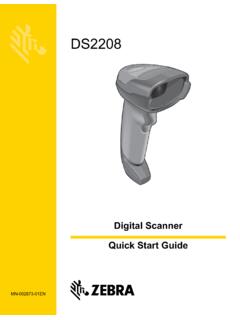
DS2208 Digital Scanner Quick Start Guide (en)
www.zebra.comDS2208 Digital Scanner Quick Start Guide 7 IBM 46XX Scan ONE of the bar codes below. The digital scanner automatically detects the host interface type, but there is no default setting. Scan one of the bar codes below to select the appropriate port. Hand-Held Scanner Emulation (Port 9B) Non-IBM Scanner Emulation (Port 5B)
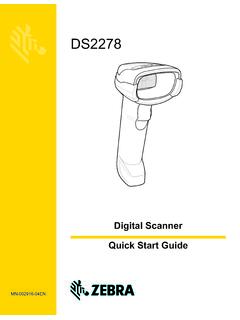
DS2278 Digital Scanner Quick Start Guide (en)
www.zebra.comDS2278 Digital Scanner Quick Start Guide 13 Troubleshooting Table 4 Troubleshooting Possible Solutions Problem Possible Solution Digital scanner not working No power to scanner Check system power; ensure battery is charged Digital scanner is disabled Ensure that correct host interface cable is used