
SoftPro Essential User Guide
SOFTPRO – ESSENTIAL USER GUIDE 1/27/2016 8 Moving From Screen To Screen To jump to the next screen in a tab press <Page Down>. Press <Page Up> to jump to the previous screen. To open a screen on another tab, you must close the current screen first (press <Esc> or click the Close button in
Download SoftPro Essential User Guide

Information
Domain:
Source:
Link to this page:
Related documents
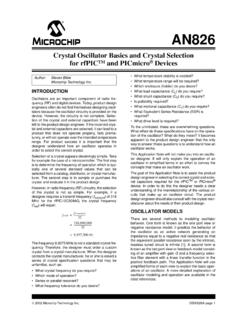
AN826 Crystal Oscillator Basics and Crystal Selection for ...
ww1.microchip.comcrystal and evaluate it in the product design. However, in radio frequency (RF) circuitry, the selection of the crystal is not as simple. For example, if a designer requires a transmit frequency ( ftransmit) of 318 MHz for the rfPIC12C509AG, the crystal frequency (fxtal) will equal: The frequency 9.9375 MHz is not a standard crystal fre-quency.

MARATHON® DIGITAL
assets.timex.comtaken to avoid damaging crystal/lens. BATTERY Timex strongly recommends that a retailer or jeweler replace battery. If applicable, push reset button when replacing battery. Battery type is indicated on caseback. Battery life estimates are based on certain assumptions regarding usage; battery life may vary depending on actual usage.

User Guide - Asus
dlcdnets.asus.comcrystal-clear display, plus a host of features that enhance your viewing experience. With these features, you can enjoy the convenience and delightful visual experience that the monitor brings to you! 1.2 Package contents Check your package for the following items: LCD monitor Monitor base Quick start guide Warranty card Power adapter Power cord

Standard guide to fluorescence: instrument calibration and ...
nvlpubs.nist.govStandard Guide to Fluorescence -Instrument Calibration . and Validation . ... based wavelength selection. An example spectrum, which has been spectrally corrected, is given for each method. Table 1 ... 2.2 Dy-YAG crystal [3] This sample is available in standard cuvette format, so it can simply be dropped into a ...

VEHICLE - Amazon S3
s3-us-west-2.amazonaws.comFeb 19, 2013 · Wire Guide The PowerConnect Vehicle Dock has a wire guide at the top rear that can help you to organize the cables and wires connected to the dock. If you need to bring a cable or wire from one side of the dock to the other, utilize the wire guide by looping the cable though the wire guide as shown. Wire Guide Introduction

Dock & Play Radio
siriusretail.comApr 27, 2017 · 8 Installation Onyx EZR with Home it User Guide Remote Control Functions 8 5 2 7 4 1 9 6 3 mute t-mix alerts t-scn fm menu 0 twx bank direct v2.0 PULL Not Used Power Button Press to turn Radio on and off .

Adhesives and Sealants Selection Guide - Dow
www.dow.comcrystal polymer. In addition, DOWSIL™ EA-7100 Adhesive’s innovative chemistry allows up to 50 percent faster cure time than conventional heat-cure platinum catalyzed silicone adhesive systems. In select applications, cohesive adhesion ...

White Paper: Material Selection and Compatibility ...
www.emerson.comMaterial Selection and Compatibility ... The information presented here is intended only as a guide to the selection of material options. Any ... This form of corrosion is a selective attack on the grain boundaries (the surface of crystal mismatch between adjacent grains) of a metal without apprecia ble attack on the grains (individual crystal ...

An Engineer’s Guide to Specify the Right Thermoplastic
www.rtpcompany.comAn Engineer’s Guide to Specify the Right Thermoplastic Steve Maki ... selection of raw materials . YOUR GLOBAL COMPOUNDER OF CUSTOM ENGINEERED THERMOPLASTICS Agenda ... crystal size to less than wavelength of light = Transparency Courtesy Milliken Chemical .

ExtIO Plugin User Guide - SDRplay
www.sdrplay.comExtIO Plugin User Guide 2.1 Main Dialog Panel 2.1.1 RSP1 LNA EN – The LNA can be turned on and off at any time by checking or unchecking this box. Frequency Trim (PPM) – The SDRplay RSP uses a crystal as its reference and as such there will be some inherent frequency offset.