
Software Installation Manual - VIGOTEC
firmware to the control board. Users may turn off VigoEngraverL7, select firmware file *.hex, select chip ATmega328, select COM port, select baud rate (set 115200 for VG-L7), and click upload. The RX, TX lights on control board will continue to flicker until XLoader shows the upload is successful. 11. Update Our software will be updated ...
Download Software Installation Manual - VIGOTEC

Information
Domain:
Source:
Link to this page:
Documents from same domain
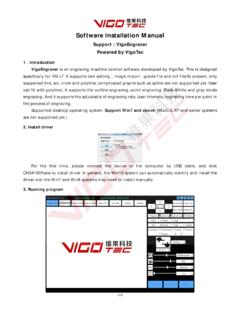
Software Installation Manual - VIGOTEC
vigotec.cnfirmware to the control board. Users may turn off VigoEngraver, select firmware file *.hex, select chip ATmega328, select COM port, select baud rate (usually 57600 for VG-C1, others are 115200), and click upload. The RX, TX lights on control board will continue to flicker until XLoader shows the upload is successful. 11. Update
Related documents

POWER TAKE-OFF DRIVELINE PRODUCTS CATALOG
www.neapcoaftermarket.comof bore: square, rectangular, spline? 3. What is the length of the yoke? Identification of Series L600-N1000 There are three major Category 1 PTO series: Neapco, Rockwell, and Dana/Spicer. We have a complete range of components for the L6 and 1000 series. Our yokes have identification chamfers and marks in the critical fit dimension areas. Use the