SolidWorks for Sheetmetal
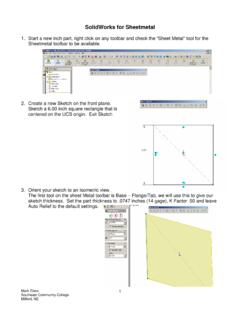
SolidWorks for Sheetmetal 1. Start a new inch part, right click on any toolbar and check the “Sheet Metal” tool for the Sheetmetal toolbar to be available. 2. Create a new Sketch on the front plane. Sketch a 6.00 inch square rectangle that is centered on the UCS origin. Exit Sketch 3. Orient your sketch to an Isometric view.
Download SolidWorks for Sheetmetal

Information
Domain:
Source:
Link to this page:
Documents from same domain

Building a Cycloidal Drive with SOLIDWORKS
blogs.solidworks.comfloating in space (the assembly’s origin). Move your mouse over to the Assembly’s origin. Your curser should snap to the assembly origin once you place it near it. Both origins should have merged to show one. Once that happens, click to place the …

Imported Files Turning Surfaces into Solids in SolidWorks
blogs.solidworks.comImported Files – Turning Surfaces into Solids in SolidWorks Problem – Many times when you import a customer’s part or assembly and it opens as a part that has a ton of surfaces or it may open as a multi level assembly and each of those parts is made up of surfaces. The file that I chose to work with was an assembly that when imported into SolidWorks opened as a part
Related documents

Stock Catalog & Price List
www.mechreps.comSheetmetal Ducts, Elbows & Fittings 40 - 41 Sheetmetal Accessories 42 - 43 B-Vent Flue Pipe 44 Gauges & Thermometers 45 Introduction to Fan Selection 46 Line Card 47. 2 Stock Catalog & Price List Terms and Conditions PriCeS All prices listed …

SIC SIC Description NAICS NAICS Description
www.naics.com1761 Roofing, Siding, and Sheetmetal Work 238160 Roofing Contractors 1761 Roofing, Siding, and Sheetmetal Work 238170 Siding Contractors 1761 Roofing, Siding, and Sheetmetal Work 238390 Other Building Finishing Contractors 1771 Concrete Work 238110 Poured Concrete Foundation and Structure Contractors 1771 Concrete Work 238140 Masonry Contractors
SHEET METALWORKING
www.egr.msu.edu3. Sheet Metalworking Terminology • “Punch-and-die” – Tooling to perform cutting, bending, and drawing • “Stamping press” – Machine tool that performs most sheet metal

MODULE 5 SHEET METAL OPERATIONS
www.rajagiritech.ac.in“Stampings”Sheetmetal products. A set of die and punch Press working of sheet metal. SHEET METAL OPERATIONS SHEARING BLANKING PUNCHING (PIERCING) BENDING STAMPING DRAWING DEEP DRAWING EMBOSSING SPINNING ROLL FORMING. SHEET METAL CHARACTERISTICS
PolyWorks V10 Beginner’s Guide - UNAVCO
www.unavco.orgSheetmetal_001.pf Sheetmetal_002.pf Sheetmetal_003.pf Sheetmetal_004.pf Sheetmetal_005.pf Sheetmetal_006.pf Raw scan files of a base. For the alignment exercise. The theoretical CAD model for the inspection exercise. Two PolyWorks workspaces, containing files required for exercises, in a compressed format (.pwzip). They will
CATIA V5 Administration Customizing Standards
www.cenit.comAerospace SheetMetal Design Parameters These Standards define the graphic properties and visibility characteristic curves used in the Aerospace SheetMetal Design Workbench. The Standards are defined in the file AerospaceSheetMetalDesign.xml,which is located in the directory “install_folder”\resources\standard 1.2.2. Drafting Parameters
68-0135 - S8610U Universal Intermittent Pilot Module
customer.honeywell.comsheetmetal screws of appropriate length. See Fig. 1. Underwriters Laboratories Inc. Component Recognized: File no. MH15564, Guide no. MCCZ2. IAS Design Certified: C2030011. Other System Components These modules provide operating control of an intermittent pilot system. Additional components required to complete the system must be ordered ...

68-0239EF 12 - Honeywell Media Air Cleaners
customer.honeywell.comSheetmetal The media air cleaner is adaptable to all new or existing forced air heating and cooling systems used in residential applications. Transitions or turning vanes may be required in some applications for effective media air cleaner operation. Offsets If the duct connection to the furnace in a side

User Guide - 3DEXPERIENCE Edu
edu.3ds.comSheetmetal Design (SMD) – Helps to design sheet metal parts in a very intuitive and productive environment. Real Time Rendering 2 (RTR) --Enables designers to interactively create realistic and dynamic renderings and animations in real-time, by extensively using all the hardware features available.