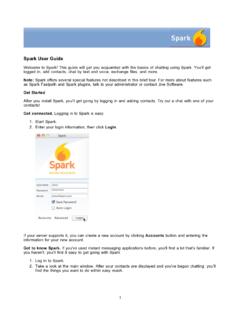
Spark User Guide - Ignite Realtime
3 Enter your contact's information. In the Add Contact dialog, enter the contact's username. This will look like an email address. That's how XMPP — Jabber-style — user names work. 2. 3. Select or enter the name of the group you want to add the contact to, then click Add. If you decide you'd rather have the contact in another group, simply right-click their name, point to Move
Download Spark User Guide - Ignite Realtime

Information
Domain:
Source:
Link to this page:
Related documents

Young children Develop in an environment of relationships
developingchild.harvard.eduwww.DevelopingChilD.neT . Young Children Develop in an Environment of Relationships . 1. Growth-promoting relationships are based on the child’s continuous give-and-take (“serve and
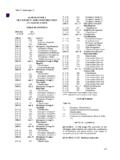
Building Code Title 27 Subchapter 3 - New York City
www.nyc.govJul 01, 2008 · that ignite or produce flammable gases on contact with water; and any other uses that constitute a high fire hazard because of the form, character, or volume of the materials involved. (a) Typical material contents.-Acetylene gas and gases under pressure of fifteen psig or more and in quantities greater than twenty-five hundred cubic feet ...

Fluent UDF Manual - PMT
www.pmt.usp.brANSYS Fluent UDF Manual ANSYS, Inc. Release 15.0 Southpointe November 2013 275 Technology Drive Canonsburg, PA 15317 ANSYS, Inc. is certified to ISO 9001:2008. ansysinfo@ansys.com

Ignite - Keller Williams Realty
images.kw.comIgnite Scripts. Notices While Keller Williams Realty, Inc., (KWRI) has taken due care in the preparation of all course materials, we cannot guarantee their accuracy. KWRI makes no warranties either expressed or implied with regard to the information and programs presented in the course or in this manual.

Polar Ignite 2 Gebrauchsanleitung
support.polar.com3 Ruhe-Herzfrequenz 25 VO2max 26 Uhreinstellungen 26 Wecker 26 Uhrzeitanzeige 26 Uhrzeit 27 Datum 27 ErsterTagderWoche 27 Display-Symbole 27 NeuStartenundZurücksetzen 28
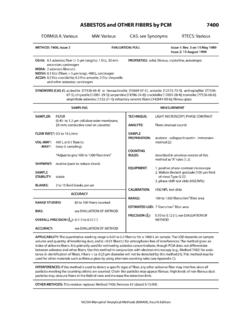
NMAM 7400: ASBESTOS and OTHER FIBERS by PCM
www.cdc.govTake precautions not to ignite it. Heating . of acetone in volumes greater than 1 mL must be done in a ventilated laboratory fume hood using a flameless, spark-free heat source. SAMPLING: 1. Calibrate each personal sampling pump with a representative sampler in line. 2. To reduce contamination and to hold the cassette tightly together, seal the ...