
SPECIFICATION - Adesso Inc
Manual Introduction Manual scanning mode,please follow the scanning steps: 1. Press and hold the trigger button, then the light is activated, and appear the red aiming light and the white led light. 2. Aim the center of the codes by red aiming light, to move the scanner between the codes to find the best scanning distance. 3.
Download SPECIFICATION - Adesso Inc

Information
Domain:
Source:
Link to this page:
Documents from same domain

Mini Keyboard - Adesso
www.adesso.comINTRODUCTION Congratulations on your purchase of the Adesso Mini Keyboard with embedded keypad. This delivers comfort and convenience with a design that will

Microsoft Office 2007: Document Imaging Program
www.adesso.com1 Microsoft Office 2007: Document Imaging Program Follow these instructions on how to add Microsoft Office Document Imaging program to your computer for use with your scanner or if you have to open a pdf or tiff file to then edit in Word.
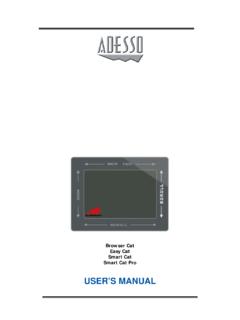
TOUCHPAD MODEL TSM9921-34 Specification - Adesso
www.adesso.com•To click, lightly and quickly tap the surface of the pad once. Or, press the left button once. • To double-click, tap twice on the pad or click the left button twice. Remember, the touchpad
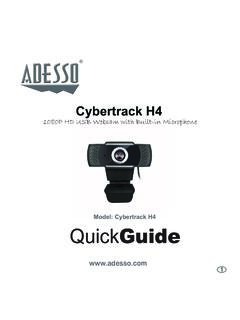
Cybertrack H4 - Adesso Inc
www.adesso.com1. Place your webcam on a computer monitor, desktop, or laptop. 2. Plug in the USB cable to the USB port, and your Operation system will detect the device, then the webcam will work …
Related documents

Specific Accreditation Guidance - NATA
nata.com.auOn use Monitor level Infrared, ultraviolet and visible 1 On use Check operation of the lamps Pressure / vacuum 1 Monitor level Extensometer calibrator 5 AS 2328 and AS 1545 Flowmeter EURAMET cg-19 Differential pressure meter, orifice meter, venturi meter and anubar 2 6 Flow or dimensional calibration plus
How to Start Modeling Antennas using EZNEC - ARRL
www.arrl.orgEZNEC-ARRL. Although that might sound appealing, it appears to be nothing more than a frozen-in-time version of the free version of standard EZNEC, and version 3 at that. For normal modeling, the 20 segment limit applies. That limit can be exceeded for the model files provided with the book. As best as I can tell,