
Spectrum TV Self-Install Instructions
SET UP TV TV TV TV TV. CH. WER. CH. SET UP. 3 Sync Your Remote to Your TV. SET UP * If you need more remote help or details, please visit The CH+ key will send a signal to the TV to locate the code that operates your TV. spectrum.net / remotes or reference the user guide included with the remote.
Download Spectrum TV Self-Install Instructions

Information
Domain:
Source:
Link to this page:
Documents from same domain

Customer Change Form and Agreement
d15yx0mnc9teae.cloudfront.netCustomer Change Form and Agreement << PLEASE PRINT LEGIBLY >> INSTRUCTIONS Please follow these instructions to change the name on your account or change ownership to
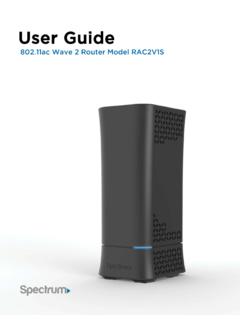
User Guide
d15yx0mnc9teae.cloudfront.netUser Guide Model RAC2V1S 1 . Chapter 1: Product Overview Package Contents • Model RAC2V1S router. • Power adapter. • Ethernet cable. ... your mobile screen. User Guide Model RAC2V1S 15 : Chapter 2: Getting Started . User Guide Model RAC2V1S. User Guide Model RAC2V1S. User Guide Model RAC2V1S ...

IMPORTANT INFORMATION ABOUT YOUR SPECTRUM …
d15yx0mnc9teae.cloudfront.netIMPORTANT INFORMATION ABOUT YOUR SPECTRUM CHANNEL LINEUP Communities Served: City of Union; County of Randolph, IN; Cities of Clayton, Dayton, Englewood, Fairborn, Greenville, Huber Heights,
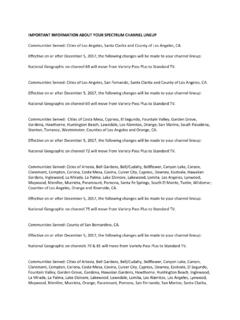
IMPORTANT INFORMATION ABOUT YOUR SPECTRUM …
d15yx0mnc9teae.cloudfront.netimportant information about your spectrum channel lineup Communities Served: Cities of Los Angeles, Santa Clarita and County of Los Angeles, CA. Effective on or after December 5, 2017, the following changes will be made to your channel lineup:

Spectrum Voice International Rate Comparison
d15yx0mnc9teae.cloudfront.netSpectrum Voice International Rate Comparison Rates shown effective 3/6/2017. Rates are subject to change. All pricing is per-minute. “Mobile” is defined as any call made to a mobile phone. “Landline” is defined as any call made to a landline telephone. * = Included with Spectrum Voice International (SVI) Calling Plan
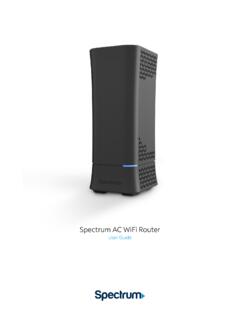
Spectrum WiFi Router with Advanced In-home WiFi
d15yx0mnc9teae.cloudfront.netSpectrum AC WiFi Router 2 V.1 10-11-2019 Spectrum WiFi Router with Advanced In-home WiFi Advanced In-home WiFi on the Spectrum WiFi router delivers internet, network security and personalization, conveniently managed with the My Spectrum app. Your router will have QR code on the back label to indicate support of this service.

Spectrum WiFi Pods
d15yx0mnc9teae.cloudfront.netSpectrum WiFi Pods deliver additional coverage for the Advanced Home WiFi service, enabling WiFi signals to reach all devices in-home for a better experience. With Spectrum WiFi Pods and Advanced Home WiFi: • Experience whole home coverage. • Improve connected client performance with optimized connections to router or pod.

Spectrum D3.1 eMTA
d15yx0mnc9teae.cloudfront.netmodem (when provisioned for voice service as specified by the service provider), and connect the other end to the phone port of the telephone. If voice service is not provisioned through the service provider, telephone service is not available. 4. Connect the power adapter (supplied) to the Power port on the modem. Connect

Spectrum WiFi 6 Router
d15yx0mnc9teae.cloudfront.netSpectrum WiFi 6 2 Advanced In-Home WiFi Advanced In-Home WiFi is included on your Spectrum WiFi 6 router delivering internet, network security and personalization, conveniently managed with the My Spectrum App. Your router will have a QR code on the back label to indicate support of this service. With Advanced In-Home WiFi, you can:

High-Definition DVR
d15yx0mnc9teae.cloudfront.netReverse engineering or disassembly is prohibited. ... During Transportation to the Subscriber Home Transport the cable terminal in its shipping box or an equally padded container. ... x Consult the dealer or an experienced radio/TV technician for help. Caution: Changes or modifications not expressly approved by Motorola for compliance could ...
Related documents

UNDERSTANDING THE TV RATINGS AND PARENTAL …
www.tvguidelines.orgtelevision set after July 1, 1999, it is most likely equipped with a V-Chip. HowdoIprogramandactivatethe V-Chip? Each television set’s V-Chip works a little differently. Once you understand the definition of each rating and content label, programming and activating the V-Chip is as simple as following the set-up procedure, which

Virgin TV 360 User Guide - Virgin Media
assets.virginmedia.comThat includes live TV, On Demand shows and any recording, even in mesmerising Ultra HD – and it’s a doddle to set and manage recordings on your Virgin TV 360 boxes, from wherever you are. Plus, shared pause points across all screens let you hop between rooms, from TV box to app, without missing a moment. On the go Virgin TV 360 moves with you.

AT&T U-verse Wireless TV Receiver self-installation guide
www.att.comSet up the Wireless TV Receiver. The next step is to connect your Wireless TV Receiver to your TV. A. Connect the Wireless TV Receiver to your TV with an HDMI cable (not included). You may also use . Component or Coaxial cables. B. Power up your TV. Select the connection type you used in step 2A. For instance, if you used an HDMI . cable ...

BT TV User Guide
www.bt.comMake BT TV even easier to use with things like audio description and subtitles. Getting started 4 7 Let’s set up your BT TV box. Get the most out of your TV You’ll be box-set binging in no time, with our on-demand players and up to 300 hours of recording space. Let’s get going How to use your remote and set up your parental controls
Mighty Quick Start Guide - Fetch TV
www.fetchtv.com.au• Your modem is not close to your TV, and • You have reliable Wi-Fi in the room where your TV is. If you’re using this connection option you can go straight to Step 3 on Page 10 now. You will set your Wi-Fi up later when you get to Step 6. Connect your Modem to your Fetch Mighty via Ethernet cable This is the most reliable connection option.
Multiroom User Guide - Fetch TV
www.fetchtv.com.audon’t have to connect your Fetch Mini to your TV antenna. (Your paired Fetch Mighty still needs a TV antenna connection to receive and share digital Free-to-Air TV). There’s no additional set up for this. If your Fetch Mini has no antenna connected, the Free-to-Air channels on the paired box will be available in the TV Guide on the Fetch ...

User Guide TV Connector - Phonak
www.phonak.comheadset output of the TV set. Check the audio settings of the TV to enable the loudspeakers to be used in parallel. Please use the optical (Toslink) cable instead of the 3.5mm jack (analog) cable to connect the TV Connector to an audio source (e.g. TV). See chapter 3.4. 22 Causes What to do