Speed Dome Camera Installation Guide
Camera User manual ... camera to any recorder, you may need to manually set the camera mode, ID & baudrate for the camera to ... Step2: In the login page, key in the user name and password, and enter the security code from the image below if any. Then, click “LOGIN”. Step3: The wizard is then started.
Download Speed Dome Camera Installation Guide

Information
Domain:
Source:
Link to this page:
Documents from same domain

One Cable solution (PON) HD Video Recording
www.surveillance-download.comAVH0401 One Cable solution (PON) HD Video Recording 4CH HD Video Recorder Features One Ethernet Cable Solution (PON, Power-over-Network) Camera power supply & video transmission over

AVN80X network V1.1 - surveillance-download.com
www.surveillance-download.com5 1. CAMERA NETWORK CONFIGURATIONS Please follow the instructions below to finish camera installation and network configurations. You may configure the network connection of this network camera with your laptop / computer, or with your iPhone®

16CH 2MP NVR - surveillance-download.com
www.surveillance-download.comSpecifications* Hardware Video Input One LAN port (up to 16 IP cameras) Video Output HDMI Video Output Resolution 1920 x 1080 Audio Output YES

FULL D1 DVR User Manual - surveillance …
www.surveillance-download.comIMPORTANT SAFEGUARD CAUTION RISK OF ELECTRIC SHOCK CAUTION: To reduce the risk of electric shock, do not expose this apparatus to rain or moisture.

4CH MPEG4 DVR - surveillance-download.com
www.surveillance-download.com273Z 760A_760AS_761AS_761ASV_560A_560AS_561AS_561ASV_Quick_V1.2 4CH MPEG4 DVR Quick Guide Please read instructions thoroughly before operation and retain it for future reference.
MPEG4 4CH DVR MANUAL L - surveillance …
www.surveillance-download.com260Z DR040ASV_DR040_Manual_V1.05 MPEG4 4CH DVR MANUAL L Please read instructions thoroughly before operation and retain it for future reference.

Compatible with TVI, AHD and IP systems
www.surveillance-download.comz592_593_system_V1.0 TRIBRID SPEED DOME CAMERA System Configuration Guide Compatible with TVI, AHD and IP systems The product image shown above may differ from the actual product.
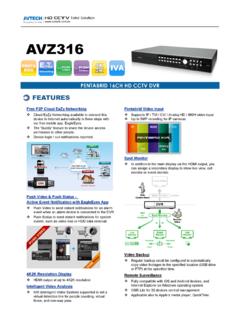
AVZ316 spec - surveillance-download.com
www.surveillance-download.comVideo Video System NTSC / PAL (auto detection) Video Compression Format H.264 Video Signal IP / TVI / CVI / Analog HD / 960H Video Input 16 quadbrid channels (IP / TVI / Analog HD / 960H),

HD CCTV 1080P IR Dome Camera - surveillance …
www.surveillance-download.comDGC1304 HD CCTV 1080P IR Dome Camera FEATURES (1) 1/2.7” CMOS sensor with 1080P video output (2) Low light sensitivity of 0.1 Lux / …
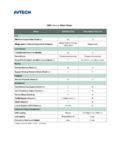
CMS Lite v.s. Video Viewer - surveillance …
www.surveillance-download.comCMS Lite v.s. Video Viewer Model CMS Lite (V3.0) Video Viewer (V0.2.1.4) Live Maximum Layout Cuts (Check a.) 32 16 Merge mode & Remote Independent (Check b.)
Related documents
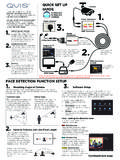
BEFORE INSTALLING ANYTHING WE STRONGLY …
www.free-instruction-manuals.comChoose between Motion Detect, Video Loss & Camera Masking. CLOUD STORAGE BACKUP For the convenience of monitoring your Qvis security system on the move via your smart phone we have provided a quick and simple remote connection setup service. Please follow the steps below closely to successfully setup the connection for live view and remote ...
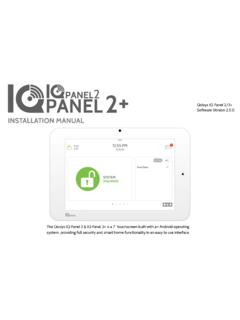
IQ Panel Installation Manual 2.5.0 FINAL 093020
qolsys.com39- Security and Arming . 42- Camera Settings . 44- Z-Wave Device List . 45- Sound . 49- Partitions . 50- Local Automation . SECURITY SENSORS . 53- Security Sensors . 54- Auto Learn Sensor . 55- Add Sensor . 56- Scan QR Code . 57- Partition Name . 58- Sensor Type . 59- Sensor Groups . 74- Sensor Name . 76- Chime Type . 77- Voice Prompts . 78 ...

IQ Panel 4 Installation Manual 4.0.0 210727 FINAL
qolsys.comThe IQ Panel 4 is an All-In-One 7” touchscreen built with a built-in camera, providing full security and smart home functionality in an easy to use interface. INSTALLATION MANUAL IQ Panel 4 Software Version 4.0.0

High Definition Capture Cam - sakar-software.com
sakar-software.comthe camera. 2. Press and hold until the LED light indicator turns red. Release the RESET button and wait for the system to reboot. This will take about 15 seconds. You will hear the camera emit ‘Reset Success’.