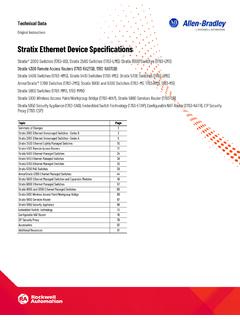
Stratix Ethernet Device Specifications
Stratix 5800 Ethernet Managed Switches and Expansion Modules 49 Stratix 6000 Ethernet Managed Switches 57 Stratix 8000 and 8300 Ethernet Managed Switches 60 Stratix 5100 Wireless Access Point/Workgroup Bridge 66 Stratix 5900 Services Router 67 Stratix 5950 Security Appliance 69
Download Stratix Ethernet Device Specifications

Information
Domain:
Source:
Link to this page:
Documents from same domain

Studio 5000 Logix Designer Level 2: Basic Ladder …
literature.rockwellautomation.comControlLogix/Studio 5000 Studio 5000 Logix Designer Level 2: Basic Ladder Logic Programming Course Description Photo, screen capture or image Course Number

Stratix Industrial Networks Infrastructure At-a-Glance
literature.rockwellautomation.comStratix Industrial Networks Infrastructure At-A-Glance Switching and Routing Security Appliance Wireless 1783-NATR Network Address Translation Router

PowerFlex 40 Configured AC Drives Installation …
literature.rockwellautomation.comImportant User Information Read this document and the documents listed in the additional resources section about installation, configuration, and

PRODUCT SECURITY VULNERABILITIES - Literature …
literature.rockwellautomation.com1 PRODUCT SECURITY VULNERABILITIES Frequently Asked Questions Vulnerabilities WHAT IS A VULNERABILITY? A vulnerability is a flaw or weakness in a product or system that can be exploited to compromise the product or

Studio 5000 Logix Designer Level 3: Project …
literature.rockwellautomation.comControlLogix/Studio 5000 Studio 5000 Logix Designer Level 3: Project Development Course Description Course Number CCP143 Course Purpose Upon completion of this course, given a functional specification for

1395 Digital DC Drive - Rockwell Automation
literature.rockwellautomation.comChapter 1 Understanding the Basic Principles General This guide is intended to help you define troubleshooting techniques and procedures and help simplify servicing of the Bulletin 1395 DC Drive by identifying likely causes for malfunction.

Industrial Computer and Monitor Specifications …
literature.rockwellautomation.com2 Rockwell Automation Publication IC-TD001I-EN-P - December 2017 Industrial Computer and Monitor Specifications Summary of Changes This publication contains new and updated information as indicated in the following table.

MicroLogix 1100 Programmable Controllers - …
literature.rockwellautomation.comMicroLogix 1100 Programmable Controllers Bulletin 1763 Controllers and 1762 Expansion I/O User Manual

MICROLOGIX PROGRAMMABLE CONTROLLERS - …
literature.rockwellautomation.comMICROLOGIX PROGRAMMABLE CONTROLLERS SELECTION GUIDE BULLETIN 1761 - MicroLogix 1000 BULLETIN 1763 - MicroLogix 1100 BULLETIN 1762 - MicroLogix …

5069 Compact I/O Modules with EtherNet/IP …
literature.rockwellautomation.com[PROJECT NUMBER] [PROJECT NAME] [DATE] [PROJECT LOCATION] I/O Modules with EtherNet/IP Architecture Rockwell Automation 5069-SR002A-EN-P 5 1.08 …
Related documents

Stratix 5700 - Rockwell Automation
literature.rockwellautomation.comIndustrial Managed Ethernet Switch The wide deployment of EtherNet/IP™ in industrial automation means that there is a growing demand to manage the network properly. Integtrating new machine-level networks into an existing plant network requires convergence. With more devices connected on the same Ethernet network than ever
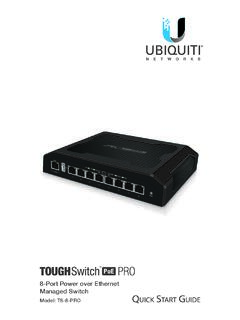
8-Port Power over Ethernet Managed Switch - Ubiquiti
dl.ubnt.com8-Port Power over Ethernet Managed Switch Model: TS-8-PRO Quick Start Guide TERMS OF USE: All Ethernet cabling runs must use CAT5 (or above). Shielded Ethernet cable and earth grounding must be used for outdoor installations as conditions of product warranty. TOUGHCable™ is designed for outdoor installations. It is the customer’s ...

Dell PowerScale: Ethernet Back-end Network Overview
www.delltechnologies.comDell PowerScale: Ethernet Back-end Network Overview 5 entirely of Ethernet back-end nodes. In these configurations, only Ethernet back-end switches that are provided and managed by Dell are supported. The PowerScale Ethernet back-end connection options are detailed in the following table: Table 1. Isilon Ethernet back-end options
EtherNet/IP Quick Start for Vendors Handbook
www.odva.orgEthernet network solution available for manufacturing automation, with rapid growth as users seek to harness the advantages of open technologies and the internet. EtherNet/IP is a member of a family of networks that implements CIP at its upper layers (Figure 1). EtherNet/IP and CIP are managed by ODVA.
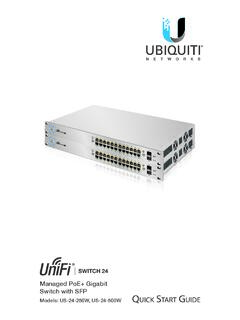
Managed PoE+ Gigabit Switch with SFP
dl.ubnt.com2. Connect Ethernet cables from the Ethernet ports of your devices to the other numbered ports of the UniFi Switch. Note: The PoE settings for ports 1-24 are set to auto-sensing PoE+ by default, so 802.3af/at devices can be plugged in and automatically receive PoE. For instructions on how to enable 24V passive PoE, refer

Quick Start Guide - Cisco
www.cisco.comSTEP 1 Connect the Ethernet cable to the Ethernet port of a computer, printer, network storage, or other network device. STEP 2 Connect the other end of the network Ethernet cable to one of the numbered managed switch Ethernet ports. The Ethernet port light turns green when the connection is active.

Data Sheet EX2300 ETHERNET SWITCH Description
www.juniper.netmanaged as a single logical device, delivering a scalable, pay-as-you-grow solution for expanding network environments. While EX2300 switches can be interconnected over any of the front-panel uplink ports using standard 10GbE SFP+ transceivers (sold separately), these ports can also be configured as 1GbE/
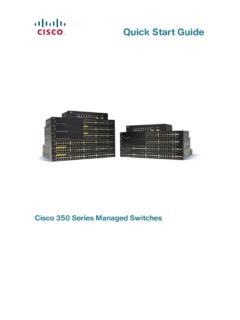
Quick Start Guide - Cisco
www.cisco.comCisco 350 Series Managed Switches 5 STEP 4 Place the bottom of the switch over the screws and slide the switch down until the screws fit snugly into the slots. Connecting Network Devices To connect the switch to the network: STEP 1 Connect an Ethernet cable to the Ethernet port of a computer, printer, network storage, or other network devices.
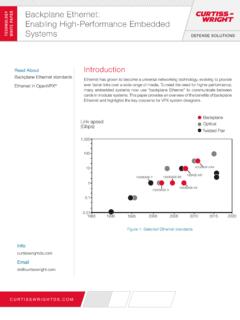
Backplane Ethernet: TECHNOLOG WHITE AER Enabling High ...
www.eletimes.comManaged multi-layer Gigabit Ethernet switch 24x 1000BASE-X SerDes VPX3-685 VPX 3U Secure router/switch with firewall and VPN services 8x 1000BASE-X SerDes (optional) VPX3-687 VPX 3U High density 10 Gbps backplane Ethernet switch 2x 40GBASE-KR4 24x 10GBASE-KR VPX6-6902 VPX 6U SRIO fabric and Gigabit