
SYSTEM USER GUIDE - DMP.com
Control Panel The control panel acts as your system’s brain. It communicates with the keypad and all the other system devices throughout the building. Keypad The keypad allows you to control your system from one place. You can use it to arm and disarm your system, add user codes, verify alarms, and many other functions. Prox Key
Download SYSTEM USER GUIDE - DMP.com

Information
Domain:
Source:
Link to this page:
Documents from same domain
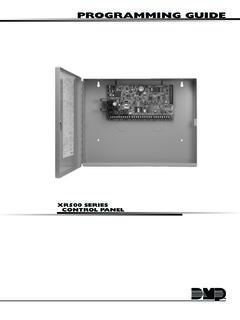
PROGRAMMING GUIDE - DMP
buy.dmp.comMODEL XR500 SERIES CONTROL PANEL PROGRAMMING GUIDE Contains programming Instructions for use with the Model XR500, XR500N, XR500E Series Control Panels
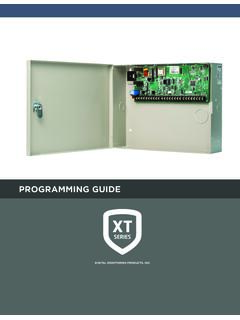
PROGRAMMING GUIDE - DMP
buy.dmp.comAs you go through the programming, the keypad display shows any current programming already stored in the panel memory. If no change is required for an …
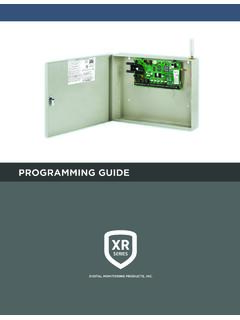
PROGRAMMING GUIDE - DMP
buy.dmp.comXR150/XR550 Series Programming Guide Digital Monitoring Products 1 INTRODUCTION XR PROGRAMMING INFORMATION This guide provides programming information for the DMP XR150/XR550 Series panel. Before starting to program, we recommend that you read through the contents of this guide.
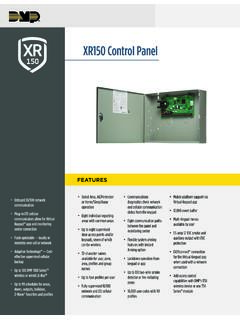
XR150 Control Panel - DMP.com
buy.dmp.comOne Built-In LX Bus (100 zones) SIMPLE ZONE EXPANSION WITH THE 1154/1158 WIRELESS INPUT MODULES When a DMP panel is installed in the same location as a non-DMP panel, the ... advantage of access control capabilities in hard …

SYSTEM USER GUIDE
buy.dmp.comChime Press Chime to turn the chime feature on and off. If chime is on, the keypad will sound an alert and display a notification when external doors and windows (with sensors installed) are opened. Reset Press Reset to reset fire and panic sensors after they have triggered an alarm. Favorites Favorites displays a list of your Z-Wave favorites.

INSTALLATION GUIDE
buy.dmp.comoutputs provide ground connection for a positive voltage source. A Model 300 Output Harness is required to use these outputs. Enclosure Specifications The XR150/XR550 Series panels are shipped in an enclosure with a transformer, end-of-line resistors, battery leads, user’s guide, and programming sheets. Enclosure Model

Training Institute Troubleshooting Guide
buy.dmp.comThe first Diagnostic function displayed is: [TEST LX-BUS]. This Diagnostics function allows you to test the ability of the Interface Cards (Models 481, 462N, 462P, 462FM, and 472) to communicate with zone and output expanders connected to the LX-Bus™. TECH NOTE: The XR500 Command Processor™ series has one built-in LX-Bus™. An

XR550 Control Panel - DMP
buy.dmp.comNo to confirm alarm status and send it to the monitoring center. DMP WIRELESS DMP 1100 Series wireless communication employs 900 MHz frequency-hopping spread-spectrum to ensure clear and accurate signal transmissions without interference in practically any environment. Receivers are alerted of transmitters that go missing with two-way ...

XT30 and XT50 Panels - DMP
buy.dmp.comfour-digit user codes with authority levels 100-event (XT30) or ... Four onboard and eight wireless outputs for annunciation and control applications Supports up to eight ... a customer may be preparing to cancel their monitoring contract. With this …

PROGRAMMING AND INSTALLATION GUIDE
buy.dmp.comDualCom Programming and Installation Guide Digital Monitoring Products 3 Backlit Logo The backlit logo indicates the power and armed status of the communicator.
Related documents
Responder HD, LCD, LED and 1-way Models: 5906, 5706, 5806 ...
www.directeddealers.comResponder HD, LCD, LED and 1-way Models: 5906, 5706, 5806 and 5606 Security and Remote Start Installation Guide ... 4 WHITE/BROWN PARKING LIGHT ISOLATION WIRE - #87a NORMALLY CLOSED of onboard relay ... (preferably the kick panel). Scrape away any paint and make your own ground with a screw and a star washer. Brown: (+) SIREN OUTPUT ...
N300 WiFi Range Extender - Netgear
www.downloads.netgear.com350 East Plumeria Drive San Jose, CA 95134 USA April 2014 202-11346-01 N300 WiFi Range Extender Model WN3000RP. User Manual
The History of Solar - Energy
www1.eere.energy.govsolid material could change light into electricity without heat or moving parts. 1880 Samuel P. Langley, invents the bolometer, which is used to measure light from the faintest stars and the sun’s heat rays. It consists of a fine wire connected to an electric circuit. When radiation falls on the wire, it becomes very slightly
Basics of Solar Energy - Centre for Science and Environment
cdn.cseindia.org8. Solar LED Tree 9. Solar Garden spic light 10. Solar fountain Light 11. Solar Portable system 12. Solar Bag 13. Solar Cap 14. Solar Helmet 15. Solar Rooftop system 16. Solar home Application 17. Solar for farming 18. Solar Bus Station Charging System 19. Solar Thrasher 20. Solar Grass Cutter Machine 21. Solar Decorated LED Light 22.
Feature - Adafruit Industries
cdn-shop.adafruit.comLED decorative lighting, Indoor/outdoor LED video irregular screen. General description WS2812B is a intelligent control LED light source that the control circuit and RGB chip are integrated in a package of 5050 components. It internal include intelligent digital port data latch and signal reshaping ampli
User Guide 32 LED TV
storage.bestbuy.comlight or power circuits, or where it can fall into such power lines or circuits. When installing an outside antenna system, take extreme care to keep from touching such power lines or circuits as contact with them might be fatal. Handling the LCD panel • Your TV’s screen is made of …

24-FPL-BL-LED 2’x4’ 2’ x 4’ Architectural LED Flat Panel ...
media.iuseelite.com2’ x 4’ Architectural LED Flat Panel Backlit with Multiple Lumens and CCT 24-FPL-BL-LED 2’x4’ Due to the changes of constant improvement in LED technology, all details are www.iuseelite.com subject to change without notice. Consult factory for up to date information. 24-FPL-BL-LED-3000L-4000L-5000L-DIM10-MVOLT-35K-40K-50K-85(4000L) TEST ...

Control Panel Operation - ThermoSpas
www.thermospas.comLight. The underwater light and grab bar lights (if installed on your spa) are turned on or off by pressing the light button. When turned on, the light icon is displayed on the LCD. In some cases, the light is turned low, medium, high, off. The light button also controls any optional LED lighting if installed on your spa. By turning the LED