
SYSTEM USER GUIDE - DMP.com
display a notification when external doors and windows (with sensors installed) are opened. Reset Press Reset to reset fire and panic sensors after they have triggered an alarm. Favorites Favorites displays a list of your Z-Wave favorites. Press a Favorite to activate it. Options Press Options to display the Setting Options screen. From here ...
Download SYSTEM USER GUIDE - DMP.com

Information
Domain:
Source:
Link to this page:
Documents from same domain
PROGRAMMING GUIDE - DMP
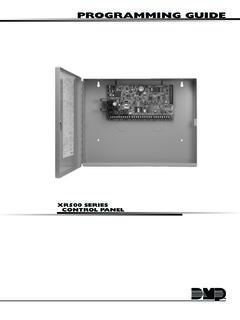
buy.dmp.comMODEL XR500 SERIES CONTROL PANEL PROGRAMMING GUIDE Contains programming Instructions for use with the Model XR500, XR500N, XR500E Series Control Panels
PROGRAMMING GUIDE - DMP
buy.dmp.comAs you go through the programming, the keypad display shows any current programming already stored in the panel memory. If no change is required for an …
PROGRAMMING GUIDE - DMP
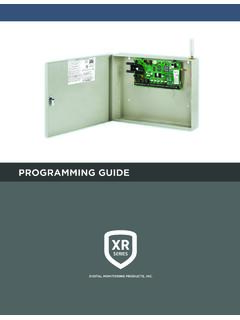
buy.dmp.comXR150/XR550 Series Programming Guide Digital Monitoring Products 1 INTRODUCTION XR PROGRAMMING INFORMATION This guide provides programming information for the DMP XR150/XR550 Series panel. Before starting to program, we recommend that you read through the contents of this guide.
XR150 Control Panel - DMP.com
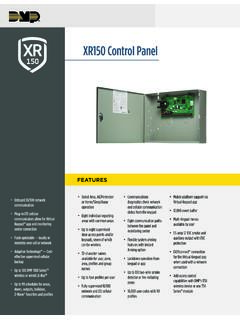
buy.dmp.comOne Built-In LX Bus (100 zones) SIMPLE ZONE EXPANSION WITH THE 1154/1158 WIRELESS INPUT MODULES When a DMP panel is installed in the same location as a non-DMP panel, the ... advantage of access control capabilities in hard …

SYSTEM USER GUIDE
buy.dmp.comChime Press Chime to turn the chime feature on and off. If chime is on, the keypad will sound an alert and display a notification when external doors and windows (with sensors installed) are opened. Reset Press Reset to reset fire and panic sensors after they have triggered an alarm. Favorites Favorites displays a list of your Z-Wave favorites.

INSTALLATION GUIDE
buy.dmp.comoutputs provide ground connection for a positive voltage source. A Model 300 Output Harness is required to use these outputs. Enclosure Specifications The XR150/XR550 Series panels are shipped in an enclosure with a transformer, end-of-line resistors, battery leads, user’s guide, and programming sheets. Enclosure Model

Training Institute Troubleshooting Guide
buy.dmp.comThe first Diagnostic function displayed is: [TEST LX-BUS]. This Diagnostics function allows you to test the ability of the Interface Cards (Models 481, 462N, 462P, 462FM, and 472) to communicate with zone and output expanders connected to the LX-Bus™. TECH NOTE: The XR500 Command Processor™ series has one built-in LX-Bus™. An

XR550 Control Panel - DMP
buy.dmp.comNo to confirm alarm status and send it to the monitoring center. DMP WIRELESS DMP 1100 Series wireless communication employs 900 MHz frequency-hopping spread-spectrum to ensure clear and accurate signal transmissions without interference in practically any environment. Receivers are alerted of transmitters that go missing with two-way ...

XT30 and XT50 Panels - DMP
buy.dmp.comfour-digit user codes with authority levels 100-event (XT30) or ... Four onboard and eight wireless outputs for annunciation and control applications Supports up to eight ... a customer may be preparing to cancel their monitoring contract. With this …

PROGRAMMING AND INSTALLATION GUIDE
buy.dmp.comDualCom Programming and Installation Guide Digital Monitoring Products 3 Backlit Logo The backlit logo indicates the power and armed status of the communicator.
Related documents

Employee Choice Guide for IT - Apple
www.apple.comThough this guide is primarily for IT, certain elements may be useful for other stakeholders in teams like human resources, procurement, finance, or information security. Offering choice can provide benefits to all of these groups, so internal alignment between them is critical for success.
Inspiron 15-3505 Laptop Users Guide - Dell
dl.dell.comExternal ports. The following table lists the external ports of your Inspiron 3505. Table 6. External ports . Description Values. Network port One RJ-45 port USB ports One USB 2.0 port Two USB 3.2 Gen 1 ports Audio port One headset jack. NOTE: The 3.5 mm headset jack functionality varies by model configuration. For best results, use Dell
Governance Indicators: A Users’ Guide - United Nations
www.un.orgThe guide is written in two parts.The first part pro-vides generic guidance for users of indicators, illustrated with specific examples from the
EDGE® EXTERNAL BATTERY PACK - Garmin
static.garmin.comEDGE® EXTERNAL BATTERY PACK Installation Instructions Important Safety Information WARNING See the Important Safety and Product Information guide in the GPS device product box for product warnings and other important information. A lithium-ion battery is used in this device. If these guidelines are not followed, the battery may experience
GK420d Users Guide (en) - Zebra Technologies
www.zebra.com980608-001 Rev. C GK420d™ User Guide 8/4/10 Who Should Use This Document This User Guide is intended for use by any person who needs to operate or to troubleshoot problems with the printer. How This Document Is Organized The User Guide is set up as follows: Section Description Introduction on page 1 This section describes what you get in your
GEN-REG-01-G04 - How to Complete the Registration ...
www.sars.gov.zamaintain registered users 13 maintain sars registered details 16 10.1 de-registration for payroll taxes 17 the wrav01 17 completion of the rav01 form 19 application details 19 13.1 individual 19 ... external guide - how to complete the registration amendments and verification
LGY HUB User Guide Document - Veterans Affairs
www.benefits.va.govID.me is not a VA system; it is a service used by AccessVA to authenticate external users. As a result, this user’s guide may not completely describe all the features of ID.me, or have the most recent documentation of their service. For more information about ID.me, we recommend you visit their support page: