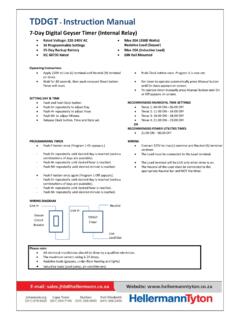
TDDGT Instruction Manual - HellermannTyton
Timer will reset. For timer to operate automatically press Manual button until On Auto appears on screen. To operate timer manually press Manual button until On or Off appears on screen. SETTING DAY & TIME Push and hold Clock button. ... 15-Day Backup Battery ...
Download TDDGT Instruction Manual - HellermannTyton

Information
Domain:
Source:
Link to this page:
Documents from same domain
TDDGT Instruction Manual - HellermannTyton
www.hellermanntyton.co.zaTDDGT - Instruction Manual 7-Day Digital Geyser Timer (Internal Relay) Operating Instructions Apply 220V to Live (L) terminal and Neutral (N) terminal on timer.

ohannesburg - HellermannTyton
www.hellermanntyton.co.zaohannesburg (011) 879-6620 Durban (031) 569-9900 Cape Town (021) 594-7100 Port Elizabeth i (041) 408-2400 Compliance Test Kits Model T419 | T89 All the above testers featured in a single
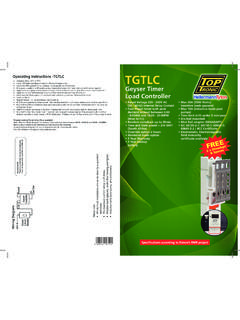
Operating Instructions -TGTLC TGTLC - …
www.hellermanntyton.co.zaTGTLC Geyser Timer Load Controller • Rated Voltage 220 - 240V AC (50 - 60HZ) Internal Relay Contact • Four Preset times with peak demand lockout between 6:00

CABLE LUGS & FERRULES - HellermannTyton
www.hellermanntyton.co.zaCABLE LUGS & FERRULES Overview Cable lugs and ferrules are connecting devices used primarily for terminating and joining cable and wire conductors in electrical

CABLE GLANDS - HellermannTyton
www.hellermanntyton.co.za2 Options: • BWR - Rotary cone glands (Sizes 0-7) • BWL – Loose cone glands (Sizes 0-7) • BWF – Fixed cone glands (Sizes 0-2) • A2 compression glands (Sizes 0-7)
ohannesburg - HellermannTyton
www.hellermanntyton.co.zaTBM195 2000 A AC/DC CAT IV CLAMP METER 20 T500T 600 A AC CLAMP METER 20 ... 2. CHECK TEST SHEET FROM SANS 10142 - PG285-286(o) 18 ... INSTRUCTION MANUAL A) Multimeter voltage test: Socket Outlet Voltage Test 1: Test between “Earth Reference“ and Line 1 (Blue) Reading ± 115 Volts. ...
CABLE GLANDS - HellermannTyton
www.hellermanntyton.co.za• Flameproof glands • High voltage glands Selection Criteria: • Environmental conditions (e.g. indoor / outdoor application, hazardous areas). • Cable type and voltage rating (armoured or un-armoured, and nr. of cores). • Actual cable diameter overall, and under armour. • …
Related documents

INSTRUCTION MANUAL E INSTRUCTION MANUAL
gdlp01.c-wss.combody cap and lithium backup battery for the date and time) ¢ EF-S18-55mm f/3.5-5.6 * In optional lens kit.(with lens cap and dust cap) ¢ Battery Pack BP-511 (includes protective cover) ¢ Battery Charger CB-5L ¢ Power cord for battery charger ¢ Interface Cable IFC-300PCU ¢ Video Cable VC-100 ¢ Neck Strap EW-100DB ll (with eyepiece cover)
OWNER’S MANUAL - Xantrex
www.xantrex.comWhen the battery voltage drops to 10 Volts, the Freedom Inverter/Charger will auto-matically shut off. Recharge the batteries to 13.5 Volts (12 V model). For 24 Volt models, recharge batteries to 31.0 Volts. For 32 Volt models, recharge batteries to 41.38 Volts. Freedom units will automatically reset when shore power is disconnected or reset

Samsung Galaxy A32 5G User Manual - Sprint
aem65-origin.sprint.com1. From Settings, tap Accounts and backup > Manage accounts. 2. Tap Add account > Google. NOTE When you sign in to a Google Account, Factory Reset Protection (FRP) is activated. FRP requires your Google Account information when resetting to factory settings. For more information, see . Factory Reset Protection.
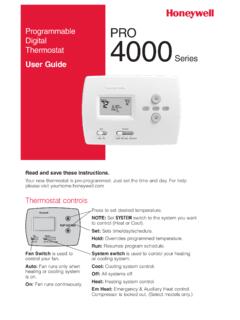
69-1760EFS-10 - PRO TH4000 Series - Honeywell
customer.honeywell.com2 Set the time and day Set Clock 6:30 AM Wed Set Day 1. Press the SET button, then press s or t to set the clock time. 2. Press the SETbutton, then press s or t to select the day of the week. 3. Press RUN to save & exit. Note: If the display flashes …

144/ 220/ 440 MHz FM TRIBANDER TH-F6A TH-F7E - …
manual.kenwood.comcharge the battery pack before using it with the transceiver. To charge the battery pack, refer to “CHARGING THE Li-ion BATTERY PACK” {page 2}. 1 Position the two grooves on the edge and two hooks at the bottom of the battery pack over the corresponding guides on the back of the transceiver. 2 Slide the battery pack along the back of the

AcuRite Iris (5-in-1) Weather Station with Color Display ...
www.acurite.com5. Backup Battery Compartment 6. A-B-C Switch ID code that must match AcuRite Iris sensor’s A-B-C switch to ensure units synchronize. 7. CLEAR RECORD / RESET Button Press and HOLD for 8 seconds to clear all records. Press and HOLD for 10 seconds for full reset to factory defaults. 8. Power Adapter 9. USB Cable for PC Connection 10.

Owner’s Manual - Aprilaire
www.aprilaire.comThe thermostat can either be AC or battery powered, or both. When wired to be AC powered, the batteries are optional and only provide backup power to the clock. The thermostat has a memory backup that saves the thermostat’s settings in case of a power interruption. The reset button located under the battery cover can be

PCF85263A WatchDog timer - NXP
www.nxp.comTiny Real-Time Clock/calendar with alarm function, battery switch-over, time stamp input, and I2C-bus 7.1.1.1 RTC mode time registers overview (RTCM = 0) Bit positions labeled as - are not implemented. After reset, all registers are set according to Table 61. Address Register name Bit 7 6 5 4 3 2 1 0 Reference RTC time and date registers