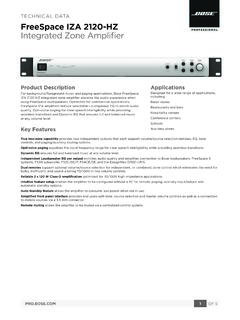
Technical Data Sheet - Bose
controls, and paging/auxiliary routing options. Opti-oicv e paging equalizes the vocal frequency range for clear speech intelligibility while providing seamless transitions. Dynamic EQ ensures full and balanced music at any volume level.
Download Technical Data Sheet - Bose

Information
Domain:
Source:
Link to this page:
Documents from same domain
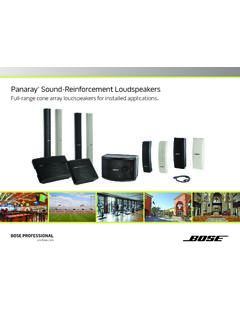
Panaray Sound-Reinforcement Loudspeakers
assets.bose.comPanaray ® Sound-Reinforcement Loudspeakers Full-range cone array loudspeakers for installed applications. 2 From the legendary Bose® 901 ® to the Professional 802 Bose first demonstrated the advantages of full-range cone driver arrays with the revolutionary 901 Direct/Reflecting® high-fidelity loudspeaker. Based on extensive …
SOUNDSPORT - Bose Corporation
assets.bose.com• ®Unlock the full potential of your SoundSport wireless headphones • Free app compatible with most Apple and Android™ systems • Easily connect and switch between multiple Bluetooth® devices with a single swipe
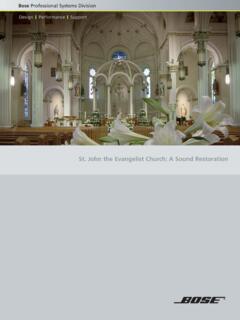
St. John the Evangelist Church: A Sound Restoration
assets.bose.comA major restoration at St. John the Evangelist Catholic Church in Delphos, Ohio, created an unexpected reverberation problem that lasted for more than seven years.
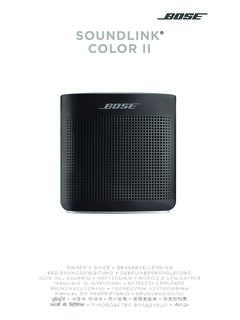
SOUNDLINK COLOR II - Bose Corporation
assets.bose.comBose Corporation hereby declares that this product is in compliance with the essential requirements and other relevant provisions of Directive 2014/53/EU and all other applicable EU directive requirements.
SOUNDLINK - Bose Corporation
assets.bose.comBose Corporation hereby declares that this product is in compliance with the essential requirements and other relevant provisions of Directive 2014/53/EU and all other applicable EU directive requirements.
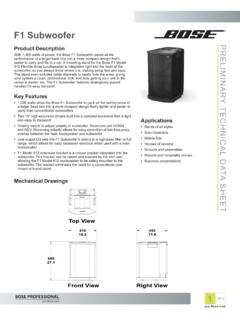
PRELIMINARY TECNICAL DATA SEET - Bose Corporation
assets.bose.com1 OF 3 PRELIMINARY TECNICAL DATA SEET proBosecom F1 Subwoofer Applications • Bands of all styles • Solo musicians • Mobile DJs • Houses of worship • Schools and universities • Resorts and hospitality venues • Business presentations Product Description With 1,000 watts of power, the Bose F1 Subwoofer packs all the
SoundSport Free Wireless - Bose
assets.bose.comWIRELESS. 2 - ENGLISH ITN SE INSINS Please read and keep all safety and use instructions. Important Safety Instructions ... • Do NOT submerge or expose the earbuds for extended period to water, or wear while participating in water sports, e.g., swimming, waterskiing, surfing, etc.
WAVE SOUNDTOUCH PEDESTAL - Bose
assets.bose.comSoundTouch pedestal: • Place the rear feet of the Wave music system into the recesses on top of the SoundTouch pedestal. • Make sure the Wave music system sits flat and the side edges of both parts are aligned. 3. Insert the SoundTouch pedestal’s cable into the Bose link connector. Connect the system to power
Gebruikershandleiding
assets.bose.comDUTCH - 3 WETT CHT UDCH ORMAT ... Apple, het Apple-logo, iPad, iPhone en iPod zijn handelsmerken van Apple Inc., gedeponeerd in de VS en andere landen. App Store is een servicemerk van Apple Inc. Het handelsmerk ‘iPhone’ …
Owner’s Guide - Bose
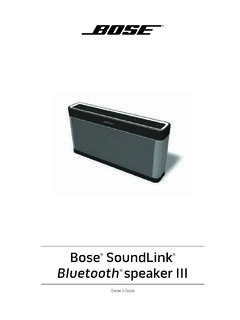
assets.bose.comPlug the power cord on the AC power supply into the DC connector on the back of the speaker. 3. Plug the AC power supply into a live AC (mains) outlet. The speaker emits a tone to confirm connection to AC power, and charging begins. On the front of the speaker, the battery status indicator blinks yellow to show the battery is charging.
Related documents

Emergency Action Plan Template
www.cdc.govPhone Paging Radio Other (specify) Fight the fire ONLY if: • The Fire Department has been notified. • The fire is small and is not spreading to other areas. • Escaping the area is possible by backing up to the nearest exit. • The fire extinguisher is in working condition and personnel are trained to use it.

Architecture of the Windows Kernel - Computer Science, FSU
www.cs.fsu.eduPaging Overview Working Sets: list of valid pages for each process (and the kernel) Pages ‘trimmed’ from working set on lists Standby list: pages backed by disk Modified list: dirty pages to push to disk Free list: pages not associated with disk Zero list: supply of demand-zero pages Modify/standby pages can be faulted back into a
Introduction to Bluetooth Device Testing
download.ni.comrate is 3200 hops/s since the paging message is a very short packet. Transmit Power and Operating Range . Power class 1: 1 mW (0 dBm) to 100 mW (20 dBm) control requests. Support of received power control requests is optional for class 2 and class 3 devices. Power class 2: 0.25 mW (–6 dBm) to 2.5 mW (4 dBm)

Sepsis Protocols: A Team Effort
www.health.pa.gov•Infection Control •Laboratory •Radiology •Leadership. The Algorithm •Developing the Algorithm. •Due to the complexity of sepsis each ... operator paging system. The Nursing Sepsis Protocol Order Set •CBC w/ Diff and Platelets •CMP •Lactate •PTT, PT/INR •Blood Culture

Working with SAP Business One Service Layer
help.sap.comUser Manual SAP Business One 9.1, 9.2, 9.3 and 10.0, version for SAP HANA; SAP Business One 10.0 PL01 and later Document Version: 1.22 – 2021-06-10

The von Neumann Computer Model - .NET Framework
ptabdata.blob.core.windows.net11. Control Unit, Cont. Control unit includes Instruction Register IR Instruction Pointier IP (aka Program Counter PC) FSM outputs of the control unit, - - - - -> shown by dash lines, have two purposes: 1. Control processing that takes place inside the ALU. 2. Authorize read/write gate control of the CPU data-path. Control unit demo: cjumpcxx ...

Advanced User’s Guide
download.brother.comthe control panel keys. a Press (FAX). b Press Hook/Hold. c Press or . This setting will stay until you change it again. d Press Hook/Hold. Handset volume 1 a Press Menu, 1, 3, 4. Volume 4.Handset b Press a or b to choose High or Low. Press OK. c Press Stop/Exit. Note • You can adjust the handset volume any time you are talking on the telephone.