
TightVNC for Windows: Server Command-Line Options
-shareapp PROCESS_ID Shares all windows of the application with the specified process ID (PID). The size of the shared screen area is equal to the size of virtual desktop. Nevertheless, all regions that are not relevant to the application, including the windows placed above shared ones and the taskbar, will be darkened.
Download TightVNC for Windows: Server Command-Line Options

Information
Domain:
Source:
Link to this page:
Documents from same domain
TightVNC for Windows: Installation and Getting …
tightvnc.comRunning TightVNC Server in Service Mode To run TightVNC Server as a system service, follow these instructions: 1. If you unchecked the recommended option "Register TightVNC Server as a system service"
TightVNC for Windows: Installation and Getting …
tightvnc.comRunning TightVNC Server in Service Mode To run TightVNC Server as a system service, follow these instructions: 1. If you unchecked the recommended option "Register TightVNC Server as a system service"
Related documents

Adobe Acrobat 9.0 Troubleshooting
helpx.adobe.comACROBAT DC iv Contents Last updated 11/3/2015 Run Acrobat on Windows Vista ...

Performance Best Practices for VMware vSphere 7
www.vmware.comTitle: Performance Best Practices for VMware vSphere 7.0 Author: VMware, Inc. Created Date: 20210129112442Z

Wireless Setup Instructions for Windows
www.brother-usa.com7 Follow the on-screen instructions to complete setup. IMPORTANT DO NOT cancel any of the screens during the installation. It may take a few seconds for all screens to appear. Note • For Windows Vista® and Windows® 7 users, when the Windows Security screen appears, click the check box and click Install to complete the installation correctly.
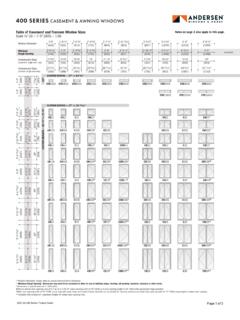
CASEMENT & AWNING WINDOWS
www.andersenwindows.com) windows are . stationary only. Twin and triple windows 4'-4. shown have one continuous . outer frame. Transom (CTR) windows . 55. can be used over casement . or awning windows, and may be rotated 90° and used as a sidelight with casement, awning or picture windows. Custom-size windows . are available in . 1 ⁄ 8" (3) increments. Windows can ...

Chapter Tow Windows 7
www.just.edu.joWindows 7 Windows 7 Windows 7 is an operating system that Microsoft has produced for use on personal computers. It is the follow-up to the Windows Vista Operating System, which was released in 2006. An operating system allows your computer to manage software and perform essential tasks. It is also