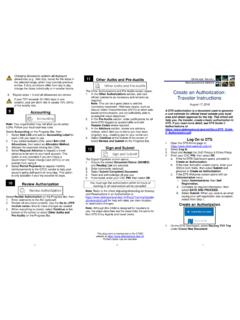
TRI-FOLD
1. Select Adjust Per Diem Amounts to change one or more allowances. 2. Enter the Date Range you want to adjust. 3. Make all necessary changes, and then select Save Adjustments. 4. Repeat steps 1-3 until all allowances are correct. Changing allowances updates all displayed allowances (e.g., field duty, leave) for the dates in the selected
Download TRI-FOLD

Information
Domain:
Source:
Link to this page:
Documents from same domain
Defense Travel System (DTS) Best Practices
www.defensetravel.dod.milDefense Travel System. Defense Travel System (DTS) Best Practices. July 16, 2018
This page is left blank intentionally
www.defensetravel.dod.milGovernment Travel Charge Card Program . Agency Program Coordinator Guide . February 2017 DEFENSE TRAVEL MANAGEMENT OFFICE
JOINT FEDERAL TRAVEL REGULATIONS
www.defensetravel.dod.milJoint Federal Travel Regulations Cover Letter Change 288 CL-i 12/01/10 JOINT FEDERAL TRAVEL REGULATIONS, VOLUME 1 …
Military Bus Agreement - United States …
www.defensetravel.dod.milMILITARY BUS AGREEMENT with (Name of Carrier) The undersigned, an officer of the above named company (hereinafter referred to as the Carrier), agrees to the terms and conditions of this Agreement (effective October 1, 1997) as the
U.S. Government Rental Car Agreement
www.defensetravel.dod.milU.S. Government Rental Car Agreement Number 4 1 1. Purpose. This Agreement, administered by the Defense Travel Management Office (DTMO), governs the rental of vehicles (passenger cars, sports utility vehicles, station wagons,
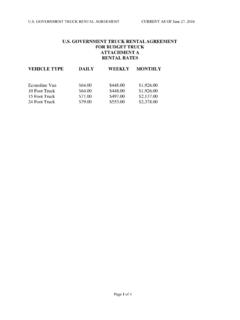
U.S. GOVERNMENT TRUCK RENTAL AGREEMENT …
www.defensetravel.dod.milu.s. government truck rental agree ment current as of june 27, 2016 page 1 of 4 . u.s. government truck rental agreement for budget truck attachment a
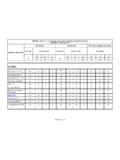
ALASKA
www.defensetravel.dod.milAFMAN34-102 03/14/12, Directory of Government Quarters and Dining Facilities UPDATED: 26 March 2018 Locations (Command) TDY Officers TDY Enlisted TDY Officers, Enlisted, & Civilians
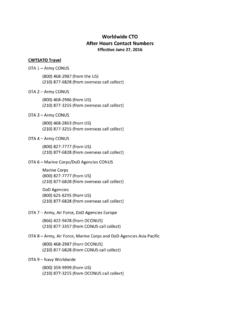
Worldwide CTO After Hours Contact Numbers
www.defensetravel.dod.milWorldwide CTO . After Hours Contact Numbers . Effective June 27, 2016 . CWTSATO Travel . DTA 1 – Army CONUS (800) 468-2987 (from the US) (210) 877-6828 (from overseas call collect)
EFE R MANAGEMENT OFFICE DTMO DISTANCE …
www.defensetravel.dod.milDTMO Distance Learning Course Synopsis Revised May 2017 This document is controlled and maintained on the www.defensetravel.dod.mil website. Printed copies may be obsolete.
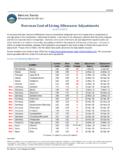
Current and Upcoming Overseas Cost of Living …
www.defensetravel.dod.mil6/19/2018. The Defense Travel Management Office . 1 . Current and Upcoming Overseas Cost of Living Allowance Adjustments (as of 6/19/2018) An increase indicates that price differences have increased from being that much more expensive in comparison to
Related documents
2020 - WHO
apps.who.intMONITORING HEALTH FOR THE SDGs v AIDS acquired immunodeficiency syndrome ART antiretroviral therapy CRVS civil registration and vital statistics DBP diastolic blood pressure DOTS directly-observed treatment, short-course DTP3 diphteria, tetanus and pertussis vaccine (third dose) GHO Global Health Observatory GPW13 13th Global Programme of Work HALE …

Digital Economy Report 2019 (Overview) - Home | UNCTAD
unctad.orgTwo dots (..) indicate that data are not available or are not separately reported. Rows in tables have been omitted in those cases where no data are available for any of the elements in the row. A dash (–) indicates that the item is equal to zero or its value is negligible.
Government policies to address population ageing
www.un.orgfrom 9.3 per cent in 2020 to around 16.0 per cent in 2050. The largest increase (+300 million persons) is ... The dots represent countries that responded to the Twelfth Inquiry. A “box-and ...

World Fertility 2019 - United Nations
www.un.org3.7.2, the adolescent birth rate (numbers of births per 1,000 adolescent girls aged 10 -14, or per 1,000 young ... Two dots (..) indicate that data are not available or are not reported separately