
Tutorial – Creating a regular grid for point sampling
Fieldname= and build your expression. Existing fields are listed at the top left of the window but are shown in brackets in your field calculator expression. Double-clicking on a field from the list is the easiest way to use it in your expression. The expression UID= [OBJECTID] would number
Download Tutorial – Creating a regular grid for point sampling

Information
Domain:
Source:
Link to this page:
Documents from same domain
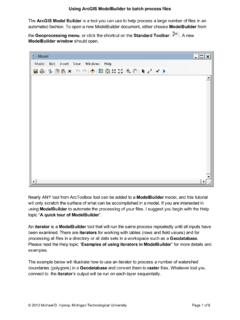
The ArcGIS Model Builder is a tool you can use to …
gis.mtu.eduUsing ArcGIS ModelBuilder to batch process files The ArcGIS Model Builder is a tool you can use to help process a large number of files in an
Related documents

Construction of an NFA from a Regular Expression
staff.cs.psu.ac.thA regular expression r over an alphabet . Output. An NFA N accepting L r. 1. For , construct the NFA start 2. For a in , construct the NFA start a i 3. Suppose N s and N t are NFA’s for regular expression s and t. a) For the regular expression s | t, construct the following composite NFA N …

Application Guide: Entrepreneur Stream
www.mri.gov.on.caRefugees and Citizenship Canada (IRCC) for permanent residence. Regular IRCC application fees will apply. For more information, please visit the . IRCC website. 1.2 Overview of Process (Steps) The Entrepreneur Stream application is a two-stage process. The following steps are required to participate in the Entrepreneur Stream.
Regular Expressions and their Languages
cs.gmu.eduThe rest of the expression takes care of lengths 0, 1 and 2, giving the set of all strings of b’s. Thus the given regular expression simplifies to b*. A description of the language is “the set of all strings of zero or more b’s.”
Lesson: Past Tense Activities - Regular Verbs
www.eslkidstuff.com3. Teach vocab for verbs and the regular past tense form 4. Practice saying past tense regular verbs 5. Do the "What did you do yesterday? Survey" worksheet 6. Sing "Yesterday was a Great Day!" 7. Read classroom reader "Silly Willy's Great Day" 8. Play "Past Tense Slap" Wrap Up: 1. Set Homework: "Past Regular Verbs" worksheet 2.
Chapter 3 Describing Syntax and Semantics
www2.southeastern.eduexpression is true, the embedded statement is executed. ... – Context-free and regular grammars are useful for describing the syntax of programming languages. – Tokens of programming languages can be described by regular grammars.