UNIVERSAL REMOTE DEVICE CODES - Bose
universal remote device codes tv - 3 tv 888 dns..... 02250 acer..... 01652
Download UNIVERSAL REMOTE DEVICE CODES - Bose

Information
Domain:
Source:
Link to this page:
Documents from same domain
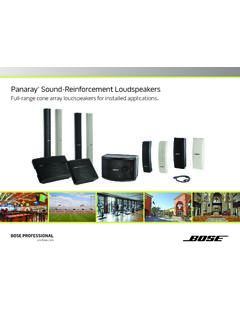
Panaray Sound-Reinforcement Loudspeakers
assets.bose.comPanaray ® Sound-Reinforcement Loudspeakers Full-range cone array loudspeakers for installed applications. 2 From the legendary Bose® 901 ® to the Professional 802 Bose first demonstrated the advantages of full-range cone driver arrays with the revolutionary 901 Direct/Reflecting® high-fidelity loudspeaker. Based on extensive …
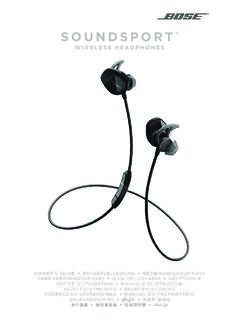
SOUNDSPORT - Bose Corporation
assets.bose.com• ®Unlock the full potential of your SoundSport wireless headphones • Free app compatible with most Apple and Android™ systems • Easily connect and switch between multiple Bluetooth® devices with a single swipe
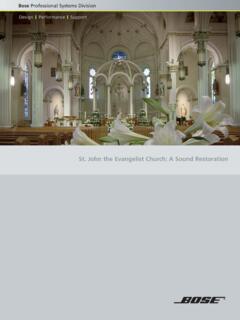
St. John the Evangelist Church: A Sound Restoration
assets.bose.comA major restoration at St. John the Evangelist Catholic Church in Delphos, Ohio, created an unexpected reverberation problem that lasted for more than seven years.
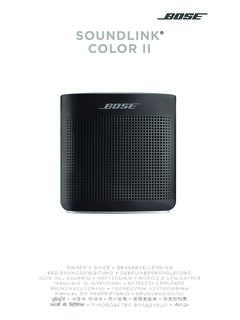
SOUNDLINK COLOR II - Bose Corporation
assets.bose.comBose Corporation hereby declares that this product is in compliance with the essential requirements and other relevant provisions of Directive 2014/53/EU and all other applicable EU directive requirements.
SOUNDLINK - Bose Corporation
assets.bose.comBose Corporation hereby declares that this product is in compliance with the essential requirements and other relevant provisions of Directive 2014/53/EU and all other applicable EU directive requirements.
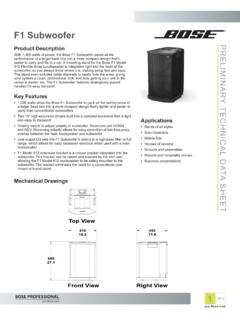
PRELIMINARY TECNICAL DATA SEET - Bose Corporation
assets.bose.com1 OF 3 PRELIMINARY TECNICAL DATA SEET proBosecom F1 Subwoofer Applications • Bands of all styles • Solo musicians • Mobile DJs • Houses of worship • Schools and universities • Resorts and hospitality venues • Business presentations Product Description With 1,000 watts of power, the Bose F1 Subwoofer packs all the
SoundSport Free Wireless - Bose
assets.bose.comWIRELESS. 2 - ENGLISH ITN SE INSINS Please read and keep all safety and use instructions. Important Safety Instructions ... • Do NOT submerge or expose the earbuds for extended period to water, or wear while participating in water sports, e.g., swimming, waterskiing, surfing, etc.
WAVE SOUNDTOUCH PEDESTAL - Bose
assets.bose.comSoundTouch pedestal: • Place the rear feet of the Wave music system into the recesses on top of the SoundTouch pedestal. • Make sure the Wave music system sits flat and the side edges of both parts are aligned. 3. Insert the SoundTouch pedestal’s cable into the Bose link connector. Connect the system to power
Gebruikershandleiding
assets.bose.comDUTCH - 3 WETT CHT UDCH ORMAT ... Apple, het Apple-logo, iPad, iPhone en iPod zijn handelsmerken van Apple Inc., gedeponeerd in de VS en andere landen. App Store is een servicemerk van Apple Inc. Het handelsmerk ‘iPhone’ …
Owner’s Guide - Bose
assets.bose.comPlug the power cord on the AC power supply into the DC connector on the back of the speaker. 3. Plug the AC power supply into a live AC (mains) outlet. The speaker emits a tone to confirm connection to AC power, and charging begins. On the front of the speaker, the battery status indicator blinks yellow to show the battery is charging.
Related documents
SOUNDTOUCH 300 - Bose
assets.bose.comremote control. Notes: • To use the . Bluetooth ® source, you must pair a mobile device to the soundbar (see page 5). • Pressing , AUX, or on the remote control does not switch the source. It turns on the soundbar and changes the mode of the remote so that the remote can control your home menu source’s functions. 1.

New RouterOS 7 beta version - try new features! - MikroTik
download2.mikrotik.comLDF LTE6 kit is a device for extremely remote locations that are within cellular network coverage. Attach it to any satellite TV dish, and the dish will act as a reflector, greatly amplifying the signal. Choose LDF LTE6 kit and stay connected no matter where you are! Can be used with a standard offset satellite dish (not included!)
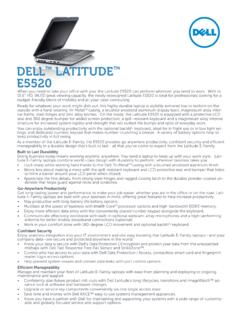
DELL LATITUDE E5520
i.dell.comReady for whatever your work might dish out, this highly durable laptop is stylishly armored top to bottom on the outside with a hard-wearing Tri-MetalTM casing, a brushed anodized aluminum display back, magnesium alloy inter-nal frame, steel hinges and zinc alloy latches. On the inside, the Latitude E5520 is equipped with a protective LCD
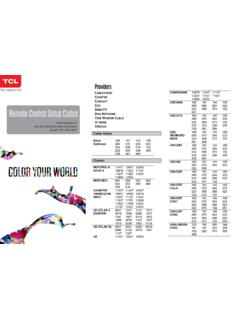
COMCAST - Helpjuice
static.helpjuice.com698 701 708 715 716 725 725 505 548 636 863 864 633 651 715 716 500 411 basic remote 742 627 630 1350636 637 776 779 824 827 830 831 859

DishDrawer® User guide - Fisher & Paykel
www.fisherpaykel.comWARNING! - When using your dishwasher, follow basic precautions, including the following: Read all instructions before using the DishDrawer®. The information in this manual must be followed to minimise the risk of fire or explosion or to prevent property damage, personal injury or …