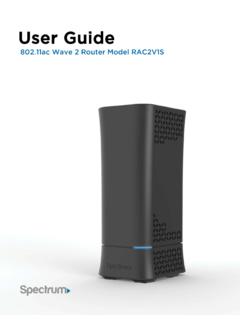
User Guide
2. WPS. Can be used for both the 2.4 and 5GHz networks if enabled through the web GUI. 3. LAN network ports. Connects to your devices using network (Ethernet) cables. 4. Internet port (or WAN Network port). Connects to the modem using the provided Ethernet cable. 5. USB port. Connects to USB storage devices or printers. 6. Power input.
Download User Guide

Information
Domain:
Source:
Link to this page:
Documents from same domain

Customer Change Form and Agreement
d15yx0mnc9teae.cloudfront.netCustomer Change Form and Agreement << PLEASE PRINT LEGIBLY >> INSTRUCTIONS Please follow these instructions to change the name on your account or change ownership to

IMPORTANT INFORMATION ABOUT YOUR SPECTRUM …
d15yx0mnc9teae.cloudfront.netIMPORTANT INFORMATION ABOUT YOUR SPECTRUM CHANNEL LINEUP Communities Served: City of Union; County of Randolph, IN; Cities of Clayton, Dayton, Englewood, Fairborn, Greenville, Huber Heights,

IMPORTANT INFORMATION ABOUT YOUR SPECTRUM …
d15yx0mnc9teae.cloudfront.netimportant information about your spectrum channel lineup Communities Served: Cities of Los Angeles, Santa Clarita and County of Los Angeles, CA. Effective on or after December 5, 2017, the following changes will be made to your channel lineup:

Spectrum Voice International Rate Comparison
d15yx0mnc9teae.cloudfront.netSpectrum Voice International Rate Comparison Rates shown effective 3/6/2017. Rates are subject to change. All pricing is per-minute. “Mobile” is defined as any call made to a mobile phone. “Landline” is defined as any call made to a landline telephone. * = Included with Spectrum Voice International (SVI) Calling Plan
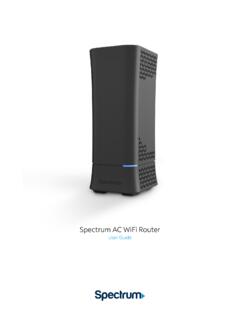
Spectrum WiFi Router with Advanced In-home WiFi
d15yx0mnc9teae.cloudfront.netSpectrum AC WiFi Router 2 V.1 10-11-2019 Spectrum WiFi Router with Advanced In-home WiFi Advanced In-home WiFi on the Spectrum WiFi router delivers internet, network security and personalization, conveniently managed with the My Spectrum app. Your router will have QR code on the back label to indicate support of this service.

Spectrum WiFi Pods
d15yx0mnc9teae.cloudfront.netSpectrum WiFi Pods deliver additional coverage for the Advanced Home WiFi service, enabling WiFi signals to reach all devices in-home for a better experience. With Spectrum WiFi Pods and Advanced Home WiFi: • Experience whole home coverage. • Improve connected client performance with optimized connections to router or pod.

Spectrum D3.1 eMTA
d15yx0mnc9teae.cloudfront.netmodem (when provisioned for voice service as specified by the service provider), and connect the other end to the phone port of the telephone. If voice service is not provisioned through the service provider, telephone service is not available. 4. Connect the power adapter (supplied) to the Power port on the modem. Connect

Spectrum WiFi 6 Router
d15yx0mnc9teae.cloudfront.netSpectrum WiFi 6 2 Advanced In-Home WiFi Advanced In-Home WiFi is included on your Spectrum WiFi 6 router delivering internet, network security and personalization, conveniently managed with the My Spectrum App. Your router will have a QR code on the back label to indicate support of this service. With Advanced In-Home WiFi, you can:

High-Definition DVR
d15yx0mnc9teae.cloudfront.netReverse engineering or disassembly is prohibited. ... During Transportation to the Subscriber Home Transport the cable terminal in its shipping box or an equally padded container. ... x Consult the dealer or an experienced radio/TV technician for help. Caution: Changes or modifications not expressly approved by Motorola for compliance could ...
Operating Instructions For Button Functions *Note : Set-up ...
d15yx0mnc9teae.cloudfront.net4 VIZIO 5 SHARP 6 PANASONIC 7 SANYO 8 TOSHIBA 9 PHILIPS 0 COBY 1 MITSUBISHI 2 HITACHI 3 MAGNAVOX 4 JVC 5 ZENITH 6 INSIGNIA 7 EMERSON 8 WESTINGHOUSE 9TCL TV Manufacturer/Brand Set-Up Code Number CORONADO 143 CRAIG 043 054 CROSLEY 164 CROWN 043 143 CURTIS MATHES 116 258 363 143 CXC 043 CYBERHOME 015 CBL:TV ; …
Related documents
154-2010: Using PROC SGPLOT for Quick High-Quality ... - SAS
support.sas.comNew with SAS® 9.2, ODS Graphics introduces a whole new way of generating high-quality graphs using SAS. With just a few lines of code, you can add sophisticated graphs to the output of existing statistical procedures, or create stand-alone graphs. The SGPLOT procedure produces a variety of graphs including bar charts, scatter plots, and line ...

Generally Accepted Auditing Standards
us.aicpa.orgon or after December 15, 2006, by Statement on Auditing Standards (SAS) No. 105. As amended, effective for audits of financial statements for periods beginning on or after December 15, 2006, by SAS No. 113.].03 Rule 202, Compliance With Standards, of the AICPA Code of Profes-sional Conduct [ET section 202.01], requires an AICPA member who performs

The GLMSELECT Procedure - SAS
support.sas.comThis document is an individual chapter from SAS/STAT® 13.1 User’s Guide. The correct bibliographic citation for the complete manual is as follows: SAS Institute Inc. 2013. SAS/STAT ® 13.1 User’s Guide.
UTC Procedures Manual - Florida Department of Highway ...
www.flhsmv.govThe UTC data received from LEAs, SAs, Courts, and COCs are sent to FLHSMV via FCCC daily. FCCC transfers this data to FLHSMV utilizing an electronic system known as the Traffic Citation Accounting and Transmission System (TCATS). This system is com prised of the hardware, software, business rules, standards, policies, and procedures