User Guide - Avigilon
1 Introduction English All Avigilon High Definition H.264 IP Cameras and Dome Cameras contain a web interface that allows you to view live video and configure the camera through a web browser.
Download User Guide - Avigilon

Information
Domain:
Source:
Link to this page:
Documents from same domain
Avigilon Control Center Player User Guide
avigilon.comAvigilon Control Center Player User Guide . 2 . Regular AvigilonCustomer Support Center hours of operation are from 6:00 a.m. to 6:00 p.m. Pacific

Avigilon Control Center Server User Guide
avigilon.comAvigilon Control Center Server User Guide . iv . Erasing the Storage Configuration .....30
Avigilon Control Center Client User Guide
avigilon.comAvigilon Control Center Standard Client User Guide . iv . Managing Server Connections .....12

2.0 Megapixel Day/Night H.264 HD 1. Product name …
avigilon.comSUPPORT 1.888.281.5182 | sales@avigilon.com | avigilon.com 2.0-H3-D1 2.0-H3-D2 H.264 HD DOME CAMERA 2.0 Megapixel Day/Night H.264 HD Indoor Dome Camera
Avigilon Camera Installation Tool User Guide
avigilon.com1 . What is the Avigilon Camera Installation Tool? The Avigilon Camera Installation Tool allows you to connect and configure Avigilon cameras for your
Avigilon Control Center System Integration Guide
avigilon.comAvigilon Control Center System Integration Guide with Lenel OnGuard 2 Installation Servers • Each server using the Avigilon-Lenel Integration requires a licence from Avigilon.

Installation Guide - Avigilon
avigilon.comi Important Safety Information English English This manual provides installation and operation information and precautions for the use of this encoder. Incorrect installation …
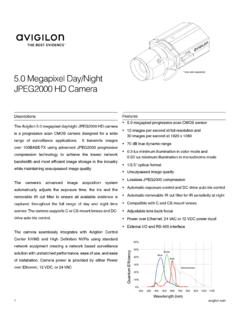
* lens sold separately 5.0 Megapixel Day/Night JPEG2000 HD ...
avigilon.com1 avigilon.com 5.0 Megapixel Day/Night JPEG2000 HD Camera * lens sold separately Descriptions The Avigilon 5.0 megapixel day/night JPEG2000 HD camera

Avigilon Analog Video Encoder Model: ENC-4P-H264
avigilon.comAvigilon Analog Video Encoder Model: ENC-4P-H264 920-0044A-Rev1. i Important Safety Information English English This manual provides installation and operation information and precautions for the use of this encoder. Incorrect installation could ... † Avigilon Camera Installation Tool User Guide

5.0 Megapixel Day/Night H.264 HD Outdoor Dome Camera
avigilon.comSUPPORT 1.888.281.5182 | sales@avigilon.com | avigilon.com 5.0-H3-DO1 5.0-H3-DO2 H.264 HD DOME CAMERA 5.0 Megapixel Day/Night H.264 HD Outdoor Dome Camera
Related documents
Avigilon Camera Installation Tool User Guide
avigilon.comUsing the Installation Tool 3 6. Click Compression and Image Rate to configure the camera's video compression level and image rate for transmitting video through the network. See Compression and Image Rate for more information.
Camera User Guide - gdlp01.c-wss.com
gdlp01.c-wss.com2 Before use, make sure the following items are included in the package. If anything is missing, contact your camera dealer. • A memory card is not included (p. 3). For information about the included software, refer to the ImageBrowser EX User Guide, in PDF format (p. 30). Package Contents

Professional Settings User Guide - RECONYX
images.reconyx.com1 ©RECONYX, Inc. Changing Your Camera Settings Your Reconyx (HyperFire TM, RapidFire TM, and Silent Image TM) camera’s settings can be adjusted from your personal computer using the “Professional Settings” software.

Network / IP Camera - RIT
ridl.cfd.rit.eduKey Features 1 Introduction This section covers unpacking your new IP camera, its key fea-tures, and basic technical information about the product.

Network Camera - Hikvision
www.hikvision.comThank you for purchasing our product. If there are any questions, or requests, please do not hesitate to contact the dealer. This manual applies to Network Camera.
Network Camera - Hikvision
www.hikvision.comUser Manual of Network Camera 4 with the instruction manual, may cause harmful interference to radio communications. Operation of this equipment in a residential area is likely to cause harmful
Speed Dome Camera Installation Guide
www.surveillance-download.com3 INSTALLATION Step1: Set the camera mode, ID and baud rate as needed. NOTE: This camera could be used as an IP camera, a TVI camera or an AHD camera.You need to manually set the camera for this device to work properly.
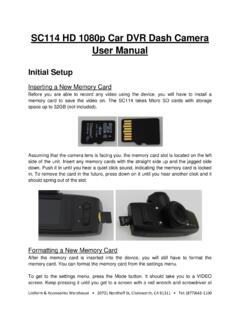
SC114 HD 1080p Car DVR Dash Camera User Manual
www.uniforms4all.comUniform & Accessories Warehouse • 20701 Nordhoff St, Chatsworth, CA 91311 • Tel: (877)643-1100 SC114 HD 1080p Car DVR Dash Camera