
USER GUIDE - caldigit.com
7 Connecting the USB-C Dock to your computer Once the USB-C Dock has been powered, connect the device using a USB-C cable from the USB-C port labeled ‘Computer’ port on the USB-C Dock to a USB-C or Thunderbolt 3 port on your
Download USER GUIDE - caldigit.com

Information
Domain:
Source:
Link to this page:
Related documents

WE DO DOCKS RITE! - Datar Engineering
www.datarengineering.comWho is Rite--Hite?Hite? •• Worlds Leading Manufacturer of Loading Dock Worlds Leading Manufacturer of Loading Dock and Industrial Door Safety Systems

Henderson Dock Coating
www.hendersonmarine.comHenderson Dock Coating --- HENDERSON DOCK COATING Non-Slip Deck & Dock Coating. Non-Skid Finish Coat for Boat Docks, Ramps or Steps. Slip resistant – Non Flammable – Long Wearing – Water Clean Up, Highly Resistant to …
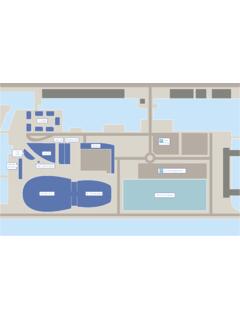
DRAFT DRAWING ONLY - Kings Dock
www.kingsdock.comBus Stop Taxi drop o Echo Arena Box O ce BT Convention Centre Exhibition Centre Liverpool Opening Autumn 2015 Coach Parking Liverpool Waterfront Car Park

DOCK PLANNING STANDARDS - Home - Nova …
www.novalocks.comA AA 2013 Nova Technolo Inernaional All Rihs Reserve A DOCK PLANNING STANDARDS

Personal Dock Building - TechniDock Inc.
www.technidock.comPERSONAL DOCK BUILDING _____ _____ 6 In the best of all worlds choose floats which are light and strong with