
User Guide - FingerTec
System User To create User Roles You must create roles to edit or view data in TCMS V3. This is a security step for your soft-ware to refrain unauthorized individuals from accessing TCMS V3. To do this, follow the steps below: 1. Click User Roles under System User. 2. Click Add Role. 3. Name the role, e.g.: System Operator. 4.
Download User Guide - FingerTec

Information
Domain:
Source:
Link to this page:
Documents from same domain
User Guide - Card Access Control And Time …
www.fingertec.com5 Welcome to the TCMS V3, where Attendance System just got better In line with the fast-pace technology development nowadays, FingerTec introduces TCMS

FACE RECOGNITION TECHNOLOGY WHITE PAPER …
www.fingertec.comFACE RECOGNITION TECHNOLOGY WHITE PAPER • July 2013 © 2013 FingerTec Worldwide Sdn. Bhd. All rights reserved. Face Recognition Technology White Paper | …
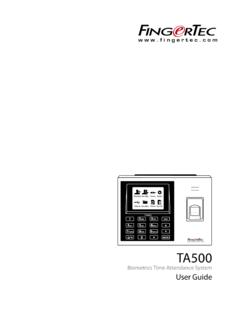
Biometrics Time Attendance System User Guide
www.fingertec.comThe system lets you to turn on/off the voice based on you preference. Press Menu > System > System > Voice Prompts > On/Off. Security Features Security features help protect the information in the terminal from being accessed by unauthorized individuals. AdMIN AFFIrM Register an administrator to the system by enrolling a fingerprint or a ...

User Guide - FingerTec
www.fingertec.combe reproduced or transmitted in any form or by any means, electronic or mechanical, including photocopying, recording, or by any information storage and retrieval system, without written permission from FingerTec Worldwide Sdn Bhd. Every precaution has been made to supply complete and accurate information. Information in this document is subject
Related documents

The impact of technology on organizational performance
www.optimumonline.caThe concept of a concrete action system is based on the fact that an organization is a social system whose dynamics are grounded in the behaviour of groups of actors who develop particular strategies in a set of relationships Optimum, The Journal of Public Sector Management • Vol. 28, No. 1 (19-31) The impact of technology on organizational ...

company portfolio
masterandassociates.comPreparation of maintenance manual. Checklist of defects and follow up verification. Completion of individual product guarantees, statutory maintenance requirement and ultimate maintenance Organisation. User Handover formalities. Certification of all vendors final accounting. Master & Associates 2. Project Services, delivery

product catalogue - Hayman Reese
www.haymanreese.com.aumanagement systems has increased, as has the level of frustration when it comes to wiring a towbar. Hayman Reese’s revolutionary Smartclick™ system takes away the guesswork, making it extremely easy to connect to a vehicle’s computer management systems. It also removes the complexity and additional risk of harming vehicle electronics.

Department of Education
www.deped.gov.phevacuation system, and disaster-related basic information.4 Learner An individual who attends classes in any level of the basic education system, under the supervision and tutelage of a teacher or facilitator. Priority Improvement Areas (PIA) Selected areas in school management, operations, and service delivery that
Study of the Impact of Industry 4.0 on Singapore’s ...
www.wsg.gov.sgMANAGEMENT STRATEGIES Use innovative strategies to mitigate the impact of I4.0 on employees and prepare them to be future-ready Job roles will evolve to focus on high value-adding tasks IMPACT OF I4.0 on job tasks I4.0 will AUTOMATE transactional tasks •Manual, labour-intensive, repetitive, routine •Administrative, scheduling, coordinating