
User Guide - FingerTec
You can fill in the setting of your e-mail here to send reports via Report Scheduler. 1. Click Edit under Email. 2. Insert the information to connect to your SMTP email server. 3. Click Save to save settings. 4. Click Edit under Recipients Info. 5. Click Add. 6. Insert users’ email address and name. 7. Click OK to save settings.
Download User Guide - FingerTec

Information
Domain:
Source:
Link to this page:
Documents from same domain
User Guide - Card Access Control And Time …
www.fingertec.com5 Welcome to the TCMS V3, where Attendance System just got better In line with the fast-pace technology development nowadays, FingerTec introduces TCMS

FACE RECOGNITION TECHNOLOGY WHITE PAPER …
www.fingertec.comFACE RECOGNITION TECHNOLOGY WHITE PAPER • July 2013 © 2013 FingerTec Worldwide Sdn. Bhd. All rights reserved. Face Recognition Technology White Paper | …
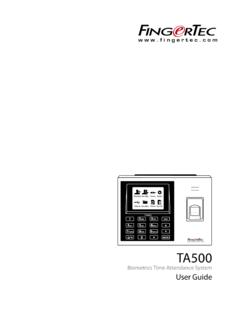
Biometrics Time Attendance System User Guide
www.fingertec.comThe system lets you to turn on/off the voice based on you preference. Press Menu > System > System > Voice Prompts > On/Off. Security Features Security features help protect the information in the terminal from being accessed by unauthorized individuals. AdMIN AFFIrM Register an administrator to the system by enrolling a fingerprint or a ...

User Guide - FingerTec
www.fingertec.combe reproduced or transmitted in any form or by any means, electronic or mechanical, including photocopying, recording, or by any information storage and retrieval system, without written permission from FingerTec Worldwide Sdn Bhd. Every precaution has been made to supply complete and accurate information. Information in this document is subject
Related documents

Low Noise, Precision Operational Amplifier Data Sheet OP27
www.analog.comA/E grades guaranteed fully warmed up. 2 The TCV OS performance is within the specifications unnulled or when nulled with R P = 8 kΩ to 20 kΩ. TCV OS is 100% tested for A/E grades, sample tested for G grades. 3 Guaranteed by design. VS = ±15 V, −25°C ≤ T A ≤ 85°C for OP27J and OP27Z and −40°C ≤ T A ≤ 85°C for OP27GS , unless ...

STOP SV: A Technical Package to Prevent Sexual Violence
www.cdc.govspecific risk factor or outcome.1 Technical packages help communities and states prioritize prevention activities based on the best available evidence. This technical package has three components. The first component is the strategy or the preventive direction or actions to achieve the goal of preventing SV.

TEC-IT Barcode Software
www.tec-it.comTEC-IT Barcode Software Barcode Overview Version 11 Reference 5 March 2021 TEC-IT Datenverarbeitung GmbH Hans-Wagner-Str. 6 A-4400 Steyr, Austria t ++43 (0)7252 72720 f ++43 (0)7252 72720 77 office@tec-it.com www.tec-it.com

AD797 (Rev. K)
www.analog.comAD797 Data Sheet Rev. K | Page 6 of 19 TYPICAL PERFORMANCE CHARACTERISTICS 00846-004 20 0 0 20 15 5 5 10 10 15) SUPPLY VOLTAGE (±V) Figure 3. Input Common-Mode Voltage Range vs. Supply Voltage

Activity: A Plate Tectonic Puzzle
www.amnh.org1 Activity: A Plate Tectonic Puzzle Introduction The Earth’s crust is not a solid shell. It is made up of thick, interconnecting pieces called tectonic plates that fit together like a puzzle.
Tec hnical Reference - ENERGY STAR
portfoliomanager.energystar.govTec hnical Reference OVERVIEW For consistency and comparability, all energy performance metrics in Portfolio Manager reports are expressed in either thousand British thermal units (kBtu) or billion joules (GJ) and are annualized to 12 calendar months. However, ... immediately consumed (i.e., electricity, natural gas, and district steam). ...
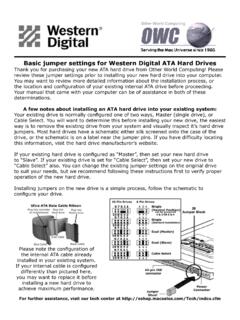
Basic jumper settings for Western Digital ATA Hard Drives
eshop.macsales.comBasic jumper settings for Western Digital ATA Hard Drives Thank you for purchasing your new ATA hard drive from Other World Computing! Please review these jumper ...

X-Plane
www.x-plane.comdescribes only the capabilities, and functions of the S-TEC 55 as modeled in X-Plane. The S-TEC 55 system is featured in some of the aircraft shipped with X-Plane 11. Additionally, as a core component of the simulator, the S-TEC 55 (with associated logic) can be ‘dropped’ into a third-party aircraft and used immediately.

Automatically generated PDF from existing images. - tec.gov.in
tec.gov.in: w.e.f: 11.10.2021 . w.e.f.: 01.022022 Acceptance of applications on MTCTE portal : w.e.f: 01.01.2022 Certification becomes 01.07.2022 * List of products (Essential Requirements) covered under Phase-Ill and Phase-IV of MTCTE is given at Annexure-I. 2. Further, in continuation of this office addendum no. 5-2/2017-TC/TEC dated 13/11/2020,