
User Guide - Nextiva
1. Connect the Polycom VVX 201 as shown in the diagram below. NOTE: Depending on your preference, it may be easier to attach the stand to the phone first (see step 2 below), and then connect the headset, Ethernet cables, and AC adapter (Figure 1-1). Figure 1-1: Attaching the Cables 2. Connect the stand to the phone as shown in the diagram in
Download User Guide - Nextiva

Information
Domain:
Source:
Link to this page:
Documents from same domain
Windows® Desktop User Guide - Nextiva
www.nextiva.comThe grey presence icon indicates that the user is offline and the only availablecontact This icon indicates that the contact is busy on a call.
Related documents

Polycom VVX 500 and VVX 600 User Guide -- UCS 4.1
support.polycom.comAbout This Guide This guide applies to two phones: the Polycom® VVX® 500 business media phone and the Polycom® VVX® 600 business media phone. You can use this guide if you have either phone. This user guide will help you to navigate and use your VVX 500 or VVX 600 phone. It will give you an
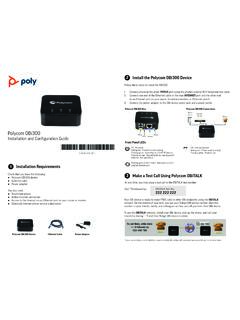
Polycom OBi300 Installation and Configuration Guide
support.polycom.comPolycom OBi300 Installation and Con˜guration Guide 1 Installation Requirements Check that you have the following: Polycom OBi300 device Ethernet cable Power adapter You also need: Touch-tone phone Active Internet connection Access to the Internet via an Ethernet port on your router or modem (Optional) Internet phone service subscription

Horizon Polycom VVX450 Full User Guides - Gamma
www.gamma.co.uk• Blind transfer —Transfers the call directly to another line without speaking with the other party first. • Consultative transfer—Enables you to speak …

Polycom VVX 411 Full User Guide - Gamma Telecom
www.gamma.co.ukPolycom VVX 411 – full user guide v1.1 . To call from the Dialler: • Enter the number, and then pick up the handset, press a line key, press , or press Or • If you’re already in handset, speakerphone, or headset mode, enter the number, and press Dial. Placing Calls from Favourites, Recent Calls, and Directories

Polycom VVX 311 User Guide - Rogers
www.rogers.com3 Polycom VVX 311 User Guide Conference Calls 1. When you are on an active call press the button on the display display (you may have to press button to see the button) 2. When you see the dial screen, enter the extension or 10 digit number and press the button to dial 3. Once the other caller has answered, press the again to have them join the ...