User Guide - TCL
User Guide Illustrations in this guide are provided for reference only and may differ from actual product appearance.
Download User Guide - TCL

Information
Domain:
Source:
Link to this page:
Documents from same domain

C725/C727/P725 SERIES
www.tcl.comWarning: Excessive sound pressure from earphones and headphones can cause hearing loss. USB2.0 or USB3.0 socket (input) The USB socket(s) can be used to connect a USB 2.0 or USB 3.0 device. Note: The number of USB sockets on the TV may vary according to TV model. LAN Router / Modem ANTENNA IN AV IN adapter V L R V R V R DIGITAL AUDIO OUT ...

4series Roku User Guide US-CA-8.1 - TCL
www.tcl.comApr 21, 2016 · Important: This television is a table model and is designed to sit on a firm, flat surface. Don’t place the TV on soft carpeting or similar surface because the ventilation slots on the bottom of the unit will be blocked, resulting in reduced lifetime from overheating. To assure adequate ventilation for this product, maintain a spacing of 4 inches
6series Roku User Guide US-CA-8.1 - TCL
www.tcl.comApr 21, 2016 · Low power standby mode The Power button (indicated by the power symbol) on this TV and its remote control puts the TV into a very low power standby mode but does not completely turn the power off. To completely shut the power off, you must disconnect the power cord from the power outlet. The main plug/appliance coupler is used as a disconnect ...
OPERATION MANUAL - TCL
www.tcl.com3. To use far-field voice control, you need a far-field voice control module which is sold separately. Only the TCL brand module of model FVC*(* stands for the numbers) is compatible with this TV. For details, please refer to your local dealer. LAN Router / Modem ANTENNA IN AV IN adapter V L R V R V R HDMI or HDMI (SERVICE) or HDMI (ARC) USB 2 ...

User Guide - TCL
www.tcl.com1. When the power cord is connected, the TV will be turned on directly or be in standby mode. If the TV is in standby mode, press the button on the set or the button on the remote control to turn it on. 2. To put the TV into standby mode, press the button on the remote control. The TV set remains powered on, but with low energy consumption. 3.

Hi! Let’s get started. - TCL
www.tcl.comthe TV on soft carpeting or similar surface because the ventilation slots on the bottom of the unit will be blocked, resulting in reduced lifetime from overheating. To assure adequate ventilation for this ... harmful interference to radio or television reception, which can be determined by turning the equipment o and on, the user is encouraged ...
User Guide
www.tcl.comElectrical Code (Section 54 of the Canadian Electrical Code, Part 1) which provides guidelines for proper grounding and, in particular, specifies that the cable ground should be connected to the grounding system of the building as close to the point of cable entry as practical.

User guide. - TCL
www.tcl.com7 8 • Do not allow your phone to be exposed to adverse weather or environmental conditions, such as moisture, humidity, rain, infiltration of

3series Roku User Guide US-CA-8.1 - TCL
www.tcl.comtipped over, pushed off, or pulled off the stand. This could cause personal injury and/or damage to the TV. Refer to the Important Safety Instructions on the following pages. Low power standby mode The Power button (indicated by the power symbol) on this TV and its remote control puts the TV into a very low
Related documents

Roku TV User Guide v10.5 for U.S., English
elementelectronics.comNov 01, 2021 · • Tune in to the Roku Tips & Tricks channel to watch videos and learn more about your TV’s features, new products, and popular support topics. • Control your TV with voice commands • Use your Roku Voice Remote (select models) to issue voice commands. Or with any Roku TV, use the free Roku mobile app for voice interactions. Use
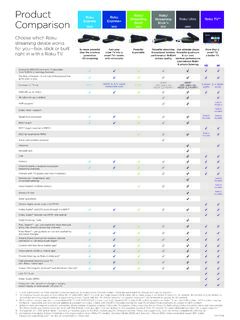
Product Roku Comparison Stick
image.roku.comThe Roku mobile app remote does not work with this feature. Hotel and dorm connect feature is only available on select Roku TV models. For more information or tips, visit support.roku.com 5. Compatible with iOS® and Android™ devices. Limitations apply to the Roku mobile app for Windows devices. Please see support.roku.com for device ...

2021 Work Trend Index: Annual Report The Next Great ...
ms-worklab.azureedge.networkers surveyed want flexible remote work options to continue, while at the same time, 67 percent are craving more in-person time with their teams. To prepare, 66 percent of business decision makers are considering redesigning physical spaces to better accommodate hybrid work environments. The data is clear.

#3 DEC 7-31 2021
www.amlfoods.comRoku Smart TV 40-01-000027 Cool Air Pods Assorted w/Charge Case Fun Box Dj Speaker Dual 12" Speakers, USB Input, SD, FM, DJ LIGHT, Remote & 2 wireless headphones 40-18-00003 HP 14" Chromebook Intel Pentium Processor, 64GB Storage & Wifi Bluetooth Mirco SD Card Reader PRICES ASSURED UNTIL FRIDAY DECEMBER 31, 2021 OR WHILE SUPPLIES LAST
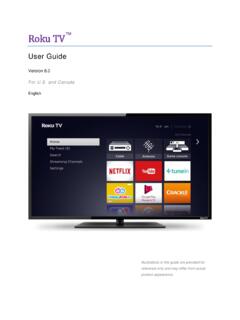
Roku TV User Guide for U.S. and Canada - Hisense
www.hisense-usa.comApr 21, 2016 · input, and only when the TV is linked to a valid Roku account. 8. Control your TV with voice commands Only in the United States, use your Roku Voice Remote (select models), Enhanced Voice Remote (select models), or the free Roku mobile app to control your Roku TV. Use conversational voice commands to search for programs by title, actor, director,
4series Roku User Guide US-CA-8.1
www.tcl.comii Cable TV installer notice of proper grounding This reminder is provided to call your attention to Article 820-40 of the National Electrical Code (Section 54 of the
2021 outlook for the US telecommunications, media, and ...
www2.deloitte.comvideo service, such as Pluto TV, Tubi, and the Roku Channel (18% growth since the pandemic began).4 Sixty-five percent of respondents to Deloitte’s Digital media trends survey say they’re comfortable watching ads to eliminate or reduce subscription costs and that, given a choice, they prefer ad-supported

Hi! Let’s get started. - Roku, Inc.
wwwimg.roku.comPrepare your Roku player to pair by unplugging the power adapter and plugging it back in. Open the Roku remote battery compartment using the instructions in Step 2. Place the Roku remote in close proximity with your Roku player. Press and hold the pairing button inside the battery compartment for 3 seconds.