
USER MANUAL - MakerBot
Smart Extruder again at any time, go to the control panel and select utilities > system tools > attach smart Extruder. i Caution: Never remove the MakerBot Replicator Smart Extruder from your MakerBot Replicator during or immediately after printing. Always allow the Smart Extruder to cool completely before removing it from the 3D printer.
Download USER MANUAL - MakerBot

Information
Domain:
Source:
Link to this page:
Documents from same domain
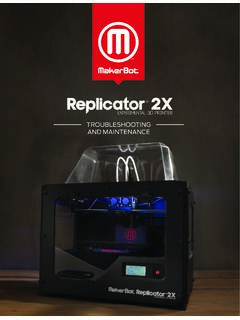
TROUBLESHOOTING AND MAINTENANCE
download.makerbot.comboth extruders. 2. To start the nozzle alignment script, go to the LCD menu and navigate to Utilities > Calibrate Nozzles. 3. The MakerBot Replicator 2X will heat the build plate and extruders and then print a test print for aligning the nozzles. First, one extruder prints a series of straight lines parallel to the front of the
Related documents

Smart Cities - Deloitte
www2.deloitte.com• 3D Printing 51 • Social Robots 52 • Self Driving Vehicles 53 • Drones 54 3 13 27 40 55 78 82 • Smart Mobility 56-57 • Smart Safety 58 • Smart Energy 59-60 • Smart Water 61 • Smart Waste 62 • Smart Buildings 63 • Smart Homes and Living 64 • Smart Health 65-66 • Smart Education 67 • Smart Finance 68-69 • Smart ...

3D printing trends 2020 - Hubs
downloads.hubs.com3D printing is only one part of the new digital manufacturing stack. Joined by other digital manufacturing technologies, such as CNC machining and low-run injection molding, and empowered by digital supply chains and smart factories, 3D printing is forming the new manufacturing landscape. • A timeline with the most influential industrial
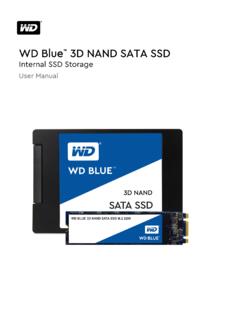
WD Blue 3D NAND SATA SSD - Western Digital
documents.westerndigital.comSMART Self-Monitoring, Analysis, and Reporting Technology SSD Solid State Drive TBW Terabytes Written TLC Triple Level Cell Preface WD Blue 3D NAND SATA SSD User Manual 1. 2 Introduction This product manual describes the functional, mechanical, and interface

Charlotte Danielson’s FRAMEWORK FOR TEACHING
www.ode.state.or.us3d Using Assessment in Instruction • Assessment criteria • Monitoring of student learning Feedback to students Student self-assessment and monitoring 3e Demonstrating Flexibility and Responsiveness • Lesson adjustment • Response to students • Persistence.
Hong Kong Smart City Blueprint 2
www.smartcity.gov.hkHONG KONG SMART CITY BLUEPRINT Foreword This is the second edition of Smart City Blueprint for Hong Kong (Blueprint 2.0). The Government published the Smart City Blueprint for Hong Kong in December 2017, setting out 76 initiatives under six smart areas, namely “Smart Mobility”, “Smart Living”, “Smart Environment”, “Smart

2. 3D Printer Wiring Guide - Robotshop
www.robotshop.comMakeblock Constructor I 3D Printer Kit 3 2.1. Parts Required Parts required: reprap smart controller × 1 ramps1.4 × 1 MEGA2560 compatible board × 1 Stepper motor driver(A4988) × 4 Mega2560 compatible board Based on the ATmega2560 and used as the microcontroller board of …

FETtec FC G4
fettec.net• VCS/TX3: for smart audio / tramp configuration or TX for digital FPV systems • RGB LED: PWM signal pin to control WS2812 LEDs or similar (configurable in GUI) • VCC: Battery voltage • 5V • GND. Page 6 Connection Layout bottom