
USER’S GUIDE TO
SPSS In order to open fsQCA data in SPSS, save the fsQCA data spreadsheet in Comma-separated values (*.csv) or comma-delimited file. Make sure that the string variables in the fsQCA data file are written without spaces in between them (no embedded spaces are allowed) In SPSS choose: File . Open . Data…
Download USER’S GUIDE TO

Information
Domain:
Source:
Link to this page:
Documents from same domain

Curriculum Vitae - UCI Social Sciences
www.socsci.uci.eduCurriculum Vitae . JAN K. BRUECKNER . Office address: Department of Economics . University of California, Irvine . 3151 Social Science Plaza . Irvine, CA 92697

Midterm exam, Health economics, Spring 2007 Answer key
www.socsci.uci.eduMidterm exam, Health economics, Spring 2007 Answer key Instructions: All points on true/false and multiple choice questions will be given for the expla-nation. Note that you can choose which questions to answer in the short answer and long answer sections. You must answer all 6 of the true-false questions.

Published in: The Concise Encyclopedia of Economics, David ...
www.socsci.uci.eduThe Concise Encyclopedia of Economics, David R. Henderson (ed.), Indianapolis: Liberty Fund (2008), pp. 507-510 Urban Transportation by Kenneth A. Small Sept. 2006 The defining trait of urban areas is density: of people, activities, and structures. The defining trait

Distributional Analysis in Educational Evaluation: A Case ...
www.socsci.uci.eduDistributional Analysis in Educational Evaluation: A Case Study from the New York City Voucher Program Marianne P. Bitler, UC Irvine & NBER,*
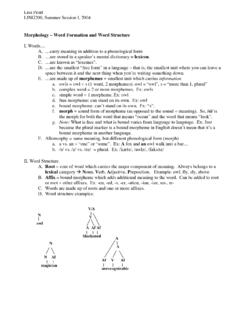
Morphology – Word Formation and Word Structure
www.socsci.uci.eduLisa Pearl LING200, Summer Session I, 2004 C. blends = words created from 2 nonmorphemic parts of already existing words a. smog (from smoke and fog) b. spam (from spiced and ham) D. backformation = word created by removing a morpheme perceived as an affix from an already existing word a. self-destruction self-destruct b. swindler swindle

The Stag Hunt - University of California, Irvine
www.socsci.uci.edutho' they have never given promises to each other. ... Both men can either row or not row. If both row, they get the outcome that is best for each - just as in Rousseau's example, when both hunt the stag. If one decides not to row ... We can reframe our problem in terms of the most thoroughly studied model of cultural dynamics. 1.

Econ 20B- Additional Problem Set 4
www.socsci.uci.eduA supplier of loanable funds borrows money. c. The interest rate adjusts to balance the quantity supplied of and the quantity demanded of loanable funds. d. If Mary buys equipment for her factory, Mary is engaging in capital investment. ... interest rate rises saving becomes more rewarding, so people want to save more. The inverse relation

Judgment under Uncertainty: Heuristics and Biases …
www.socsci.uci.eduJudgment under Uncertainty: Heuristics and Biases Biases in judgments reveal some heuristics of thinking under uncertainty. Amos Tversky and Daniel Kahneman The authors are members of the department of psychology at the Hebrew University, Jerusalem, Tsrael. 1124 . tially the same probability judgments. ...
Related documents
INTRODUCTION TO SPSS - University of Manchester
research.bmh.manchester.ac.ukSPSS Version 23.0 15/03/2017 INTRODUCTION TO SPSS ... CREATING A SPSS SYNTAX ..... 56. SPSS Version 23.0 15/03/2017 2 PART I INTRODUCTION Background This handbook is designed to introduce SPSS for Windows . It assumes familiarity with Microsoft windows and standard windows-based office productivity software such as word processing and ...

Simple Effects Test Following a Significant Interaction
web.pdx.eduSPSS (the GLM syntax command could also be used). 1. MANOVA, which stands for multivariate analysis of variance, is only available through syntax. We are not really conducting a multivariate analysis of variance here, because there is only one dependent variable involved(the statistician's definition of a multivariate test is
SPSS Step-by-Step Tutorial: Part 1 - DataStep
www.datastep.comSPSS Step-by-Step 3 Table of Contents 1 SPSS Step-by-Step 5 Introduction 5 Installing the Data 6 Installing files from the Internet 6 Installing files from the diskette 6 Introducing the interface 6 The data view 7 The variable view 7 The output view 7 The draft view 10 The syntax view 10 What the heck is a crosstab? 12 2 Entering and modifying data 13

Grundlagen der SPSS-Befehlssyntax
unger.soziologie.uni-halle.de3. Die SPSS-Syntax ist der einzige Weg, um alle Syntax-Features ausnutzen zu können. Im Rahmen des SPSS-Einführungskurses kann es natürlich nicht das Ziel sein, die SPSS-Syntax vollständig zu erlernen. Es ist vielmehr das Ziel, das Werkzeug kennen zu lernen und einfache Syntax-Skripten interpretieren zu können.
Exploring Data and Descriptive Statistics (using R)
www.princeton.edu*.do (do-files) *.sps (syntax files) *.sas *.txt (log files) Output extension *.log (text file, any word processor can read it), *.smcl (formated log, only Stata can read it). *.spo (only SPSS can read it) (various formats) *.R, *.txt(log files, any word processor can read) OTR 4

Installing custom dialogs - The PROCESS macro for SPSS ...
www.processmacro.orgSPSS version 24 and later The procedure for installing a custom dialog in SPSS 24 and later is almost identical to the procedure in earlier versions. Two things have changed. First, you cannot install a custom dialog file in SPSS merely by double clicking on it on the desktop.
SPSS Instruction Manual
www.westga.eduThe Syntax Editor You can paste your dialog box selections into a Syntax Editor window, where your selections appear in the form of command syntax. Ø Tutorial 2: Starting A SPSS Session 1. Logon to your Polaris account. 2. Select Programs from the Start menu. 3. Select Scientific from the Programs drop down menu. 4.