
Virtual COM (VCOM) driver Installation Guide
5. Enter a static IP address in the 192.168.2.2 to 192.168.2.254 range and a Subnet mask of 255.255.255.0 and click OK. Click OK at the Local Area Connection Properties window and close the
Download Virtual COM (VCOM) driver Installation Guide

Information
Domain:
Source:
Link to this page:
Documents from same domain
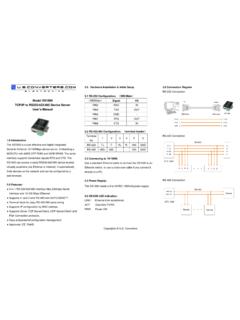
RS-232 Configuration:(DB9 Male Model XS1000 …
www.usconverters.comUse a standard Ethernet cable to connect the XS1000to an Ethernet switch, or use a cross-over cable if you connect it directly to a PC.

How to fix the error - Serial Data Communication …
www.usconverters.comE. Expand Universal Serial Bus controllers section. F. Right-click every device under the Universal Serial Bus controllers node, ... How to fix the error

RS232 to RS422 Converter Part no. XS202
www.usconverters.comDB9 male connector and terminal . board. 4. supply terminal. An internal amplifier supplies . RS232 interface. If the RS232 port is not capable of . Extending communication distance with RS422
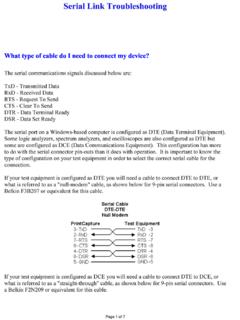
Serial Link Troubleshooting-1
www.usconverters.comSerial Link Troubleshooting The serial communications signals discussed below are: - - RTS - CTS - DTR - DSR - Transmitted Data Received Data

www.usconverters
www.usconverters.comwww.usconverters.com Making a DB to RJ45 adapter. DB9 to RJ45 adapters are often used in combination with a . RS232 repeater. for extending the distance of

USB Serial RS232 Loop-back test Rev
www.usconverters.comUSB Serial RS232 Loop-back test and troubleshooting . A loop-back test can verify if your USB to serial RS232 adapter has been installed properly and if it can send and receive data as intended. In a troubleshooting situation this will help you to determine if a communication problem is caused by the adapter, your equipment or the drivers.
Related documents

Tips for the USB port settings - AB4OJ
www.ab4oj.comTIPS FOR THE USB PORT SETTINGS 2 PREFACE Until recently, it has been necessary to change your PC data output to fit your transceiver’s specifications
ACT-IRx24UN-Lx / ACT-IRx24UN-Lx-LE USB to …
www.actisys.come. Compatible with and replaces RS232 Raw IR adapters: ACT-IR220L+, ACT-IR220L, ACT-IR220Li and ACT-IR220LN. f. Supports Virtual COM port. Nothing or minimum changes in user’s sofware which are already
Dust Networks Eterna Serial Programmer Guide - …
www.analog.comDust Networks . Eterna™ Serial Programmer Guide . For use with the following hardware, evaluation or development kits (see “Supported Products” for more details): ...
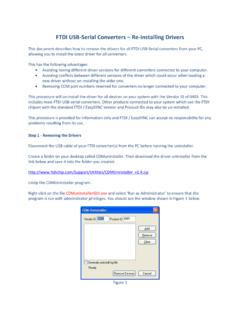
FTDI USB-Serial Converters Re-installing Drivers
www.dlpdesign.comFTDI USB-Serial Converters – Re-installing Drivers This document describes how to remove the drivers for all FTDI USB-Serial converters from your PC, allowing you to install the latest driver for all converters.

USB Hi-Speed Serial/Hub Module - FTDI Chip …
www.ftdichip.comCopyright © Future Technology Devices International Limited 4 Document Reference No.: FT_000331 USB Hi-Speed Serial/Hub Module Version 1.4 Clearance No.: FTDI# 174

Virtual Alpha User Guide - Migration Specialties: …
www.migrationspecialties.comMigration Specialties International, Inc. Info@MigrationSpecialties.com 1 Contents 1. DOCUMENT CONVENTIONS 10 1.1 Virtual Alpha Product References 10
Serial to Ethernet Converter for TM4C129x …
www.ti.comimportant notice for ti design information and resources

Using a USB to Serial adapter and Terminal …
www.ztechnology.comUsing a USB to Serial adapter and Terminal Emulator in Windows 7 to communicate with a DM101 Z Technology Application Note No: 40 This application note outlines the simple process of installing and using a USB to
Related search queries
FOR THE USB PORT SETTINGS, ACT-IRx24UN-Lx / ACT-IRx24UN-Lx, Virtual, Port, Serial, USB-Serial Converters Re-installing Drivers, USB-Serial Converters – Re-installing Drivers, Hi-Speed Serial/Hub Module, Virtual Alpha User Guide, Serial to Ethernet Converter for TM4C129x, To Serial adapter and Terminal, To Serial adapter and Terminal Emulator