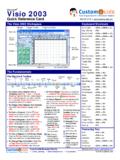
Visio Quick Reference, Microsoft Visio 2003 Cheat Sheet
Stencils Diagram Types and Templates The Stencil Toolbar • A stencil is a collection of shapes related to the template you are currently working on. Each template has a different set of stencils assigned to it. • To Open a Stencil: Click the Shapes button on the Standard toolbar or select File → Shapes → Open Stencil from the menu. • To Move a Stencil: Click and drag the stencil by ...
Download Visio Quick Reference, Microsoft Visio 2003 Cheat Sheet

Information
Domain:
Source:
Link to this page:
Documents from same domain

PowerPoint 2010 - CustomGuide
customguide.comCustomizable Computer Training 9 Courseware 9Online Learning 9 Skills Assessments Microsoft® PowerPoint 2010 Quick Reference Card PowerPoint 2010 …
Quick Reference Card Tel. (888) 903-2432 | …
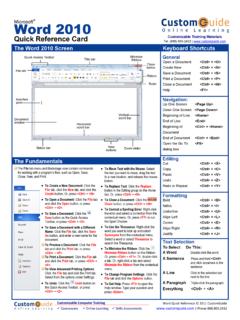
customguide.comMicrosoft® Word 2010 Quick Reference Card The Word 2010 Screen Keyboard Shortcuts Create New Ribbon Up One Screen window buttons General Open a …
Adobe Photoshop 7 - CustomGuide
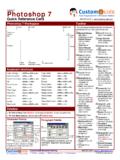
customguide.comAdobe® Photoshop 7 Quick Reference Card Photoshop 7 Workspace Toolbar * Each tool group’s keyboard shortcut is included in parenthesis after the name of the default tool.
Access 2010 - CustomGuide
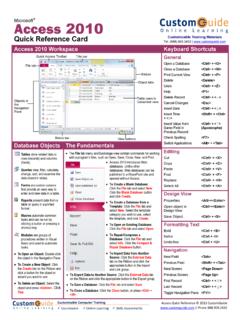
customguide.comAccess 2010 Quick Reference Card ... Navigation Next Field <Tab> ... Working with Table Data • Database information can be directly added and modified from tables ...
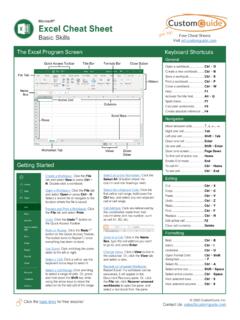
The Excel 2007 Screen Keyboard Shortcuts
customguide.comExcel 2007 Quick Reference Card The Excel 2007 Screen Keyboard Shortcuts The Fundamentals ... • To Reference a Cell in a Formula: Type the cell reference (for example, B5) in the formula or click the cell you want to reference.
Related documents

eVSM -The easiest way to visualize the value stream
www.evsmhelp.comeVSM Toolbar The eVSM toolbar is located just above the drawing page. If this is not visible then the eVSM software is not properly installed or the Visio security setting on your system is
Microsoft Visio 2010 Top 10 Benefits - huronblue.com
www.huronblue.comThe Shapes window in Visio® 2010 makes it easier to find and select the shapes and stencils you want, and to move between them. When you open a template, its stencils appear in a list view in the Shapes window. Simply click a stencil title bar to see its shapes.
SMS Visio Utils User Guide - Square Mile
www.squaremilesystems.comSMS Visio Utils – User Guide 6 SMSVisioUtils-UserGuide.docx Using shapes from the stencil “Walls, Shell and Structure” you can draw room walls,
Technical Data Sheet CDF® Vision™ - Ulano
www.ulano.comtechnical data sheet cdf® vision™ diazo dual-cure capillary film system enhances cross-linking, yielding sharp printing shoulders and mechanical durability

Prototyping and Usability Testing with Visio
www.wqusability.com2 Prototyping and Usability Testing with Visio Whitney Quesenbery and Karen Bachmann What is a prototype? A model of the final product A way to see what something will be like before it is built. A vehicle for exploration A way to validate ideas in a low-risk environment before making a final decision