
Waves VOCAL RIDER
Waves Vocal Rider User Guide 5 Chapter 2 – Quickstart Guide Insert Vocal Rider as the last plug-in on your vocal or vocal group track. Send your instrumental tracks, post fader, to a bus, just like a headphone mix. Set the sidechain input on Vocal Rider to the instrumental bus.
Download Waves VOCAL RIDER

Information
Domain:
Source:
Link to this page:
Documents from same domain

Software User Guide - Waves Audio
www.waves.comWaves MaxxVolume Software User Guide 3 Introduction MaxxVolume is an all-in-one dynamics processor. Available in both mono and stereo configurations, it performs four different dynamics processing functions: gating, low level

Waves Central User Guide
www.waves.comWaves Central User Guide page 1 WAVES CENTRAL USER GUIDE INTRODUCTION Waves Central is an application that lets you install, activate and license your Waves software products (V9.6 and above). Use Waves Central to install and activate all Waves plugins and nearly all Waves …
Waves SSL EV2
www.waves.comis selected, the low pass and high pass filters are placed before the dynamics processors in the chain. The equalizer can be switched into the dynamics sidechain to afford simple de-essing and other frequency- controlled dynamics processing by selecting Dyn S-C at the foot of the section. LF and HF shelves can be reshaped to bell curves by pressing

Waves Tracks Live User Guide
www.waves.comGlobal Solo clears the solos on all tracks. In Multi Out mode, the Global Mute button selects/deselects mutes on all tracks. Click twice to clear all mutes when only certain tracks are muted. To make a track Solo Safe, Crtl/CMD + click on the track’s Solo button.

tune from PDF - Waves Audio
www.waves.comperform on all scanned material. Global shift defines a constant shift in equal tempered semitones (half steps.) Default = 0 ; +/- 12 half-steps (semitones.) Formant Correction - The correction type can be set to Formant corrected or Non Formant corrected. For vocals we recommend formant correction to avoid unnatural pitch shifts.
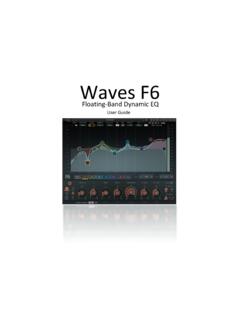
Floating-Band Dynamic EQ - Waves Audio
www.waves.comThe F6 Floating-Band Dynamic EQ is very flexible since the frequency, width, sidechain mode, and EQ type of each band can be set independently of others. This lets you assign separate EQ and dynamic processes to different frequency bands of a signal. With the M/S mode, you can control dynamic EQ processing in different parts of the sound image ...

Free Waves Presets - Waves Audio
www.waves.comTodd Cutler Dave Darlington Chris DeStefano Brad Divens Andrew Fletcher Val Garay Scott Martin Gershin Daniel Gonzalez Paul David Hagar Histibe Donal Hodgson ... Aphex Vintage Aural Exciter API 2500 API 550A API 550B API 560 Butch Vig Vocals C1 Compressor C4 Multiband Compressor C6 Multiband Compressor CLA Drums CLA Effects

Waves Nx for Windows and Mac - User Guide
www.waves.comwww.waves.com www.maxx.com - 3 - 1. About Waves Nx Waves Nx is an application that delivers immersive 3D audio on any headphones. Nx combines the worlds highest-quality 3D audio algorithms with state-of-the-art head tracking to deliver realistic 3D sound that recreates the way you hear sound in the world around you.

CLA-2A User Manual - Waves Audio
www.waves.comVariable Release Times In the original modeled hardware, a T4 optical device determines compression behavior. When strong signals are introduced to the compressor input, release time constants lasting several seconds may result. In certain cases, this may cause the same passage to sound different during

WaveSystem User Guide - Waves Audio
www.waves.com3 Enter Project Name / User Guide Presets . A preset is a complete snapshot of a plugin’s settings. Each preset is a unique file with an “xps” extension. Presets are managed in the Preset Menu.Click on the preset name in the middle of the Toolbar to open the menu.